
There is a very specific, deeply overwhelming ritual that happens approximately forty-eight hours after you get engaged.
Once the champagne is gone, the phone calls to your parents are finished, and the initial wave of pure, unadulterated joy begins to settle, a well-meaning friend or family member will hand you “The Binder.”
If you have ever been close to a wedding, you know exactly what I am talking about. It is a massive, ten-pound, three-ring physical binder filled with tabbed dividers, seating chart templates, vendor contracts, fabric swatches, and terrifyingly complex budgeting spreadsheets. I held this enormous white book in my hands and felt an immediate, suffocating wave of panic.
Society has normalized the idea that planning a wedding is supposed to be a miserable, stressful, part-time job that consumes a year of your life. We are told that if we aren’t crying over a seating chart at 2:00 AM, we simply aren’t doing it right.
I looked at the binder, and I flatly refused.
I already lived a busy, fast-paced life. I didn’t want to carry a miniature filing cabinet to every coffee shop and lunch break. More importantly, I wanted to actually enjoy being engaged to my partner. Since I already managed my career, my fitness, and my social life entirely from the glass rectangle in my pocket, I made a radical decision: I was going to plan our entire 150-person wedding using absolutely nothing but mobile apps. No physical binders, no messy desktop spreadsheets, and no paper trails.
People told me I was crazy. They warned me that things would slip through the cracks. But twelve months later, I walked down the aisle at a flawlessly executed event, and I was actually relaxed.
If you are staring down the barrel of a twelve-month engagement and feeling completely overwhelmed by the logistics, put the heavy binder down. You do not need to be a professional event planner to pull this off. You just need to delegate the heavy lifting to the right software. Here is the exact digital blueprint I used to plan my entire wedding directly from my smartphone.
Phase 1: The Vision and Vibe Check (Pinterest & Pantone Studio)
Before you can book a venue or hire a florist, you have to actually figure out what you want the day to look and feel like. This is the fun part, but it can quickly become visually overwhelming.
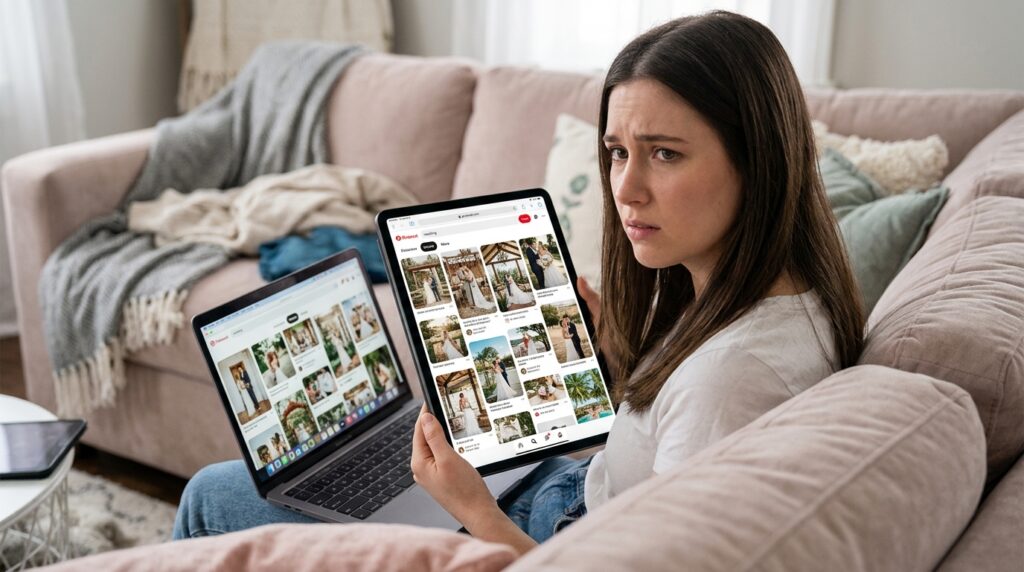
I started where almost every modern bride starts: Pinterest.
However, the mistake most people make is creating one massive, chaotic board called “My Wedding” and dumping five hundred conflicting images into it. You end up with a board that has rustic barn doors next to modern acrylic chairs and tropical disco balls. It gives your vendors absolutely no clear direction.
I used the Pinterest app to create highly compartmentalized, specific boards. I had one board strictly for “Tablescapes,” one for “Bridal Hair,” and one for “Cocktail Hour Vibe.” This compartmentalization forces you to be decisive.
Once I found a few photos that perfectly captured the aesthetic I wanted, I imported them into an app called Pantone Studio.
This app is a secret weapon for event design. You upload an inspiration photo, and the app’s software automatically extracts the exact color palette from the image, providing you with the official Pantone color codes. Instead of telling my bridesmaids to “find a dress in dusty sage,” I sent them the exact digital color swatch. I sent the same swatch to my stationer and my florist. It ensured that every single visual element of the wedding was perfectly, mathematically cohesive, all generated while I was sitting on my couch.
Phase 2: The Digital Command Center (Zola)
You cannot manage a modern wedding across a dozen different platforms. You need one central hub to rule them all. For me, that was the Zola mobile app.
Zola is the undisputed champion of all-in-one wedding management. I used their app to build our entire wedding website while riding the subway to work. It features an incredibly intuitive drag-and-drop interface, allowing me to upload our engagement photos, write our story, and list the hotel block information in about twenty minutes.
But the true magic of Zola is the guest list and RSVP management.
We completely ditched physical RSVP cards. They get lost in the mail, people forget to send them back, and you end up spending your evenings manually typing chicken-scratch handwriting into an Excel grid.
Instead, our formal invitations directed guests to RSVP via our Zola website. When a guest typed their name into their phone and selected the “Steak” or “Vegetarian” option, my phone would immediately buzz with a push notification. The app automatically updated the master guest list, tallied the meal choices for the caterer, and generated a real-time headcount. I literally never had to count a single response myself.
Phase 3: Taming the Budget Monster (YNAB)
Weddings are notoriously, eye-wateringly expensive. The majority of the stress couples feel during an engagement doesn’t come from choosing flowers; it comes from the dark, looming cloud of financial ambiguity. If you don’t know exactly where your money is going, every single purchase feels terrifying.
To prevent us from going into debt, I relied heavily on my budgeting software. I had already learned how to master my personal cash flow using specialized tools, a journey I documented thoroughly in (How This Finance App Made Me Understand My Spending Habits). I simply applied that exact same philosophy to the wedding.
I used YNAB (You Need A Budget).
I created a master category called “Wedding” and broke it down into micro-categories: Photographer, Catering, Dress, Venue, Tips, and Unexpected Buffer.
Whenever we got paid, we immediately transferred a specific percentage of our income into these digital envelopes within the app. Because the app synced directly to my bank account, every time I swiped my debit card to pay a vendor deposit, I categorized the transaction on my phone before I even walked out of the meeting.
By actively tracking every single penny in real-time, there were absolutely no financial surprises. When the florist asked if we wanted to upgrade the centerpieces, I didn’t have to guess if we could afford it. I just opened the app, looked at the “Floral” category, and saw the exact dollar amount we had available to spend. It took all the emotion and fighting out of our wedding finances.
Phase 4: The Vendor Hustle and Project Tracking (Trello)
Finding the right vendors used to require attending massive, exhausting bridal expos. Today, the best vendors are found entirely on social media.
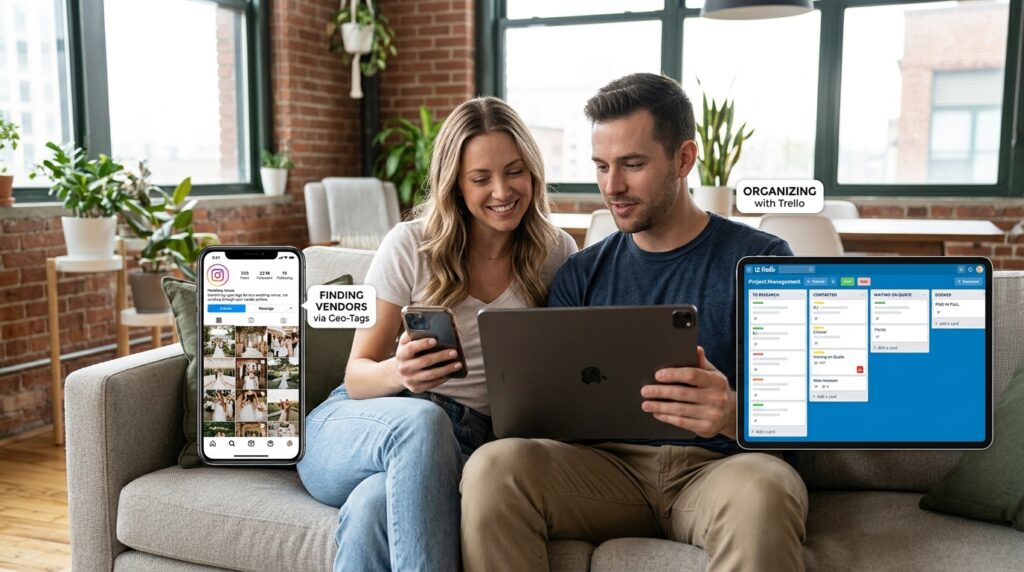
I used Instagram as a search engine. I didn’t search for generic terms; I searched for highly specific location tags. I looked at the geo-tag for my chosen venue and scrolled through hundreds of photos until I found a lighting setup I loved. I tapped the photo, looked at the tags, and found the exact lighting company that did the work.
Once the vendors were found, I needed to manage the contracts, the quotes, and the massive timeline of moving pieces. For this, I used Trello.
Trello is a project management app based on the Kanban board system. It is highly visual and incredibly satisfying to use. Implementing this system was effortless because I was already accustomed to using it for complex tasks, an approach I detailed in (How I Organize My Work Projects Using Apps).
I created a specific wedding board with vertical columns labeled: To Research, Contacted, Waiting on Quote, Booked, and Paid in Full.
When I reached out to a DJ, I created a digital “card” with his name and placed it in the Contacted column. When he replied with his pricing, I attached the PDF quote directly to his card and dragged him to the next column. My partner also had the app installed on his phone, so we could both see the exact status of every single vendor at a glance. We were never confused about who was supposed to be doing what.
Phase 5: The Tiny Details and Meeting Notes (Notion)
When you sit down with a catering manager or a venue coordinator for a site walk-through, they are going to throw a hundred tiny, critical details at you. They will tell you that the loading dock closes at 4:00 PM, the vegetarian option contains tree nuts, and the sparkler exit needs to happen on the west patio.
If you write these things down on a random piece of paper, you are going to lose them.
You need a central digital brain for the granular details, which is why a robust note-taking system is essential. I heavily relied on the exact framework I recommend in (10 Note-Taking Apps That Actually Help You Stay Organized). I chose Notion.
Notion acted as our digital filing cabinet. I created a dedicated page for “Catering Notes” where I typed out everything the chef told us. I created a page for our “Day-Of Timeline,” mapping out the wedding day in fifteen-minute increments. Because Notion is cloud-based, I could generate a simple web link to our timeline and text it to the bridal party and our vendors. If I needed to change the arrival time of the makeup artist, I updated it in the app, and the link automatically updated for everyone viewing it. No more printing out ten different revisions of a schedule.
Phase 6: The Guest Experience and Photo Harvesting (WedPicsQR / WithJoy)
The final, and perhaps most frustrating, aspect of a modern wedding is the photography gap.
You pay thousands of dollars for a professional photographer, but they cannot be everywhere at once. Meanwhile, you have 150 guests walking around with high-end smartphone cameras in their pockets, capturing hilarious, candid moments on the dance floor that you will never get to see.
In the past, couples tried to solve this by putting disposable cameras on the tables. But those are expensive, half the photos are completely dark, and you have to pay to develop them.
Instead, I used a modern photo-sharing app. We utilized WedPicsQR (though WithJoy also has a fantastic built-in version of this).
We didn’t force our guests to download a heavy, complicated app. Instead, we simply generated a QR code through the platform and printed it on our cocktail napkins and table menus.
The instructions were simple: Point your camera here and share your photos!
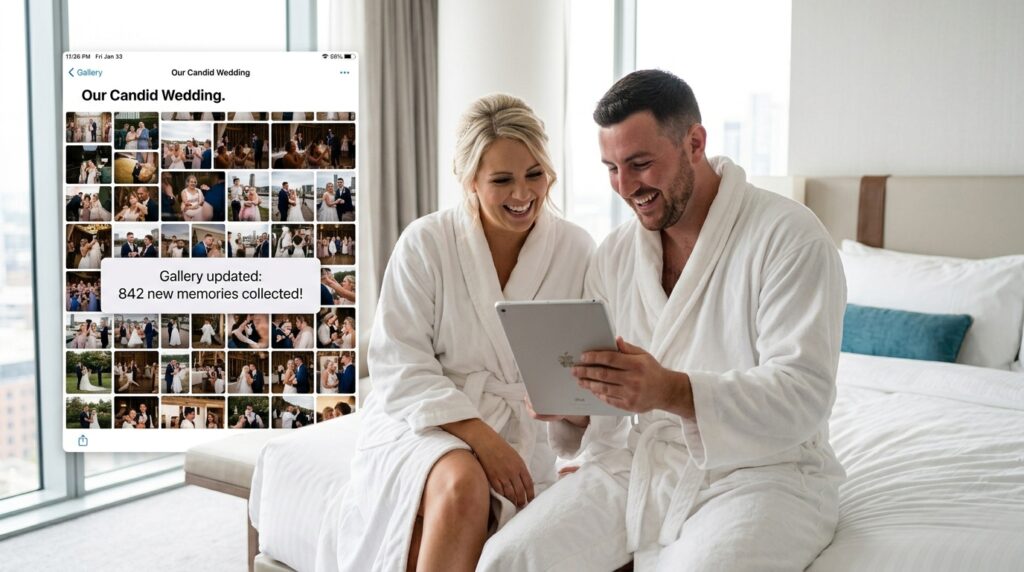
When guests scanned the code, it opened a temporary browser window where they could instantly upload the videos and photos they were taking in real-time. By the time my new husband and I woke up the next morning in our hotel room, we had a private, centralized digital gallery filled with over eight hundred candid photos and videos of our friends and family having the time of their lives. We didn’t have to spend months chasing people down on WhatsApp to send us their pictures.
Final Thoughts: Reclaiming Your Engagement
A wedding is supposed to be a celebration of love, family, and the beginning of a new chapter in your life. It is not supposed to be an administrative nightmare that tests your sanity and fractures your relationship.
The wedding industry wants you to believe that the process has to be complicated, heavy, and reliant on expensive paper planners and massive binders. But the reality is that the technology we carry in our pockets every single day is vastly superior to a three-ring binder.
By trusting software to handle the heavy lifting, the math, and the organization, you buy back your own time. You eliminate the physical clutter that causes mental anxiety. You ensure that when you are sitting on the couch with your partner, you can actually watch a movie and relax, rather than frantically sorting through a pile of vendor contracts.
If you are getting married soon, take a deep breath. Delete the massive spreadsheets. Download a few highly specialized apps, set up your digital workflow, and put the power back in the palm of your hand. You deserve to be fully present for the most beautiful season of your life. Let the algorithms do the stressing so you can do the celebrating.
