
Every January, for the better part of a decade, I would perform the exact same, highly optimistic ritual.
I would go to a stationary store and buy a beautiful, expensive, leather-bound notebook. I would buy a set of high-end pens. I would sit at my kitchen table, crack open the pristine pages, and meticulously write down a massive list of goals for the year. I was going to run a marathon. I was going to learn to speak French. I was going to read fifty books and completely overhaul my finances.
For the first two weeks, I felt invincible. I carried that notebook everywhere.
By the third week of February, the notebook would be buried under a stack of unopened mail on my desk. By March, I had completely forgotten what my goals even were. I was back to my old, chaotic routines, feeling a deep, suffocating sense of failure.
I kept blaming my lack of willpower. I told myself I just wasn’t disciplined enough. But one afternoon, while I was mindlessly scrolling through social media for the second hour that day, a harsh realization hit me.
My willpower wasn’t the issue. My environment was.
I was trying to use a static, physical notebook to manage my dynamic, fast-paced life. Meanwhile, I had a supercomputer sitting in my pocket that I looked at roughly eighty times a day. If my goals weren’t inside that screen, they effectively didn’t exist in my daily reality.
I decided to stop fighting my smartphone and start utilizing it. I transformed the device from an engine of distraction into a relentless, personalized accountability partner. If you are tired of setting massive goals only to abandon them a month later, here is exactly how I use my phone to track my productivity and actually achieve what I set out to do.
1. Ditching Vague Ambitions for Trackable Inputs
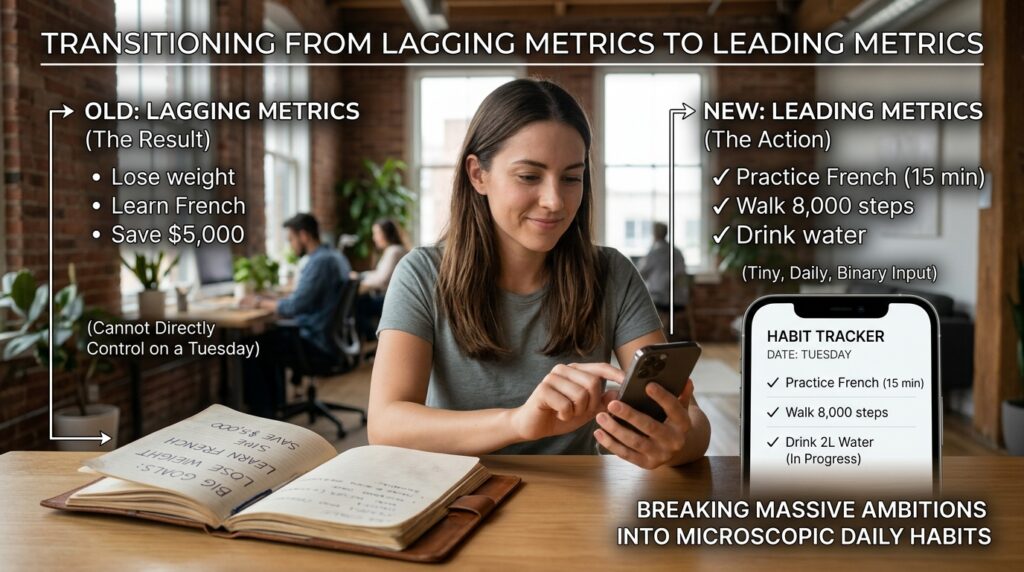
The biggest mistake I made in those leather notebooks was writing down “Lagging Metrics” instead of “Leading Metrics.”
A lagging metric is a result: Lose 10 pounds. Learn French. Save $5,000.
You cannot directly control a lagging metric on a random Tuesday afternoon. You can only control the daily actions that lead to that result. When I transitioned my goals to my smartphone, I completely changed how I defined them. I broke every massive ambition down into a tiny, daily, binary input.
Instead of tracking “Learn French,” I downloaded a habit tracker app and created a daily goal: Practice French for 15 minutes.
Instead of tracking “Lose weight,” I created a daily goal: Drink two liters of water and walk 8,000 steps.
This shift is crucial. An app needs clear, definitive data. You either did the 15 minutes of French, or you didn’t. There is no gray area. By breaking my massive life goals into microscopic daily habits, I gave the software something concrete to measure. Transitioning to this binary mindset was the foundational step of my system, a concept I explored deeply in How to Stay Motivated With Habit Tracker Apps. It turns overwhelming mountains into simple, daily stepping stones.
2. Gamifying the Daily Check-In (The Streak Mechanism)
Humans are remarkably simple creatures. We love immediate rewards, and we hate losing things we have built.
Social media companies and mobile game developers use this psychology against us every single day. They use bright colors, satisfying sound effects, and “streaks” to keep us opening their apps. I decided to hijack that exact same dopamine loop and point it toward my own personal development.
I started using an app called Streaks (though there are dozens of great alternatives like Habitica or Loop).
When I finish my 15 minutes of language practice, I open the app. I press and hold a bright, colorful circle on my screen. The app gives a deeply satisfying haptic vibration, plays a triumphant little chime, and the circle fills in.
It sounds childish, but that tiny burst of dopamine is incredibly powerful.
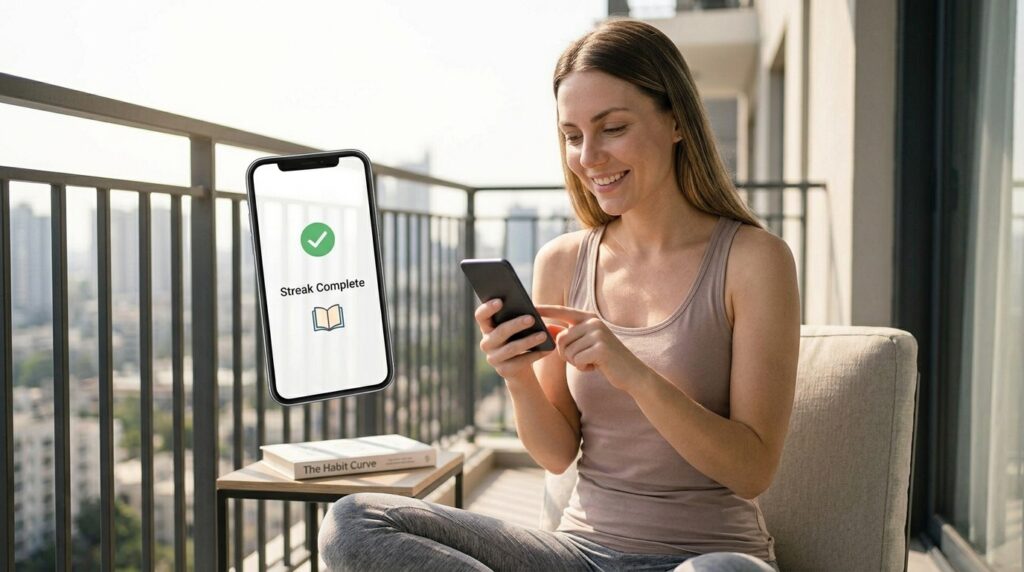
More importantly, the app tracks how many consecutive days I have completed the habit. When I have a 24-day streak of reading before bed, the psychological pressure to not break that chain on the 25th day is immense. Even if I am exhausted, I will force myself to read two pages just to keep the digital streak alive. Leveraging this exact psychological hook is what finally created consistency in my life, a breakthrough I detailed in How I Track My Progress and Stay Motivated Every Day. The software weaponizes my own stubbornness for my benefit.
3. Removing Friction With Interactive Widgets
A tracking system is only effective if you actually use it.
In the beginning, I had my habit-tracking apps buried in a folder on the third page of my home screen. I found that if I had to unlock my phone, swipe twice, open a folder, wait for the app to load, and then navigate to the tracking page, I simply wouldn’t do it. The friction was too high.
I had to bring the tracking to the absolute surface of my device.
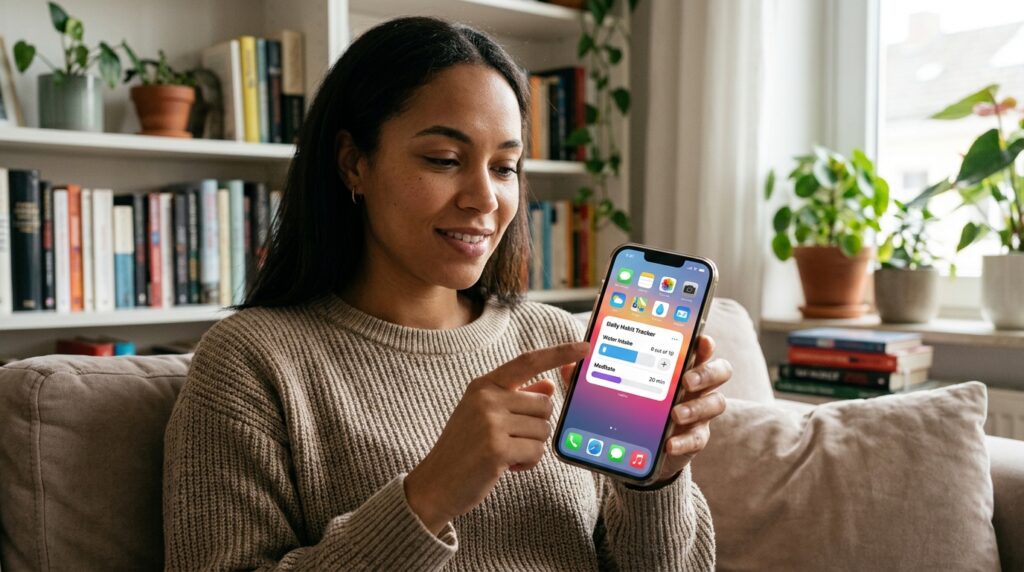
Both iOS and Android have incredible, interactive widget capabilities. I completely cleared my primary home screen of all social media and email apps. I replaced them with a massive, interactive habit-tracking widget.
Now, when I unlock my phone, the very first thing I see is my daily progress bar. I don’t even have to open the app to log my data. If I drink a glass of water, I just tap the plus icon directly on my home screen widget. It registers the habit instantly.
If my phone is going to be the central hub of my life, my goals need to be the wallpaper. By removing the friction of data entry, tracking my progress takes less than two seconds a day.
4. Integrating Goals Into the Calendar
Tracking your habits is only half the battle; the other half is actually finding the time to execute them.
You can have a beautiful app with a list of ten daily goals, but if your day is completely consumed by meetings, emergencies, and chaotic errands, those goals will remain unchecked. I realized that if a goal didn’t exist on my daily calendar, it was just a wish.
I integrated my tracking apps directly with Google Calendar.
If my goal for the day is to write for 45 minutes, I don’t just hope I find the time. I open my calendar and I literally block out 7:00 AM to 7:45 AM. I label it “Writing Block.”
By merging my goals with my timeline, I am forced to be realistic. If I look at my calendar and see that I have back-to-back meetings from 9:00 AM to 6:00 PM, I know instantly that I am not going to the gym for an hour that night. Instead of failing and feeling guilty, I proactively scale the goal down. I change the calendar block to “15-minute home workout.”
Tying my ambitions to my actual timeline completely transformed my output, a structural philosophy I broke down step-by-step in How I Turn My Phone Into a Productivity Powerhouse. Your calendar is the harsh reality of your life; your goals must live there.
5. Automating the Data Collection
The ultimate secret to long-term tracking is to make it invisible.
There are certain goals that you shouldn’t have to manually track at all. Manual entry invites human error and eventual fatigue. Your smartphone is a bundle of highly advanced sensors; you just have to give them permission to work for you.
I aggressively automated my health and financial tracking.
-
Fitness: I wear a smartwatch that syncs directly to Apple Health (or Google Fit). I never manually log a run, my step count, or my sleep hours. The hardware tracks it passively in the background, and my habit-tracking app pulls that data automatically to fill in my daily circles.
-
Finances: I connected my bank accounts securely to a budgeting app. I do not manually type in my receipts. When I buy groceries, the app registers the transaction, categorizes it, and updates my “Monthly Savings Goal” progress bar automatically.
-
Screen Time: I set native operating system limits on distracting apps. If my goal is to scroll less than an hour a day, the phone tracks every minute automatically and literally locks me out when I hit the threshold.
By automating the heavy lifting, I reserve my mental energy for the actual execution of the work, rather than the administration of the data.
6. The “Sunday Dashboard” Review
Data is completely useless if you never stop to analyze it.
If you are just blindly tapping buttons on an app every day without looking at the larger trend, you aren’t actually improving; you are just going through the motions.
I instituted a strict, non-negotiable ritual. Every Sunday evening at 5:00 PM, I sit on my couch for exactly twenty minutes. I open my tracking apps, and I look at the monthly and weekly charts.
This is my honest mirror. The data does not lie.
I might look at my fitness tracker and realize that, despite my best intentions, I only went to the gym once last week. Without the data, I might have convinced myself I had a “pretty good week.” The app forces me to confront the reality of my actions.
More importantly, it allows me to pivot without guilt. If I notice that I have failed to read my book for six days in a row, I don’t beat myself up. I ask a logistical question: Why is this failing?
Maybe my goal of reading 30 pages a night is too aggressive. During my Sunday review, I adjust the goal down to 10 pages. The software allows me to be a scientist of my own life, constantly tweaking the variables until I find the formula that actually works.
7. Utilizing “Focus Modes” to Protect the Work
Finally, tracking your productivity means nothing if the device you are using is constantly interrupting you.
You cannot use a smartphone as a high-level goal-tracking tool if it is simultaneously serving as a notification machine for every retail store, news outlet, and social media platform in the world.
I heavily utilize the native “Focus Modes” (or “Do Not Disturb” profiles) on my device.
I have a specific Focus Mode labeled “Deep Work.” When I trigger it, my phone completely changes its personality. It hides all of my social media apps. It mutes all incoming text messages except for emergency contacts. The only apps allowed to notify me are my calendar, my timer, and my habit tracker.
By actively shifting the digital environment, I ensure that when I pick up my phone to track a goal, I do not accidentally fall into a digital rabbit hole. I protect my attention with the exact same device that used to steal it.
Final Thoughts: The Remote Control for Your Life
We have culturally normalized a very toxic relationship with our smartphones. We view them as entertainment devices, pacifiers, and inescapable masters. We assume that screen time is inherently wasted time.
But a smartphone is arguably the most powerful personal logistics tool ever invented in human history.
When you stop buying physical notebooks that you are going to lose in a week, and start building your life directly into the operating system of your phone, everything changes.
Your goals stop being abstract wishes floating in the back of your mind. They become concrete, trackable, highly visible data points. They live on your home screen. They ping you when you are falling behind. They reward you with a satisfying chime when you succeed.
Take an hour this weekend to completely reorganize your device. Delete the games you play to kill time. Install a premium habit tracker. Put the widget on your home screen. Connect your calendar.
When you intentionally program your phone to care about your ambitions, it stops being a distraction, and finally becomes the ultimate remote control for the life you want to build.
