
My eyes felt like they were coated in fine sandpaper, and the cursor on my blank document had been blinking mockingly at me for at least twenty minutes.
I looked at the clock in the top right corner of my screen. It was 2:14 PM on a Thursday. I had been sitting at my desk since 8:00 AM, and I still had another four hours of intense, demanding work ahead of me. I was experiencing the dreaded mid-afternoon crash—that specific point in a long workday where your brain simply goes on strike.
My immediate instinct was to pick up my smartphone. I reasoned with myself that I just needed a “five-minute mental break.” I unlocked the screen, opened a social media app, and started scrolling.
When I finally snapped out of my digital trance, a solid forty-five minutes had evaporated. I wasn’t rested. I wasn’t recharged. In fact, I felt significantly more exhausted, burdened by the chaotic news cycle and a profound sense of guilt for wasting almost an hour of my afternoon.
If you work long, gruelling hours—especially if you work remotely or manage your own schedule—you know this cycle all too well. We treat our workdays like an eight-to-ten-hour sprint, expecting our brains to maintain a constant, unwavering level of output. But human biology doesn’t work that way. Attention is a finite resource, and if you don’t actively protect it, it will bleed out by lunch.
For a long time, I tried to power through these long days using sheer willpower and triple-shot espressos. It resulted in massive burnout. I realized I needed a system. I needed to build digital guardrails that would guide my attention when my willpower inevitably failed.
Here is exactly how I completely re-engineered my workflow and the specific mobile apps I use to stay focused during long, exhausting workdays.
1. Breaking the Marathon into Sprints (The Pomodoro Protocol)
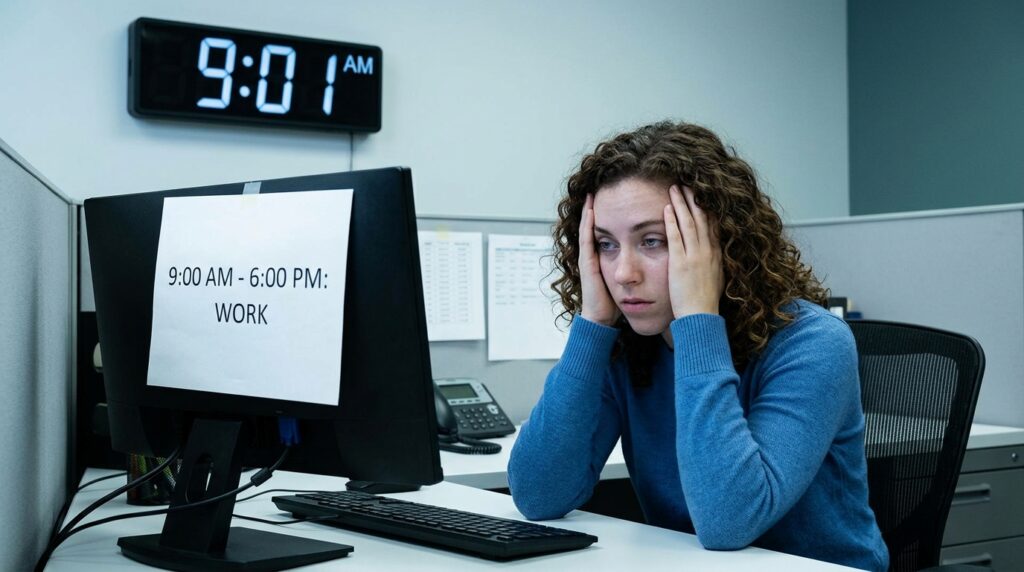
The biggest mistake I used to make was looking at my workday as one massive, monolithic block of time. If I knew I had to work from 9:00 AM to 6:00 PM, the sheer volume of hours felt paralyzing. It is incredibly difficult to motivate yourself when the finish line is nine hours away.
I had to change the psychology of the clock.
I started using a dedicated Pomodoro timer app on my phone. While there are dozens out there, I prefer Focus To-Do because it blends the timer seamlessly with my task list.
The concept is beautifully simple: I do not ask my brain to focus for eight hours. I only ask it to focus for 25 minutes.
When I sit down to tackle a massive spreadsheet, I set the timer. For those 25 minutes, I work with furious, unbroken intensity. I know that the discomfort of the task is temporary, which makes it infinitely easier to tolerate. When the timer chimes, I am forced to step away for five minutes.
By chopping a grueling ten-hour day into twenty bite-sized sprints, the work becomes a game. Measuring my output in these small increments was a massive revelation, an approach I heavily leaned into when writing about Apps That Help Me Track Time and Work Smarter. You stop watching the clock, and you start watching your productivity soar.
2. Outsourcing Discipline to a “Digital Bouncer”
Even with a timer running, the temptation of the smartphone sitting on my desk was often too much to bear.
During a long workday, when you hit a frustrating roadblock in a project, your brain desperately seeks a distraction to avoid the mental discomfort. If Instagram or Reddit is just a single tap away, your brain will choose the easy dopamine hit every single time.
You cannot rely on willpower when you are tired. You must outsource your discipline to the software.
I use a heavy-duty website and app blocker called Freedom.
When I know I have a long, difficult afternoon ahead of me, I open the Freedom app and activate a “Deep Work” session for three hours. The app completely severs my phone’s connection to all social media servers, news aggregators, and shopping sites.
If I unconsciously pick up my phone and tap the Twitter icon, the screen just stays blank. It acts like a digital bouncer, standing between me and my worst habits. This moment of forced friction snaps me out of my autopilot and reminds me that I am supposed to be working. If you want to survive a long workday, you have to make the act of getting distracted physically impossible.
3. Engineering an Acoustic Fortress
When you are trying to maintain focus for hours on end, your acoustic environment is just as important as your digital one.
I used to listen to my favorite Spotify playlists while I worked. But I eventually realized that songs with lyrics were actually draining my cognitive energy. My brain’s language centers were constantly trying to process the words the singer was saying, which fractured my attention. Plus, I would frequently stop working to skip a track or look up an artist.
I needed background audio that shielded me from distractions without becoming a distraction itself.
I switched to an app called Brain.fm.
Instead of playing traditional music, Brain.fm uses artificial intelligence to generate continuous, rhythmic soundscapes that are scientifically designed to steer your brainwaves into a state of deep focus. It sounds a bit like science fiction, but it is incredibly effective.
When I am four hours into a workday and the fatigue is setting in, I put on my noise-canceling headphones, open the app, and select the “Deep Work” neural audio. The pulsing, ambient hum instantly masks the sound of traffic outside my window and the hum of my refrigerator. It wraps my brain in a warm acoustic blanket, allowing me to sink into a state of flow and stay there for hours.
4. The “Single Task” Dashboard
During a long workday, the sheer volume of things you have to do can cause intense anxiety. If you look at a to-do list that contains forty-five different items, your brain will panic. You will end up rapidly switching between three different tasks, feeling incredibly busy but accomplishing absolutely nothing.
To survive a marathon workday, you must kill the illusion of multitasking.
I overhauled how I view my tasks using Todoist. Instead of looking at my entire project list, I use the app’s filtering system to show me exactly one thing at a time.
I created a custom view on my phone that only displays tasks labeled “Next.”
When I finish writing an email, I check it off, and the app serves me the very next logical step. I don’t have to look at the mountain of work ahead of me; I just look at the step directly in front of my feet. Organizing my workload to aggressively prevent context-switching was the core strategy I outlined in Tools That Help Me Focus and Avoid Multitasking. When you only have one objective on your screen, the overwhelm completely evaporates.

5. Virtual Body Doubling for Social Accountability
There is a very unique type of loneliness that comes with working long hours by yourself. Whether you are a freelancer in a home office or a student studying in an empty library, the lack of social pressure makes it terrifyingly easy to slack off.
If you work in a traditional corporate office, the physical presence of your coworkers acts as a natural deterrent to bad behavior. You don’t want to be the person caught watching Netflix at your desk at 3:00 PM.
When you work alone, you have to recreate that social accountability.
I use a platform called Focusmate (which works beautifully on both desktop and mobile browsers). Focusmate pairs you with a random stranger somewhere in the world for a 50-minute video session.
At the start of the session, you both turn on your cameras, unmute your microphones, and explicitly state your goal. “Hi, I’m Alex. For the next 50 minutes, I am going to finish coding this landing page.”
Then, you mute yourselves and work in silence.
It feels slightly awkward the very first time you do it, but the psychological impact is staggering. Knowing that another human being is quietly working on the other side of the screen creates a massive, invisible tether to your chair. You do not want to let your partner down, and you certainly don’t want them to see you scrolling on your phone. I save these sessions specifically for the most exhausting parts of my long workdays.
6. Managing the Biological Battery
If you want to stay focused for ten hours, you have to realize that your brain is an organ that runs on glucose, water, and oxygen. If you neglect your biology, no productivity app in the world will save you.
During long workdays, we tend to get so hyper-focused on the screen that we forget we have a physical body. We sit in a hunched position for four hours, forgetting to drink water, and then wonder why we have a massive headache at 4:00 PM.
I use my phone to aggressively manage my physical state.
I installed an app called Waterllama to track my hydration. It sends me quirky, gentle nudges throughout the day to take a sip of water.
More importantly, I use my break times for actual, physical recovery. When my 25-minute Pomodoro timer rings, I do not stay in my chair and look at a different tab on my browser. I stand up. I open a mobile stretching app called Pliability (or simply use a free yoga routine on YouTube), and I spend five minutes physically moving my body.
I stretch my hip flexors, roll my neck, and look out the window at a distant object to relieve the strain on my eyes.
This physical reset flushes the stagnant blood out of my legs and sends oxygen back to my brain. When I sit back down for the next sprint of work, I feel a genuine, biological resurgence of energy.
7. The Crucial “Shutdown Routine”
The final secret to surviving a long workday is knowing exactly how to end it.
If you work long hours, the line between your professional life and your personal life often blurs into a toxic, grey mush. If you close your laptop at 7:00 PM but spend the entire evening checking work emails on your phone from the couch, your brain never actually registers that the workday is over. You will wake up the next morning already feeling exhausted.
You need a psychological hard stop.
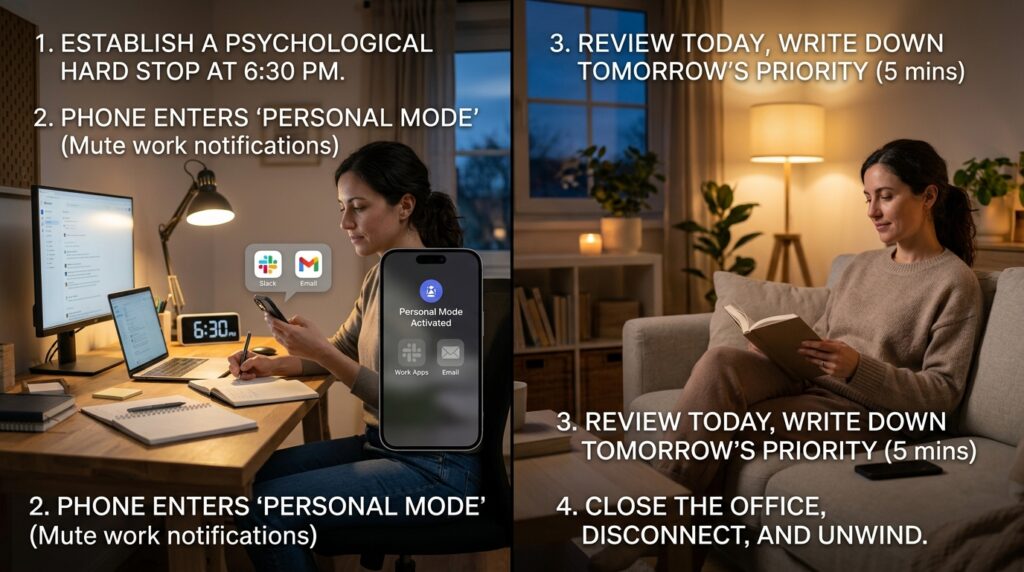
I use my phone’s automation tools to enforce a strict “Shutdown Routine.” Establishing this boundary was the ultimate capstone to the system I designed in How I Built a Productive Daily Routine Using Apps.
At exactly 6:30 PM, my phone goes into “Personal Mode.” My work email app is hidden from the home screen. My Slack notifications are entirely muted until 8:00 AM the next day.
I take exactly five minutes to open my task manager, review what I accomplished, and write down my priority for tomorrow. Once that list is finalized, the day is officially closed. I leave my home office, and I do not allow myself to engage with work-related thoughts for the rest of the evening.
Final Thoughts: Respecting the Marathon
Staying focused during a long workday is not a test of your moral character. It is a test of your systems.
If you try to run a marathon by sprinting as fast as you can from the starting line, you will collapse after the first mile. A long workday is a marathon. It requires pacing, hydration, dedicated rest periods, and a structured environment.
Your smartphone, which is often the source of your greatest distractions, can be weaponized to become your greatest ally.
Take a moment before your next exhausting workday begins to set up your defenses. Block the websites that drain your time. Put on an AI-generated soundscape. Break your massive timeline into tiny, 25-minute sprints, and hold yourself accountable to a stranger on the internet if you have to.
When you stop relying on the fragile myth of human willpower and start leaning on the cold, reliable structure of the software in your pocket, you will be amazed at how much focus you actually have.
