
I was standing in the middle of a crowded bookstore, staring blankly at my smartphone screen, feeling a rising tide of profound irritation.
A few weeks earlier, a friend had recommended a life-changing book to me while we were grabbing coffee. Being the “organized” person I always aspired to be, I had immediately pulled out my phone, opened my default note-taking app, and quickly typed the title down so I wouldn’t forget it.
Now, standing in the bookstore ready to buy it, I couldn’t find the note.
I searched for the word “book.” The app returned 412 results. I searched for my friend’s name. It returned dozens of old meeting notes and random thoughts. I scrolled through a massive, chaotic folder simply titled “Miscellaneous,” squinting at years’ worth of half-baked ideas, grocery lists from 2021, and Wi-Fi passwords for apartments I hadn’t lived in for half a decade.
My note-taking app wasn’t a helpful digital assistant; it was a digital graveyard. It was a place where information went to die.
For the longest time, I blamed the software. I assumed I just hadn’t found the right platform yet. I spent months downloading, testing, and abandoning different applications, a chaotic journey of trial and error that eventually led me to catalog the best options out there in my guide on 10 Note-Taking Apps That Actually Help You Stay Organized. But even with a shiny new app, the clutter eventually returned.
The harsh reality hit me: The problem wasn’t the app. The problem was my workflow. I was treating my digital notes like a passive dumping ground instead of an active, highly functional “Second Brain.”
Modern note-taking applications are packed with incredibly powerful features, predictive algorithms, and smart organization systems. If you are only using them to type plain text on a blank white screen, you are driving a Ferrari in first gear.
If you are tired of losing your best ideas to the digital void, it is time to upgrade your system. Here are the advanced tricks and workflow hacks to make your note-taking apps work significantly harder for you.
1. The Frictionless “Daily Inbox”
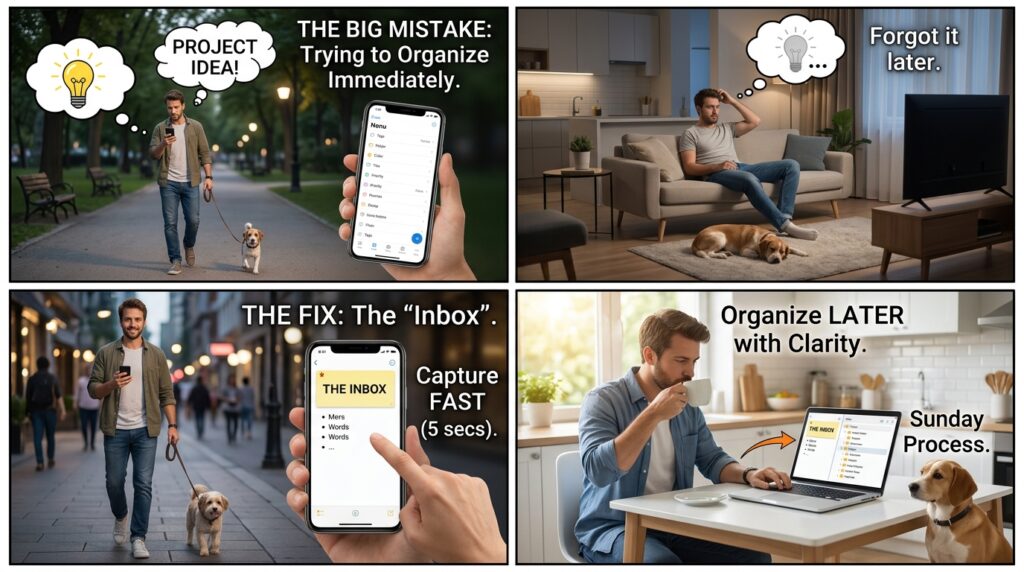
The absolute biggest mistake we make with note-taking is trying to organize an idea at the exact moment we have it.
Imagine you are walking the dog, and you suddenly have a brilliant idea for a project at work. You pull out your phone. If your workflow requires you to open the app, create a new note, title it, assign it a color-coded tag, and navigate to the “Work Projects > Q3 > Brainstorms” folder, you are going to lose your train of thought. More likely, you’ll just say, “I’ll write it down when I get home,” which means the idea is gone forever.
You must separate the act of capturing from the act of organizing.
To fix this, I created a single, default note pinned to the very top of my app called “The Inbox.”
Whenever I have a fleeting thought, a book recommendation, or a random task, I don’t try to categorize it. I just open the Inbox, dump the raw text into a bullet point, and close the app in under five seconds. Mastering this rapid-capture philosophy was a game-changer, something I explored deeply when evaluating Apps That Help Me Take Notes and Organize Ideas Quickly.
Then, on Sunday mornings while drinking coffee, I sit down and “process” the Inbox. I take those raw bullets and slowly file them into their proper, permanent folders. This ensures my ideas are captured at the speed of thought, but organized with the clarity of hindsight.
2. Embrace Bi-Directional Linking (Building a Wiki)
For decades, we have organized our digital lives using folders. You have a folder for “Finances,” a folder for “Recipes,” and a folder for “Travel.”
But the human brain doesn’t work in rigid folders. It works in massive, interconnected webs of association. If you take a note about a new productivity philosophy you read about, does it go in the “Books” folder, the “Work” folder, or the “Personal Growth” folder?
Modern note-taking apps (like Obsidian, Notion, and Roam Research) solved this by introducing “Bi-Directional Linking.”
Instead of hiding a note inside a folder, you link your notes together just like Wikipedia pages. If I am writing a note about a meeting with my manager, Sarah, I don’t just type her name. I type [[Sarah]] using double brackets.
The app instantly creates a hyperlink. If I click it, it takes me to a dedicated master profile note for Sarah. At the bottom of her profile, the app automatically shows me every single time I have ever mentioned her in any other note across my entire database.
Instead of isolating your information, you start weaving it together. You build a deeply interconnected “Second Brain” where ideas naturally collide. Finding the software that perfected this feature is exactly what prompted me to write about Why I Switched to This Note-Taking App and Never Looked Back. Once you stop folding and start linking, you will never lose a concept again.
3. Stop Typing: Weaponize Voice-to-Text
We are deeply conditioned to believe that “taking notes” requires physically tapping our thumbs against a glass screen. It is slow, it is prone to typos, and it pulls you completely out of the present moment.
If you are commuting, walking, or just feeling mentally drained, typing is a massive barrier to capturing your thoughts.
You need to lean heavily into modern Voice-to-Text features, which are now shockingly accurate thanks to AI transcription models. Most premium note apps either have a native audio transcription feature, or you can simply use the dictation microphone built into your smartphone’s keyboard.
When I finish a long client call while driving, I don’t try to pull over and type out the summary. I open a new note, hit the microphone icon, and simply speak a stream-of-consciousness summary into the phone. “The client loved the design, but they want the logo to be 10% larger. Make sure to email the revised draft by Thursday.”
The app transcribes the audio flawlessly. Some advanced apps (like Apple Notes with Apple Intelligence or Notion AI) will even take that rambling voice note and automatically format it into a clean, bulleted list with actionable checkboxes. You are effectively dictating to your own digital secretary.
4. Banish the Blank Page With Templates
There is nothing more intimidating than a stark, flashing cursor on a completely blank white screen.
When you sit down to take notes for a recurring event—like a weekly team meeting, a daily journal entry, or a grocery list—you should never start from scratch. If you have to manually type out “Date,” “Attendees,” and “Action Items” every single time, you are wasting valuable cognitive energy.
You need to build a library of automated Templates.
In my note-taking app, I have a button labeled “New Meeting.” When I tap it, the app doesn’t just open a blank page. It instantly generates a beautifully formatted document with pre-filled headers:
-
Goal of Meeting:
-
Discussion Points:
-
Decisions Made:
-
Action Items (Who is doing what?):
I have templates for packing for a business trip, templates for reviewing books I read, and templates for planning my weekly meals. By front-loading the structural work once, you remove all the friction from the actual note-taking process. You just fill in the blanks.

5. Extracting Text via OCR (Optical Character Recognition)
How many times have you sat in a presentation, loved a specific slide, and furiously tried to type out the quote or the statistic before the speaker moved on? Or how many times have you taken a photo of a whiteboard after a brainstorming session, only to have that photo get buried and forgotten in your camera roll?
Your note-taking app can read images for you.
Optical Character Recognition (OCR) is a hidden superpower in apps like Evernote, Apple Notes, and Google Keep. If I see a brilliant paragraph in a physical paperback book, I don’t type it out. I open my note app, select “Scan Text” or use the camera attachment, and point my phone at the physical page.
The app visually highlights the text in the real world and instantly rips it off the page, pasting it into my digital note as fully editable, searchable text.
If I take a photo of a receipt or a handwritten whiteboard, the app scans the image and indexes the words. Three months later, if I search my notes for the word “budget,” the app will literally pull up the photograph of the whiteboard because it recognized the word written in dry-erase marker. It bridges the gap between the physical and digital world effortlessly.
6. The Power of Nested Tags
If you refuse to give up folders completely, you should at least augment them with a robust tagging system.
Folders force a note to live in exactly one place. If you have a recipe for a vegan lasagna, does it go in the “Pasta” folder, the “Dinner” folder, or the “Vegan” folder?
Tags solve this by allowing a note to exist in multiple dimensions at once. You can throw the note into a generic “Recipes” folder, but append it with #vegan, #pasta, and #dinner.
To make this work harder for you, start using Nested Tags.
Instead of having a hundred chaotic tags, you create a hierarchy. For example, instead of just #marketing, you type #work/marketing/Q3. This tells the app to create a master tag called “Work,” with a sub-tag for “Marketing,” and a micro-tag for “Q3.”
When you want to find that specific campaign idea, you don’t have to remember the exact title of the note. You just click your #Q3 tag, and the app instantly filters out the noise, presenting you with a highly curated list of relevant thoughts.
7. Resurfacing Forgotten Knowledge (The Daily Review)
The ultimate tragedy of note-taking is the “Write and Forget” syndrome. We highlight brilliant quotes, save incredible articles, and draft ambitious plans, but we never look at them again. They sit in the digital dark, completely useless.
A note is only valuable if it is resurfaced at the exact moment you need it, or when it can inspire a new connection.
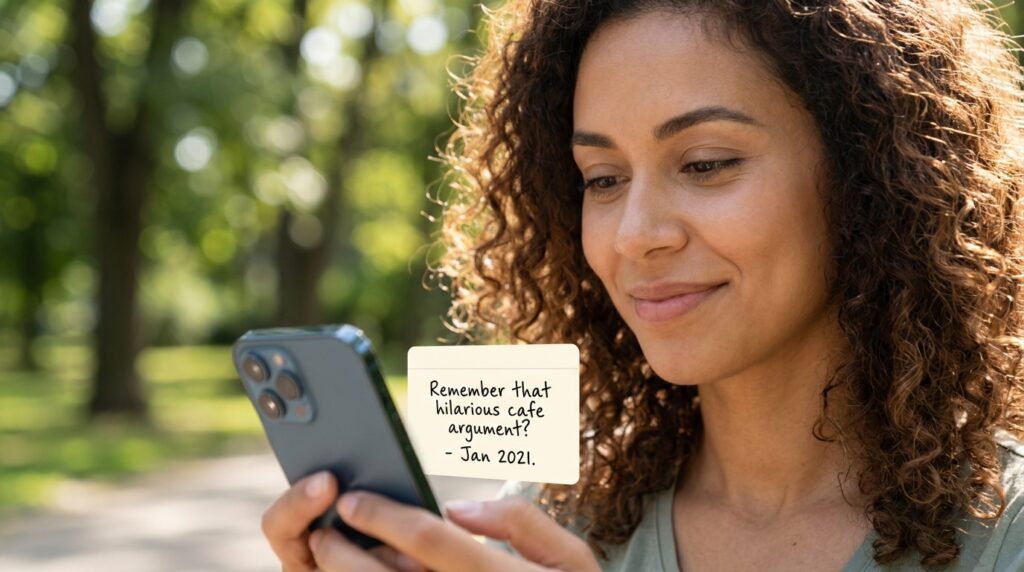
I set up a “Widget” on my smartphone’s home screen tied to my note-taking app. Most modern apps have a feature called “On This Day” or a random note generator.
Every time I unlock my phone, the widget displays a random, old note from my database. Sometimes it shows me a funny quote a friend said three years ago. Sometimes it surfaces a piece of business advice I saved from a podcast. Sometimes it reminds me of a goal I set last January.
By forcing the app to randomly push old notes back into my daily vision, I am constantly reminded of my own past insights. It keeps the database alive. It turns the app from a dusty archive into a vibrant, active conversation with my past self.
Final Thoughts: Sharpening Your Tools
We live in an economy of information. The most valuable asset you possess isn’t the smartphone in your pocket; it is your attention, your ideas, and your ability to synthesize the world around you.
When you treat your note-taking app like a messy junk drawer, you are actively devaluing your own mind. You are allowing your best ideas to slip through the cracks of a poorly designed system.
Taking the time to optimize your software is not a waste of time; it is an act of digital self-care.
Spend an hour this weekend redesigning your environment. Pin a frictionless Inbox to the top of your screen. Build three templates for the things you write down the most. Stop typing long paragraphs and start dictating your thoughts.
When you finally stop fighting with your software and start leveraging its advanced features, a profound shift occurs. You stop worrying about forgetting things, because you trust the system entirely. Your brain is finally free to do what it does best: not storing information, but actually thinking.
