
If you were to walk into my physical apartment a few years ago, you would have thought I had my entire life perfectly together. The floors were vacuumed, the dishes were put away, and the bookshelves were color-coordinated. I took immense pride in my physical environment.
But if you had unlocked my smartphone or opened my laptop, you would have discovered a horrifying secret.
My digital life was an absolute disaster zone.
My computer desktop was a sprawling graveyard of randomly named files, screenshots, and folders labeled “To Sort Later” that I had not opened since 2019. My phone constantly harassed me with the dreaded “Storage Almost Full” notification. I had over fourteen thousand unread emails, a mix of vital client communications buried under an avalanche of promotional newsletters.
We often talk about the psychological weight of physical clutter, but we rarely acknowledge the suffocating anxiety of digital clutter.
Every time I opened my laptop, I felt a low-grade spike of adrenaline. Finding a simple tax document from the previous year required a thirty-minute archeological dig through my hard drive. I was constantly dropping the ball on projects, losing important links, and forgetting passwords. My devices, which were supposed to make my life easier, had become sources of immense daily friction.
I hit my breaking point when I missed an important flight because I couldn’t find the confirmation email buried in my chaotic inbox. I decided right then and there to stop treating my digital space like a junk drawer. I went on a massive software purge, testing dozens of tools until I built a streamlined, functional digital ecosystem.
If your screens are giving you a headache, you don’t need to throw your phone in the river. You just need better infrastructure. Here are the 10 apps that helped me finally organize my digital life.
1. 1Password: The Ultimate Mental Unburdening
Let’s start with the absolute foundation of digital existence: passwords.
Before I got organized, my password system was a massive security liability. I used the exact same password, with slight variations, for every single website. When a site forced me to change it, I would write the new password on a sticky note, lose the sticky note, and inevitably have to go through the “Forgot Password” email loop the next time I tried to log in.
I was wasting hours every month just trying to access my own accounts.
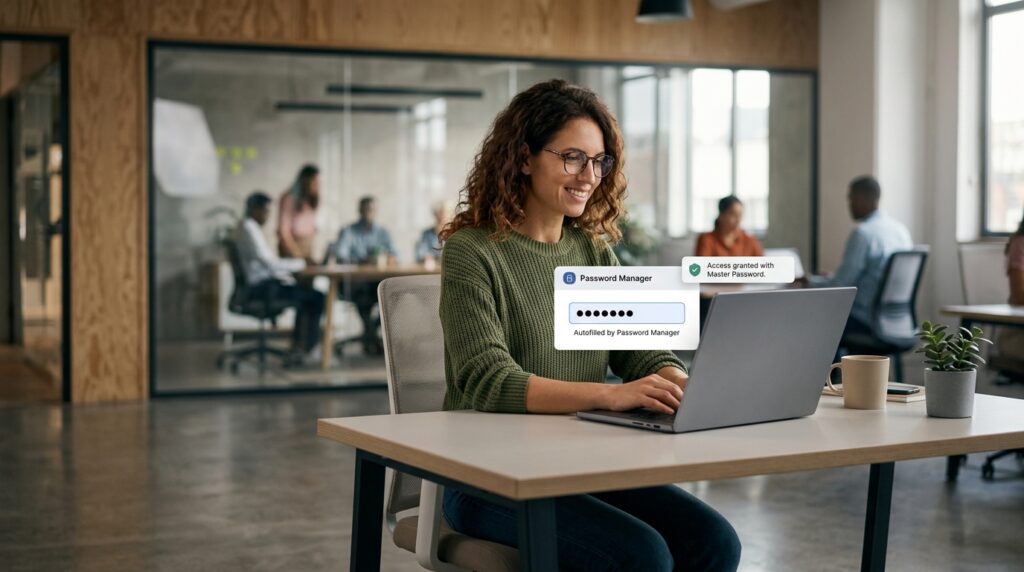
Downloading 1Password changed my life overnight. It is an encrypted digital vault that stores every single login I possess. Now, I only have to remember one single, highly secure “Master Password.”
When I go to a website or open an app, 1Password automatically recognizes the site, generates a completely random, unhackable 20-character password, saves it, and autofills it. I never have to remember a password again. It removed an enormous amount of daily friction and gave me the peace of mind that my fragmented digital identity was finally locked down.
2. Clean Email: The Inbox Sweeper
An overflowing email inbox is the digital equivalent of having thousands of unopened envelopes piled up on your living room floor. It is overwhelming, and it causes you to avoid looking at your mail altogether.
I had 14,000 unread emails. Deleting them one by one would have taken weeks of my life.
I connected my account to Clean Email, and it felt like hiring a team of professional organizers. The app analyzes your inbox and groups similar emails together into “Smart Views.” It immediately identified that 8,000 of my emails were from promotional mailing lists and automated social media notifications.
With two clicks, I deleted thousands of useless emails simultaneously. Then, I used the app’s “Auto-Clean” rules. Now, whenever a promotional email comes in from a store I occasionally buy from, it bypasses my inbox entirely and goes into a “Read Later” folder. My actual inbox is now a quiet, highly organized space reserved exclusively for real human beings.
3. Notion: The Central Command Center
Before Notion, my ideas, projects, and notes were scattered across half a dozen different platforms. I had grocery lists in Apple Notes, blog post drafts in Google Docs, and project outlines scribbled in physical notebooks. I never knew where anything lived.
Notion is not just a note-taking app; it is a blank digital canvas that allows you to build your own personalized databases.
I moved my entire life into this one application. I created a master dashboard. On that single screen, I have a Kanban board for my work projects, a database for my personal reading list, and a calendar for my upcoming deadlines. If you are struggling with a fragmented workflow, understanding how to consolidate your tools is vital, a concept I explored deeply in (How I Organized My Entire Day Using Just Two Apps).
When everything lives in one unified, searchable workspace, you stop losing your brilliant ideas to the digital void.
4. Google Photos: The Infinite Memory Archive
Nothing causes more immediate anxiety than trying to take a video of a beautiful moment, only to have your camera app freeze because your phone is out of storage.
My camera roll was an absolute disaster of blurry selfies, screenshots of recipes I never cooked, and five identical photos of the same sunset.
I transitioned my entire library to Google Photos. The immediate benefit was that it backed up every single photo to the cloud, allowing me to delete gigabytes of data off my physical phone. This is a critical step in maintaining device health, something I emphasized heavily in my guide on (10 Apps That Helped Me Declutter My Digital Space).
But the organizational power of Google Photos is what makes it indispensable. It uses incredible AI to automatically categorize your memories. If I need to find a picture of my dog from three years ago, I don’t have to scroll endlessly. I just type “Dog” into the search bar, and the app instantly pulls up every single photo of him I have ever taken. It turned a messy shoebox of photos into a perfectly indexed library.
5. Pocket: The Browser Tab Savior
I used to suffer from severe “Tab Hoarding.” I would read an article online, see a link to another interesting article, open it in a new tab, and leave it there “just in case” I wanted to read it later.
By the end of the week, my browser would be crawling at a snail’s pace, groaning under the weight of fifty open tabs. It made my computer slow and my brain feel cluttered.
Pocket acts as a digital reading queue. Now, when I see a 3,000-word article about history or technology that I don’t have time to read right then, I simply click the Pocket extension on my browser.
The app strips away all the distracting ads and saves the text cleanly to my account. I can then close the tab with zero guilt. On Sunday mornings, I open the Pocket app on my tablet and enjoy all the articles I saved throughout the week in a beautiful, distraction-free environment.

6. Todoist: The Cognitive Offloader
Trying to remember all of your tasks is a terrible use of your brain power. Your brain is meant to generate ideas, not act as a hard drive.
Todoist is my external hard drive for obligations. It is a deceptively simple task manager that uses natural language processing. If I am on a phone call and realize I need to send an invoice next Tuesday, I open Todoist and type “Send invoice to client next Tuesday at 9 AM.”
The app automatically parses the date and time, schedules the task, and gets it out of my head. I never have to worry about forgetting a deadline again. When I wake up, I just open the app, look at the “Today” view, and execute the list.
7. Google Drive Desktop: The File Streamer
The absolute worst habit in the digital world is saving files directly to your computer’s “Desktop” folder. It creates a horrific visual mess every time you log in.
I installed the Google Drive desktop application, which completely changed how I handle files. It integrates directly into my computer’s native file explorer.
Now, when I save a document, I save it directly into my highly organized Google Drive folders. The file lives in the cloud but is accessible on my computer exactly as if it were a local file. This means my physical desktop is completely blank and beautiful. It also means that if my laptop were to suddenly catch fire or get stolen, I wouldn’t lose a single document. I could log into a new computer and everything would be exactly where I left it.
8. Zapier: The Invisible Administrator
A shocking amount of digital clutter comes from manually moving information from one place to another. Downloading an email attachment and uploading it to a folder. Copying a contact from a form into a spreadsheet.
I started using Zapier to automate these tedious processes. This is a game-changing philosophy that I outlined extensively in (How I Automated My Daily Tasks With Mobile Apps).
Zapier connects your apps and makes them talk to each other. I set up an automation so that whenever an email arrives with a PDF attachment from my accountant, Zapier automatically strips the attachment and saves it into my “Taxes” folder in Google Drive. I don’t have to click a single button. It handles the administrative filing in the background while I focus on actual work.
9. Toby: The Workspace Organizer
Even with Pocket handling my reading list, there are times when I need to have specific tabs open for work. If I am researching a project, I might need five specific websites, a spreadsheet, and a portal open simultaneously.
Toby is a browser extension that allows you to save and organize entire collections of tabs into “Workspaces.”
If I am working on a marketing campaign, I can save all the relevant tabs into a Toby collection named “Marketing Q3.” When I am done working on it for the day, I close the tabs. The next morning, I just click that collection in Toby, and it instantly opens all those specific tabs in one go. It keeps my browser clean and allows me to pick up right where I left off without having to hunt down URLs.
10. Freedom: The Distraction Blocker
Finally, organizing your digital life requires organizing your attention. The most pristine, color-coded digital workspace in the world is useless if you are constantly getting distracted by social media notifications.
I use an app called Freedom to build strict digital boundaries.
I have a daily schedule programmed into the app. From 9:00 AM to 12:00 PM, Freedom completely blocks my access to Twitter, Instagram, Reddit, and several news websites across all of my devices. I cannot bypass it.
By actively removing the clutter of the endless scroll, I am forced to be present in my organized workspace. It protects my time and ensures that the digital tools I have set up are actually being used for their intended purpose.

Final Thoughts on Digital Minimalism
Organizing your digital life is not a one-time project; it is an ongoing practice. Just like you have to do the dishes and vacuum the floors in your physical home, you have to maintain the hygiene of your digital home.
However, the return on investment for doing this work is staggering.
When you eliminate the digital friction—when you know exactly where your files are, when your passwords auto-fill, when your inbox is quiet, and your photos are safely archived—you experience a profound sense of mental lightness. Your devices stop feeling like chaotic, demanding slot machines and start functioning like the powerful, streamlined tools they were always meant to be.
If you are feeling overwhelmed, don’t try to fix everything today. Just pick one app from this list. Start by locking down your passwords, or start by archiving your old emails. Take one step toward reclaiming your screens, and I promise you will feel the stress begin to lift immediately.
