
For the longest time, I measured the success of a study session by how much physical pain I was in by the end of it.
If my hand was cramping from furiously copying textbook paragraphs, if my eyes were burning from staring at a glowing screen at 3:00 AM, and if half my desk was covered in empty coffee cups, I considered it a “good” night of studying. I was a firm believer in the brute-force method of academics. I thought that if I just threw enough hours at a subject, it would eventually stick in my brain.
But my grades didn’t reflect the exhaustion. I would walk into an exam, stare at a question, and completely blank out on a concept I had highlighted in neon yellow just twelve hours prior.
The realization hit me hard: I wasn’t studying; I was just reading and hoping for the best.
There is a massive difference between passive review and active recall. Highlighting a textbook feels productive, but cognitively, it is one of the weakest ways to retain information. I had to fundamentally tear down my study habits and rebuild them from scratch. I needed systems that forced my brain to work efficiently, not just endlessly.
I turned to my digital devices. While a laptop or a smartphone can easily become a portal for procrastination, it can also become a world-class academic weapon if you install the right software.
Whether you are cramming for university finals, trying to learn a new language, or picking up a professional certification, here are the 9 apps that completely revolutionized my learning process and made my study sessions infinitely more efficient.
1. Anki: The undisputed king of active recall
If you take only one piece of advice from this entire article, let it be this: download Anki.
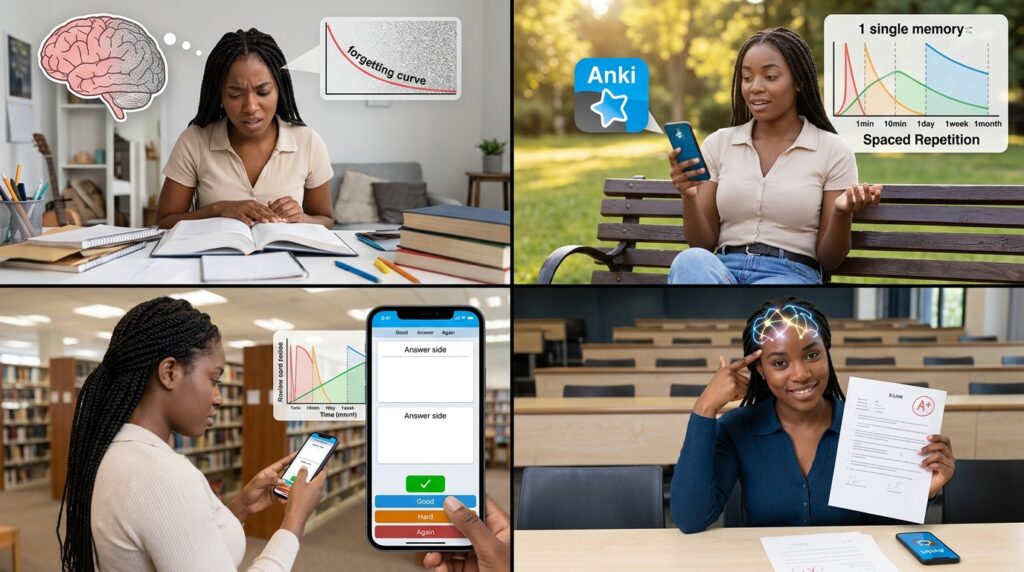
When you learn a new piece of information, your brain immediately starts a process called the “forgetting curve.” If you don’t actively interrupt that curve, the memory disappears.
Anki is a digital flashcard app built entirely around the science of Spaced Repetition Software (SRS). Unlike physical flashcards where you just flip through a stack randomly, Anki uses a sophisticated algorithm to track exactly what you know and what you are about to forget.
When you flip a digital card in Anki, you tell the app how difficult it was to remember the answer. If you instantly knew it, the app won’t show you that card again for a week. If you struggled, it will show it to you again in ten minutes. It forces you to spend your time studying only the concepts you are weak at, entirely eliminating the wasted time of reviewing things you already know.
It is not the prettiest app in the world, but it is the most biologically effective tool I have ever used for memorization.
2. Forest: The gamified focus enforcer
You cannot study effectively if your phone is buzzing every four minutes. Context switching—the act of looking away from your textbook to check a text message and then looking back—destroys your deep focus. It takes the human brain roughly twenty minutes to regain deep concentration after a minor distraction.
I needed to build a wall between myself and my notifications, a strategy I leaned into heavily when testing (Apps That Help Me Focus When Working From My Phone). I discovered Forest, and it changed the way I interact with my devices during work blocks.
Forest uses psychological gamification to keep you off your screen. When you sit down to read a chapter, you open the app and plant a virtual seed. You set a timer for 45 minutes. As the timer ticks down, your seed grows into a digital tree.
But if you exit the app to check Instagram or reply to a group chat, your tree instantly withers and dies. Leaving a dead tree on your digital plot of land triggers an immense, surprising amount of guilt. It provides just enough friction to stop the mindless, twitch-reaction habit of picking up your phone.
3. Notion: The master syllabus database
Before I fixed my systems, the beginning of a semester was pure chaos. I had five different syllabi scattered across different folders, assignment due dates written on random sticky notes, and lecture notes saved in three different cloud drives.
Notion acts as a singular, customizable digital brain. I built a master “Academic Dashboard” inside the app. I created a database where every single assignment, reading, and essay was listed, tagged by the specific class, and sorted by its due date.
Whenever I sat down at my desk, I didn’t have to wonder what I needed to work on. I just opened my Notion dashboard, looked at the “Due This Week” filter, and executed the tasks. By consolidating my administrative chaos into one beautiful workspace—a shift I often recommend to anyone exploring (10 Note-Taking Apps That Actually Help You Stay Organized)—I freed up an enormous amount of mental bandwidth. I stopped worrying about when things were due and started focusing purely on the material.
4. GoodNotes: The digital handwriting bridge
There is a vast amount of cognitive research proving that physically writing out your notes leads to significantly better memory retention than typing them on a keyboard. The physical act of forming letters forces your brain to process the information more deeply.
But carrying around five heavy spiral notebooks and losing my pens was a logistical nightmare.
GoodNotes on an iPad with an Apple Pencil is the ultimate bridge between analog retention and digital convenience. I can handwrite my lecture notes in beautiful, color-coded ink. But because it is digital, I can also erase mistakes instantly, drag and drop paragraphs around the page, and insert diagrams right next to my handwriting.
Most importantly, GoodNotes makes your handwriting searchable. If I need to find my notes on “cellular respiration” from a lecture three months ago, I just type it into the search bar, and the app highlights my messy handwriting. It is a mandatory tool for modern academics, which is why it constantly ranks high when discussing (7 Apps Every Student Needs to Survive College). It digitizes the cognitive benefits of the pen.
5. LiquidText: The active reading revolutionary
Reading dense, fifty-page academic PDFs or complex legal documents is exhausting. You usually end up scrolling endlessly, losing track of how different arguments connect to one another across different pages.
LiquidText was designed specifically for this problem, and it feels like an app from the future.
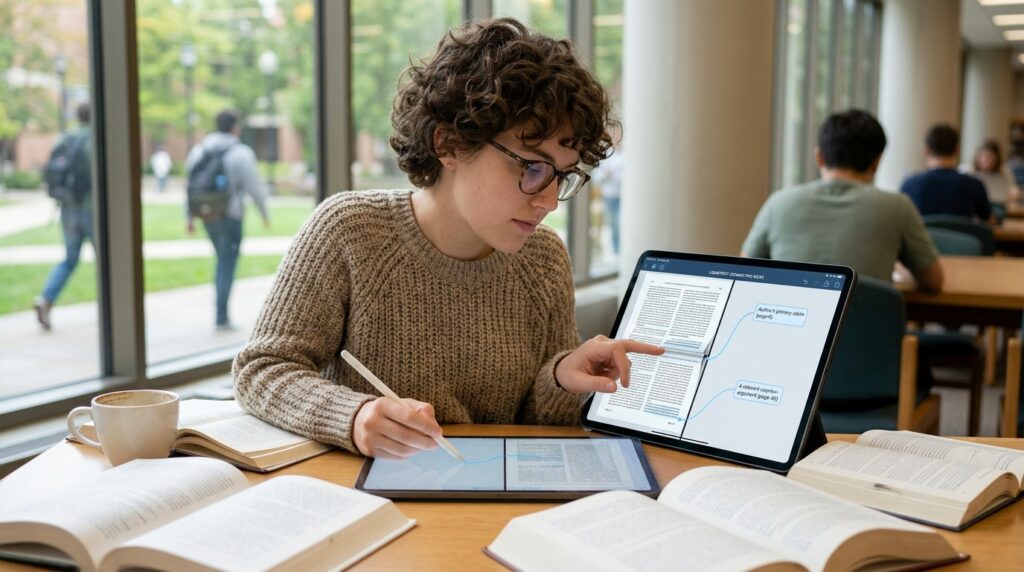
When you load a PDF into LiquidText, it gives you a massive digital workspace on the side of your document. If you find a brilliant quote on page 2, you can use your stylus to circle it, drag it completely out of the document, and drop it into your workspace. If you find a counter-argument on page 40, you can drag that out and physically connect the two text bubbles together.
You can literally pinch the screen to collapse thirty pages of text, bringing page 2 and page 32 right next to each other so you can compare paragraphs. It transforms reading from a passive scrolling exercise into a highly active, tactile, mind-mapping experience.
6. Otter.ai: The lecture safety net
No matter how fast you type or write, you will inevitably miss something a professor says during a fast-paced lecture. Or worse, you will spend so much mental energy trying to transcribe their exact words that you completely fail to actually understand the concept they are teaching.
Otter.ai is an intelligent audio transcription app that acts as an incredible safety net.
You hit record at the beginning of a lecture, and the app uses advanced AI to transcribe the professor’s speech into text in real-time. It differentiates between different speakers and allows you to highlight specific phrases right in the app while the recording is still happening.
Instead of acting like a frantic stenographer, I could sit back, actively listen, and participate in the class discussion. I knew with absolute certainty that Otter was capturing every single word. Later, when reviewing my notes, if a transcript line was confusing, I could tap the text, and the app would play the exact piece of audio from that specific second.
7. YPT (Yeolpumta): The peer pressure engine
Sometimes, the isolation of studying is what kills your motivation. When you are sitting alone at a desk for six hours, it is incredibly easy to give up and turn on a movie.
Yeolpumta (often abbreviated as YPT) is a massive phenomenon in South Korea that is rapidly taking over the global study community. It is a time-tracking app mixed with a social network.
You join “Study Groups” with other users around the world who are studying for similar exams (like the bar exam, medical boards, or university finals). When you begin a study session, you hit start, and your timer becomes visible to everyone in your group. You can see exactly who is studying live at that exact moment, and how many hours they have logged today.
It leverages the power of positive peer pressure. When I feel like quitting at 9:00 PM, but I see that three other people in my group are currently pushing through their third hour of focus, it gives me a massive jolt of competitive motivation. It makes the lonely act of studying feel like a team sport.
8. Quizlet: The fast-track vocabulary builder
While Anki is the heavyweight champion of long-term memory, it has a steep learning curve and isn’t the most user-friendly app. When I just need to cram vocabulary for a quiz the next morning, or when I want to leverage pre-made study materials, I turn to Quizlet.
Quizlet’s massive advantage is its community database. No matter what textbook you are using or what subject you are taking, there is a 99% chance that another student has already created a comprehensive deck of flashcards for it on Quizlet.
You don’t have to spend hours typing out definitions. You just search your chapter title, duplicate the deck, and start reviewing. Furthermore, Quizlet takes those flashcards and automatically turns them into matching games, practice tests, and typing challenges. It injects a much-needed sense of play into the otherwise dry process of rote memorization.
9. Freedom: The nuclear option
There are days when the gentle gamification of planting virtual trees simply isn’t going to cut it. There are days when my willpower is absolutely zero, my brain is fried, and I am desperately craving the cheap dopamine of a social media feed.
On those days, I don’t rely on discipline. I rely on Freedom.
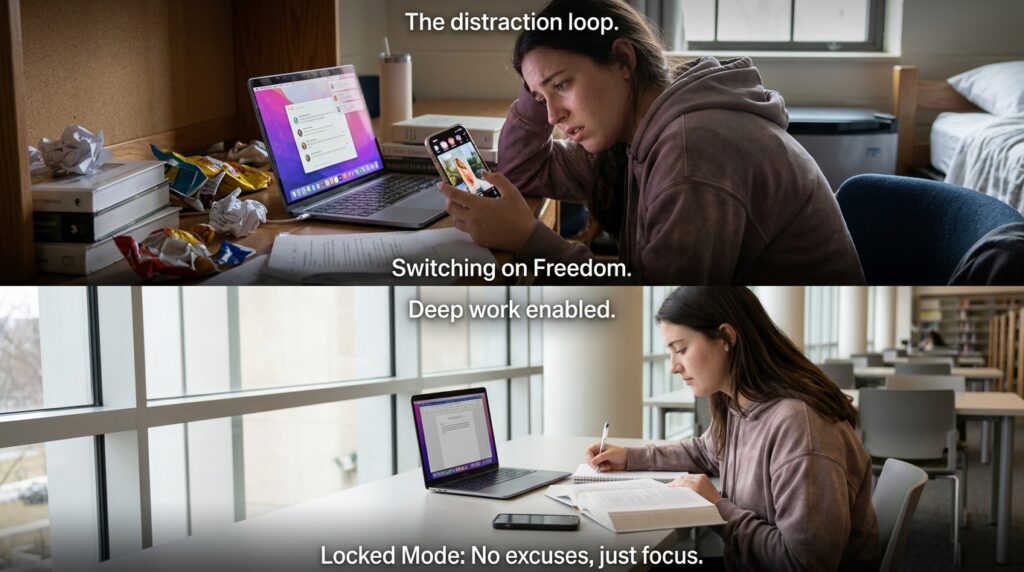
Freedom is an aggressive, system-wide website and application blocker. You select a list of your worst distractions (Instagram, YouTube, Reddit, news sites) and set a timer for your study block.
Once you hit start, Freedom completely severs your device’s access to those specific servers. It doesn’t matter if you close the app or try to use a different browser; the sites simply will not load. I use the “Locked Mode” feature, which means that once a session starts, I literally cannot turn it off or edit the block list until the timer expires.
It forces me into a state of digital isolation. When the escape routes are burned, the only option left is to actually sit down and read the textbook.
Final Thoughts on Cognitive Leverage
We often wear academic burnout like a badge of honor. We brag to our peers about how little sleep we got, or how many hours we spent trapped in the library, as if suffering is the ultimate prerequisite for learning.
But biology does not care how much you suffer. Your brain is an incredibly efficient machine, but it has strict rules about how it encodes, stores, and retrieves data. If you ignore those rules, you will work ten times harder for half the result.
The apps on this list are not shortcuts. You still have to put in the hours, and you still have to do the mental heavy lifting. But these tools provide massive cognitive leverage. They handle the organization, they eliminate the distractions, and they optimize your repetition schedules so that every single minute you spend studying actually counts.
Stop reading the same highlighted paragraph over and over again. Download an active recall app, block your social media feeds, and start working with your brain instead of against it. The moment you transition from passive review to active, structured learning, the exhaustion fades, and the actual mastery begins.
