
For a large portion of my adult life, the word “budget” felt like a punishment. It sounded restrictive, boring, and fundamentally designed to stop me from enjoying the money I worked so hard to earn.
My financial strategy, if you could even call it that, was a masterclass in avoidance. I would wait for my paycheck to hit my account, pay my immediate bills, and then just sort of cross my fingers and hope that whatever was left over would last until the end of the month. If my debit card wasn’t declined at the grocery store, I considered it a successful week.
But living in that state of financial ambiguity was exhausting. I was constantly experiencing a low-grade, suffocating hum of anxiety. Every time I bought a coffee or went out to dinner, a little voice in the back of my head would whisper, “Should you really be spending this?”
I tried the traditional methods to fix it. I bought a physical ledger book that I abandoned after three days. I tried building an elaborate Excel spreadsheet, but manually typing in every single receipt made me feel like an accountant working unpaid overtime.
The turning point arrived when I realized that the technology in my pocket was vastly underutilized. I was using my smartphone to track my steps, order food, and map my driving routes, but I was completely ignoring its potential to manage my livelihood. I decided to transition my finances to a dedicated mobile app.
It completely changed my relationship with money. Budgeting stopped being a restriction and became a blueprint for freedom. If you are tired of wondering where your paycheck went, here is the step-by-step guide on how to actually budget your money using a finance app, from the initial setup to the long-term maintenance.
Step 1: Choosing Your Financial Philosophy
Before you even open an app store, you have to understand that not all finance apps are built the same. They generally fall into two distinct philosophical categories: Passive Trackers and Active Planners.
Passive Trackers (like the free versions of many banking apps or platforms like Empower/Personal Capital) are essentially rearview mirrors. They connect to your accounts and show you what you already spent. They present you with beautiful pie charts at the end of the month that say, “Congratulations, you spent $400 on takeout.” While seeing the data is a great first step, it doesn’t actually stop you from overspending next month.
Active Planners (like YNAB – You Need A Budget, or EveryDollar) act like a GPS for your money. They utilize a philosophy called “Zero-Based Budgeting.” This means you take the money you currently have in your checking account and assign every single dollar a specific job before you spend it.
I highly recommend choosing an Active Planner. Moving from passively reacting to my spending to actively telling my money where to go was a paradigm shift. This is a realization I broke down completely when discussing (How This Finance App Made Me Understand My Spending Habits). You have to get in the driver’s seat.

Step 2: The Great Sync (And Confronting the Fear)
Once you download your app of choice, you will reach the most intimidating step of the process: linking your bank accounts.
Many people freeze here. Handing over your banking login credentials to a third-party app feels terrifying. However, reputable modern finance apps use bank-level, 256-bit encryption. They typically partner with highly secure data aggregators like Plaid or Finicity. These services act as an encrypted bridge; the budgeting app never actually sees or stores your bank login, and it has read-only access. It can see your transactions, but it cannot move your money.
Take a deep breath and connect everything. Connect your primary checking account, your savings accounts, and your credit cards.
The first time the app populates your dashboard, you might feel a wave of shock. Seeing all of your financial obligations, your actual spending history, and your real net worth laid out on one screen is confronting. Do not panic. You are turning on the lights in a dark room. It might be messy, but now you can finally see what needs to be cleaned up.
Step 3: Customizing Your Categories
When your app imports your data, it will try to automatically categorize your spending. It will create generic buckets like “Food,” “Transport,” and “Bills.”
To make your budget actually stick, you must customize these categories to reflect your actual, messy human life. Generic categories fail because they lack nuance.
For example, “Food” is too broad. I broke my food category down into three distinct buckets:
-
Groceries: The essential food I buy to survive and cook at home.
-
Dining Out: Sit-down meals with friends or my partner.
-
Convenience/Takeout: The emergency pizza I order when I am too tired to cook on a Tuesday night.
By separating these, I realized I wasn’t spending too much on groceries; I was bleeding money in the “Convenience” category.
Don’t forget to create categories for things that bring you joy. A budget isn’t a prison. If you love buying expensive coffee, create a “Gourmet Coffee” category and fund it. By planning for it, you remove the guilt. If you want a deeper look into easing this setup process so you don’t quit on day one, I wrote about (Tricks to Use Finance Apps Without Stress). The key is making the categories fit your lifestyle, not the other way around.
Step 4: Mastering the “Sinking Funds”
This is the secret weapon of successful budgeting, and it is the exact feature where mobile apps truly shine.
Most people fail at budgeting because they only plan for their monthly bills. They plan for rent, electricity, and internet. Then, six months later, their car registration is due, costing them $300. Because they didn’t budget for it this month, it completely derails their finances, forcing them to put it on a credit card.
These are not emergencies; they are known, irregular expenses. You know Christmas happens every December. You know your car needs maintenance.
Finance apps allow you to create “Sinking Funds.” You create a category for “Car Maintenance” and set a target goal of $600 for the year. The app does the math and tells you to put exactly $50 into that category every single month.
When your brake pads inevitably need to be replaced in October, you don’t panic. You just look at your app, see that the “Car Maintenance” category has $500 sitting in it, and you pay the bill in cash. This was the exact turning point I covered in (The Budgeting App That Helped Me Finally Save Money). It transforms massive financial shocks into tiny, manageable monthly payments.

Step 5: Dealing With the Overspend (Rolling with the Punches)
Perfectionism is the enemy of a good budget. You are going to mess up.
You will budget $100 for dining out, but a friend will come into town unexpectedly, and you will end up spending $150. In a traditional spreadsheet, this breaks the entire formula. You feel like you failed, so you stop logging your expenses for the rest of the month.
Modern finance apps are designed to be flexible. They understand that life is unpredictable.
When you overspend in a category, the app will flag it (usually by turning the number red). The solution is simple: you just move money from another category to cover it. If I overspent on dining out by $50, I look at my app to see where I have extra funds. I might move $25 out of my “Clothing” category and $25 out of my “Entertainment” category to cover the restaurant bill.
This is called “rolling with the punches.” You aren’t failing; you are simply reprioritizing your money in real-time. The app forces you to make a conscious choice: “Is this dinner with my friend more important than buying that new shirt next week?” When you are actively making those trade-offs on a screen, you are in total control of your financial destiny.
Step 6: Automating the Audit (The Subscription Purge)
One of the most immediate benefits of routing all your financial data through a single app is the ability to easily audit your recurring expenses.
We live in a subscription economy. You sign up for a free trial of a streaming service, forget to cancel it, and suddenly you are paying $14.99 a month for two years without watching a single show.
Most premium finance apps have a dedicated “Recurring Charges” or “Subscriptions” tab. The AI scans your transaction history and isolates every single automatic payment leaving your accounts.
Take thirty minutes on a Sunday to ruthlessly review this list. Cancel the premium app you haven’t opened since last year. Cancel the gym membership you aren’t using. When you sever these digital leeches, you instantly give yourself a raise. Reallocating that wasted $40 a month into your savings category adds up to nearly $500 a year, with absolutely zero change to your daily quality of life.
Step 7: Establishing the Weekly Check-In
A finance app is only as smart as the data it holds. While linking your accounts automates the importing of transactions, the software still needs you to guide the ship. If you only open the app once a month, you will be overwhelmed by the backlog of unapproved transactions.
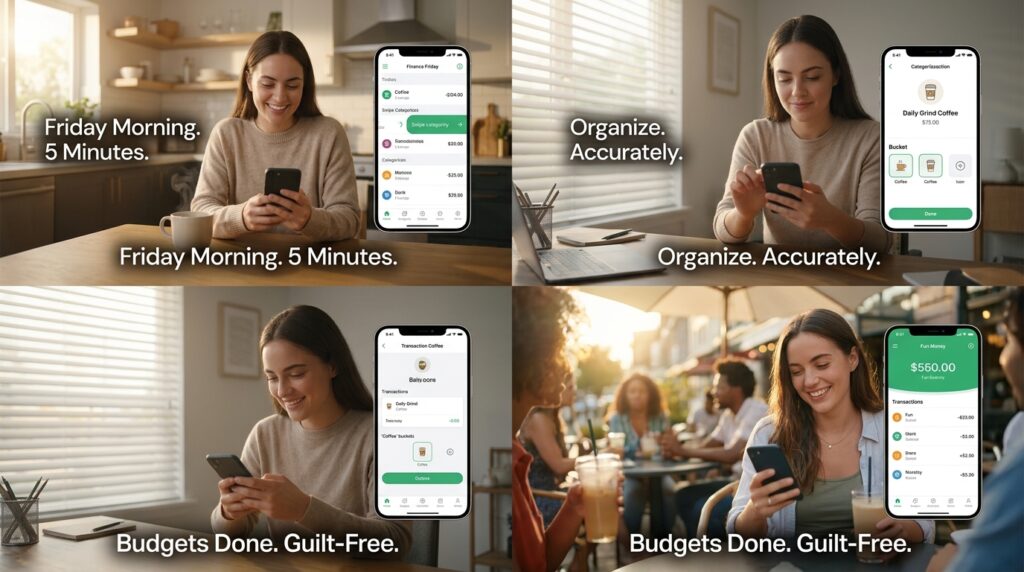
You need to establish a consistent habit. I call it “Finance Friday.”
Every Friday morning, while I drink my coffee, I spend exactly five minutes in my budgeting app. I categorize the imported transactions from the week. I make sure my coffee purchases actually went into the “Coffee” category. I check my balances to ensure I have enough money left in my grocery budget for the weekend.
Because I do it every week, it never takes more than five minutes. It keeps the system clean, accurate, and completely up to date. More importantly, it gives me a massive sense of psychological peace before heading into the weekend. I know exactly how much fun money I have available to spend, which means I can go out and enjoy myself without that nagging voice of guilt in the back of my mind.
Final Thoughts on Financial Freedom
Budgeting with an app is not about restricting your lifestyle. It is not about telling yourself you can never buy a latte or go to a concert again.
It is simply about aligning your spending with your priorities.
Before I used an app, my money dictated my life. I was stressed, reactive, and constantly worried about the unknown. Now, I dictate what my money does. By laying everything out on a digital dashboard, I removed the emotion from the equation and replaced it with hard data.
If you are currently sitting there, dreading the thought of looking at your bank balance, I urge you to take the leap. Download an app today. Link your accounts. Face the numbers. The initial shock of seeing your financial reality is temporary, but the profound, unshakeable peace of mind that comes from finally being in control will last a lifetime. Take your power back, one categorized dollar at a time.
