
Trying to get serious, deep work done on a smartphone is one of the greatest paradoxes of modern life.
On one hand, the device in your pocket is a miraculous supercomputer. It allows you to answer client emails from a coffee shop, review spreadsheets while sitting on a train, and manage entire teams from an airport terminal. It is the ultimate tool for remote flexibility.
On the other hand, trying to work on a smartphone is the psychological equivalent of trying to do your taxes in the middle of a Las Vegas casino.
Every single inch of the software is designed to distract you. You open your phone to draft a quick project proposal, but your thumb accidentally brushes against the Instagram icon. Thirty minutes later, you are deep in a trance, watching videos of someone power-washing a driveway, and you have completely forgotten about the proposal.
For a long time, I thought working from my phone was simply impossible. I assumed that if I wasn’t sitting in a quiet room, staring at a massive desktop monitor, I couldn’t be productive. My phone was purely an engine of distraction, constantly vibrating, pinging, and demanding my attention.
But as my work became more mobile, I realized I couldn’t just abandon my phone. I had to fundamentally change my relationship with it. I had to build a digital fortress.
I stopped relying on sheer willpower to ignore distractions and started relying on software to enforce my boundaries. If you are tired of losing hours of your workday to the infinite scroll, here are the absolute best apps that help me focus when working from my phone.
1. The Nuclear Option: Freedom (Website and App Blocker)
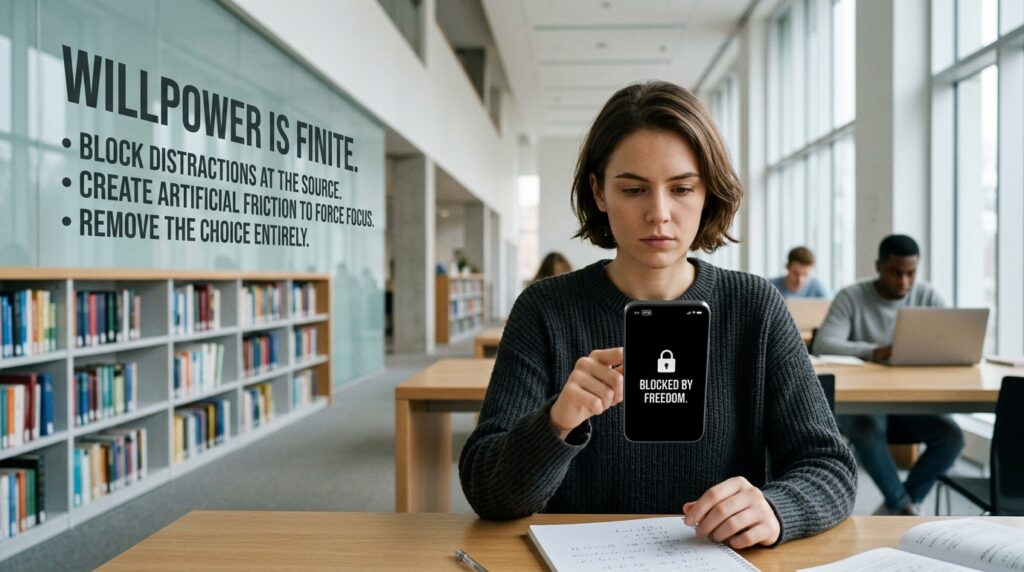
Let’s start with a harsh truth about human psychology: your willpower is a finite resource.
If you are working on a difficult, frustrating task on your phone, your brain will naturally seek an escape route. It will crave the easy dopamine hit of checking the news or looking at social media. If those apps are only one tap away, your brain will eventually win the battle.
You have to remove the choice entirely. This is where an app called Freedom comes into play.
Freedom is not a gentle reminder app; it is a digital bouncer. It allows you to create highly specific “Blocklists” for your phone. When I know I have to spend two hours writing emails and reviewing documents on my device, I open the Freedom app and start a session.
For those two hours, the app completely blocks my phone’s ability to access Instagram, X (Twitter), TikTok, Reddit, and a dozen different news websites. It blocks them at the VPN level. Even if my thumb unconsciously taps the Instagram icon out of pure habit, the app simply refuses to load. The screen stays blank.
This creates a moment of friction. It snaps me out of my autopilot and reminds me that I am supposed to be working. Finding tools that create this artificial friction was the turning point in my remote workflow, a strategy I detailed extensively when writing How I Reduce Distractions Using Mobile Apps. When you physically cannot access your distractions, focusing on your work becomes the path of least resistance.
2. Gamifying Your Attention Span: Forest
Sometimes, aggressively blocking your apps feels too restrictive. Sometimes you just need a gentle, psychological nudge to keep your hands off the screen.
Forest is arguably the most brilliant productivity app ever designed for mobile devices because it leverages our innate desire to nurture things.
The concept is incredibly simple, based on the classic Pomodoro technique. When you need to focus on a task, you open the Forest app and plant a virtual seed. You set a timer—let’s say, 25 minutes.
Over the next 25 minutes, as long as you do not leave the Forest app (or the specific work apps you have whitelisted), that seed will slowly grow into a beautiful digital tree.
But here is the catch: if you lose your focus, exit the app, and open your text messages or a game, your digital tree instantly withers and dies. Its barren branches remain in your digital forest forever as a permanent reminder of your failure.
It sounds silly, but the psychology is incredibly effective. I will be halfway through reading a boring PDF on my phone, feel the urge to check my messages, and then think, “No, I can’t kill my pine tree. There are only eight minutes left.” Gamifying your focus turns a boring workday into a subtle challenge. It was this exact app that fundamentally shifted my perspective, which is why I originally featured it in The Productivity App That Changed How I Work Every Day. It makes you protective of your own time.
3. Engineering Your Audio Environment: Endel
When you are working from your phone, you are usually out in the world. You might be sitting in a chaotic airport terminal, a loud coffee shop, or a noisy living room.
Our first instinct is to put on our headphones and blast our favorite playlist on Spotify to drown out the noise. But listening to your favorite music is actually terrible for deep focus. If a song has lyrics, your brain’s language processing centers are forced to actively listen to the words, fracturing your attention. If you love the song, you will start tapping your foot.
You don’t need music; you need an acoustic environment.
Endel is an AI-powered soundscape app that completely changed how I work in public. It does not play songs. Instead, it generates endless, continuous, algorithmic soundscapes designed specifically to match your circadian rhythm and your heart rate.
When I need to focus on my phone, I put on my noise-canceling headphones, open Endel, and select the “Deep Work” mode. The AI generates a steady, pulsing, ambient sound that entirely masks the background noise of the coffee shop.
Because there are no distinct melodies and no lyrics, the audio quickly fades into the background of your consciousness. It acts as a warm acoustic blanket, completely insulating your brain from the chaotic physical world around you, allowing you to stare at your small screen without looking up every time someone drops a fork.

4. Stripping the Interface: Minimalist Launchers
The default home screen of your smartphone is a masterpiece of psychological manipulation.
Every single icon is a bright, vibrant color designed by graphic artists to draw your eye. Worse, those icons are covered in bright red notification badges, practically screaming at you to tap them. If you unlock your phone to open your calendar, you have to run a gauntlet of visual triggers before you get there.
If you use an Android device, you can completely bypass this trap by installing a minimalist launcher like Olauncher or Niagara Launcher.
When I installed a minimalist launcher, my phone’s interface fundamentally transformed. All the colorful grids, the widgets, and the red notification dots vanished. My home screen became a completely blank, solid black wall.
Instead of icons, there is just a clean, simple list of white text. Phone. Messages. Calendar. Browser.
If I want to open an app, I have to swipe up and physically type the name of the app into a search bar. By removing the colorful icons, you remove the visual triggers that cause mindless tapping. Your phone stops looking like a toy box and starts looking like a serious, professional piece of hardware. It is the ultimate digital decluttering technique.
5. Frictionless Brain Dumps: Drafts (or Google Keep)
A major hurdle to staying focused when working on a phone is the “Shiny Object Syndrome” of your own thoughts.
You will be in the middle of writing a long, important message to your boss on Slack. Suddenly, your brain remembers that you need to buy dog food on the way home, and that you also need to reply to your dentist’s email.
If you stop writing your Slack message, open your browser to search for dog food, and then open your email app, you have completely derailed your workflow. You will likely forget what you were originally typing to your boss.
You need a frictionless “Brain Dump” app. For iOS users, an app called Drafts is the gold standard. For Android, a widget for Google Keep works beautifully.
I keep a fast-capture note widget permanently pinned to the easiest-to-reach spot on my screen. When a random, distracting thought pops into my head while I am working, I don’t act on it. I quickly open my brain dump app, type “buy dog food,” and immediately return to my Slack message.
I don’t organize the note. I don’t tag it. I just dump the thought so my brain doesn’t have to carry the mental weight of remembering it. Once the thought is safely secured in a digital inbox, my anxiety drops, and I can seamlessly return to my deep work.
6. Centralizing Communication: Unified Inboxes
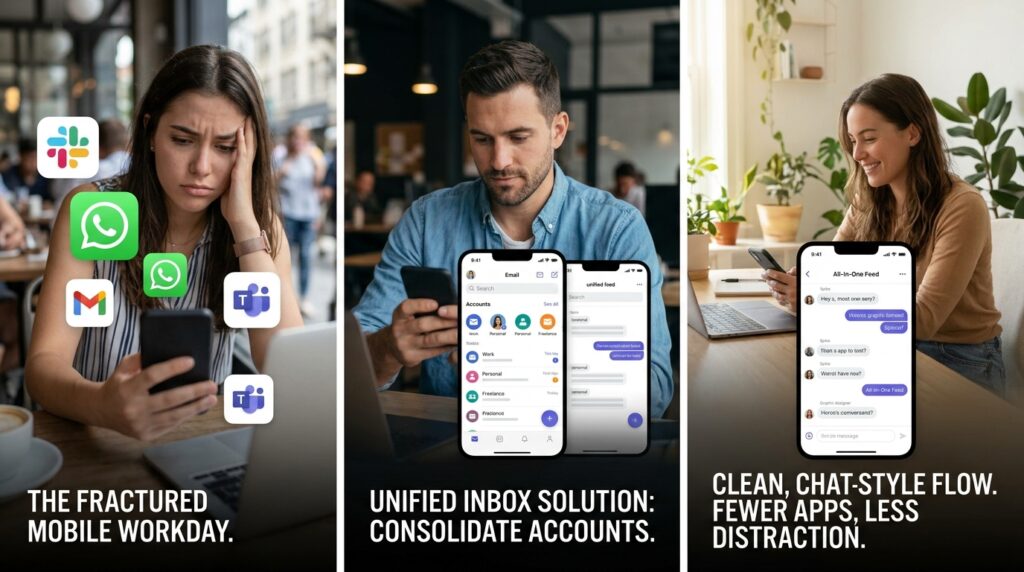
The mobile workday is heavily fractured by the sheer number of communication channels we are forced to monitor.
Your clients might message you on WhatsApp. Your team communicates on Slack. Your manager sends formal requests via Gmail. Your vendors use Microsoft Teams.
Working from your phone usually involves an exhausting, endless cycle of jumping back and forth between five different apps just to make sure you haven’t missed a fire. Every time you switch apps, you lose a tiny bit of cognitive momentum.
To solve this, I rely heavily on apps that centralize my communication.
While full desktop software like Shift or Franz are incredible for this, on mobile, the best defense is utilizing a unified inbox workflow. I use a premium email client (like Spark or Spike) that allows me to link all of my personal, professional, and freelance email addresses into one single, unified feed.
Spike, in particular, turns your massive, clunky email threads into clean, chat-style bubbles that look exactly like text messages. I don’t have to open three different Gmail accounts anymore. I just open one app, process all the communication across my entire life in one focused swoop, and close it. Consolidating your inputs is the backbone of mobile efficiency, an architecture I highly recommend setting up, much like the systems I mapped out in How I Built a Productive Daily Routine Using Apps. The fewer apps you have to open, the less chance you have of getting distracted.
Final Thoughts: Sharpening the Blade
We are incredibly quick to blame our smartphones for our lack of focus. We call them addictive, toxic, and distracting.
But a smartphone is just a piece of glass, metal, and silicon. It has no inherent intent. It only does exactly what you program it to do.
If your phone is a machine of infinite distraction, it is because you have allowed it to be. You have accepted the default settings, the constant push notifications, and the chaotic home screen layouts that benefit advertisers, not you.
But you have the power to change the software environment.
You can install blocklists that enforce your boundaries. You can use algorithmic soundscapes to insulate your attention. You can strip the interface down to pure, minimalist text, and you can gamify your work sessions so that focusing feels like a victory.
Working from a mobile phone doesn’t have to be a scattered, frustrating experience. When you intentionally arm your device with the right applications, it stops being a toy that steals your time and finally becomes the incredibly powerful productivity tool it was always meant to be.
