
For a long time, the operational hub of my entire family was a dry-erase calendar stuck to the front of our refrigerator with a cheap magnet.
It was a chaotic, smeared mess of blue and red markers. Soccer practices were scribbled over dentist appointments. Parent-teacher conferences were written in the margins. Half the time, someone would brush past the fridge, accidentally smudge a date with their shoulder, and an entire weekend plan would simply vanish into the ether.
I thought this was just what parenting and managing a household looked like. I accepted the constant, low-grade hum of logistical panic. I accepted the panicked text messages at 4:30 PM asking, “Wait, are you picking up the kids today or am I?” I accepted the inevitable arguments that sparked when we ran out of milk for the third time in a week because we both assumed the other person was going to stop at the store.
We weren’t failing because we were bad parents or bad partners. We were failing because we were trying to run a complex logistics operation using 1990s technology.
A modern family is essentially a small business. You have multiple stakeholders, conflicting schedules, strict budgets, daily inventory management, and a massive amount of administrative paperwork. You would never try to run a successful business using a dry-erase board and a few sticky notes, so why do we expect that system to work for our homes?
The breaking point arrived on a Tuesday when a double-booked evening led to a missed pediatrician appointment and a very cold, very late dinner. I realized that the “mental load” of keeping the family afloat was crushing us. I decided to completely digitize our household.
If your home feels like a chaotic train station where everyone is constantly missing their connection, you don’t need to try harder. You need a better operating system. Here is exactly how I use mobile apps to keep my family organized, moving the mental burden from our brains onto our screens.
Phase 1: The Unified Family Calendar (TimeTree / Google Calendar)
The foundation of family peace is knowing exactly where everyone is, and where they are supposed to be, at any given moment.
We started by throwing the physical fridge calendar in the trash. We needed a schedule that lived in our pockets, updated in real-time, and sent us aggressive reminders. For this, we adopted a shared digital calendar. (You can use Google Calendar, but we actually prefer an app called TimeTree because it is built specifically for families and couples).
Here is the golden rule of the shared calendar: If it is not in the app, it does not exist.
We created a color-coding system. My work and personal events are blue. My partner’s events are green. Kids’ activities are orange. Whole-family events are purple.
When I look at my phone in the morning, I don’t just see my own day; I see the entire family’s overlapping ecosystem. If my partner schedules a late dinner with a client on Thursday, they put it in the app. I instantly get a notification, and I know I am on solo dinner duty that night. There is no longer a need for the “Did I tell you I was working late?” conversation.
Bridging the gap between office demands and household responsibilities was a massive hurdle for me, an evolution I detailed thoroughly when I wrote about (Tools That Help Me Organize Work and Personal Life Together). The shared calendar completely destroyed the communication gap in our marriage. The software became the ultimate, objective source of truth.

Phase 2: Solving the Grocery Store Panic (AnyList)
The grocery store used to be a major source of household friction.
One of us would go to the supermarket with a mental list, inevitably forget the one crucial ingredient needed for tomorrow’s dinner, and return home to a collective groan. Or worse, we would rely on a chaotic string of text messages: “Get eggs. And paper towels. Wait, get the thick paper towels. Also, did we run out of peanut butter?”
We digitized our pantry using an app called AnyList.
AnyList is a brilliant, cloud-syncing grocery app. We both have it installed on our phones, and it is linked to the smart speaker in our kitchen.
Now, when someone pours the last drop of milk into their cereal, they don’t yell across the house, “We’re out of milk!” They simply say, “Alexa, add milk to the grocery list.” The item instantly populates on both of our smartphones.
The true magic happens when someone is actually at the store. If my partner is walking down the aisles on a Saturday morning checking off items, I can see the list updating in real-time on my phone at home. If I suddenly realize we need aluminum foil, I type it into the app, and it instantly appears on their screen before they hit the checkout counter.
It completely eliminated the need for follow-up phone calls, and it ensures our kitchen is perfectly stocked without any duplicated purchases.
Phase 3: The Nag-Free Chore Delegation (Sweepy / Todoist)
If there is one thing that will slowly poison a household dynamic, it is the resentment that builds around cleaning and chores.
No one wants to be the “nagging” parent or partner. You don’t want to constantly walk around the house reminding people to take out the trash, unload the dishwasher, or clean the bathroom. When you are the only one holding the chore list in your head, you feel like a household manager rather than a family member.
To save my sanity, I pushed all household chores into a task management system.
For the adults, we use a shared project in a task app. Getting my own personal chores out of my head was a revelation I covered in (How a Simple To-Do App Made My Life Less Stressful), and scaling that to the whole family amplified the relief tenfold. We have recurring digital tasks for changing the air filters, paying the utility bills, and taking the recycling to the curb.
For daily cleaning, we use a specialized app called Sweepy.
Sweepy gamifies household cleaning. You input every room in your house and list the chores required to keep it clean (e.g., sweep floor, wipe counters, clean mirrors). You then assign a frequency to each task.
The app generates a daily schedule and assigns tasks to specific family members. Instead of me telling the kids to clean their bathroom, the app sends them a notification. When they check it off, they earn points. It completely removes me as the “bad guy.” The app is the boss, and the family simply follows the digital instructions. It turned household maintenance from an emotional battleground into an objective, systematic routine.
Phase 4: Financial Transparency Without the Tension (Honeydue)
Money is the leading cause of stress in most relationships. In a family setting, money moves incredibly fast. You are paying for school supplies, ordering takeout, paying the mortgage, and trying to save for a vacation all at the same time.
When my partner and I tried to manage our money separately, we were constantly stepping on each other’s toes. We would accidentally double-pay a utility bill, or we would both assume the other person was monitoring the credit card balance.
We decided to lay all our financial cards on the table using a shared financial app. I had already experienced a personal financial revolution, which I detailed in (The Budgeting App That Helped Me Finally Save Money), but managing two people’s spending required a collaborative tool.
We use an app called Honeydue (though YNAB is also incredible for families who want a stricter zero-based budget).
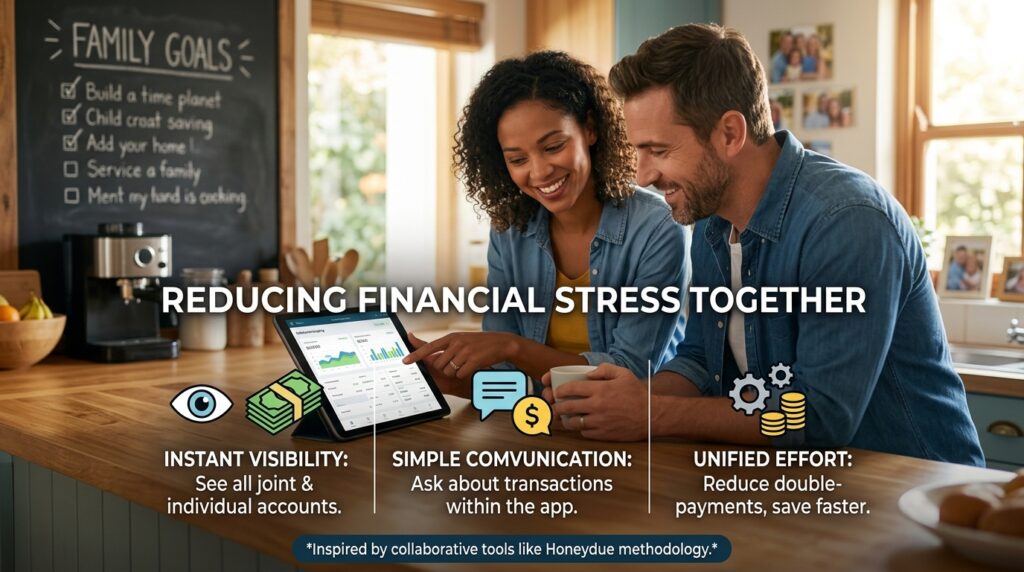
Honeydue connects to all of our individual and joint bank accounts and credit cards. We can both open the app and instantly see our total household net worth, our upcoming bills, and a categorized list of our recent transactions.
The best feature is the built-in communication. If I see a strange $45 charge from a pharmacy, I don’t have to text my partner about it later. I can simply tap the transaction inside the Honeydue app, tag my partner, and ask, “Was this you?” They get a notification, reply directly in the app, and the mystery is solved. It brings total transparency to our cash flow and ensures we are rowing in the exact same financial direction.
Phase 5: The Digital Filing Cabinet (Notion / Evernote)
Raising a family requires managing a terrifying amount of paperwork.
There are vaccination records, school enrollment forms, emergency contact lists, pet vet histories, and insurance policies. In the past, this paperwork lived in a physical filing cabinet in the guest room. If my partner was at the pediatrician’s office and the doctor asked for the date of our child’s last tetanus shot, they would have to call me, and I would have to dig through physical folders to find the answer.
It was wildly inefficient. We digitized the entire filing cabinet using Notion.
Notion is a digital workspace where you can build your own customized databases. We created a master “Family Wiki.”
Inside this Wiki, we have a page for each family member. Our kids’ pages have digital scans of their birth certificates, their social security numbers, their doctor’s contact info, and their complete medical histories. We have a page for our car that lists the license plate number, the VIN, and the date of the last oil change. We even have a page for our dog with his microchip number.
Because Notion lives in the cloud, this entire database is instantly accessible from both of our smartphones. If we are standing at the airport and need a document, or filling out a school form in a waiting room, the exact information is literally three taps away. We are never caught off guard.
Phase 6: The Shared Password Vault (1Password)
This might seem like a small detail, but shared digital access is a massive friction point for modern families.
“What is the Netflix password?” “How do I log into the electric company’s website?” “What is the Wi-Fi code for the new router?”
These questions used to interrupt my workday constantly. We would write passwords down on random pieces of paper, lose them, reset the passwords, and lock each other out of crucial accounts.
We solved this by investing in a family plan for a password manager like 1Password.
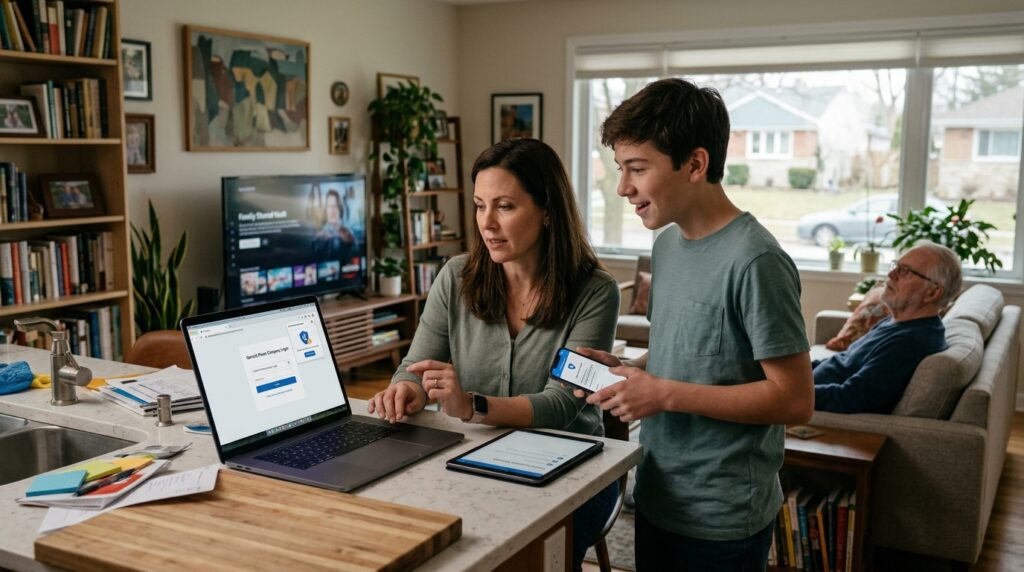
We have our own private, encrypted vaults for our personal social media and work logins, but we also have a “Shared Family Vault.” Every streaming service password, every utility bill login, and every shared bank account password lives in this central vault.
If my partner needs to log into the portal to pay the water bill, they don’t have to ask me for the login. The password manager automatically fills it in for them. It sounds trivial, but removing those tiny, daily digital roadblocks drastically reduces the overall friction in the household.
Final Thoughts on Reclaiming Family Time
There is a massive misconception that introducing more technology into your home will somehow make your family less connected. We fear that if we rely on apps, we will stop talking to each other and just become robots staring at our screens.
My experience has been the exact opposite.
When you don’t have an organizational system, your family conversations are entirely dominated by boring, stressful logistics. You spend your dinners arguing about who was supposed to buy the toilet paper. You spend your evenings bickering about the credit card bill. You spend your weekends frantically cleaning the house because nobody kept up with their chores.
The administrative burden of running a family eats up all the time you were supposed to spend actually enjoying each other.
By trusting mobile apps to handle the calendar, the groceries, the chores, and the paperwork, we fired ourselves from the job of “household manager.” The software handles the invisible mental load.
Now, when we sit down at the dinner table, we aren’t talking about scheduling conflicts or utility bills. We are actually talking about our days. We are laughing. We are present.
Technology shouldn’t isolate your family. It should handle the chaotic, boring background noise of life so that you can finally focus on the people sitting right in front of you. Take the leap, download a shared calendar today, and watch how quickly the tension leaves your home.
