
I remember standing in the middle of my kitchen on a random Thursday evening, staring blankly between two glowing screens.
On my left was my heavy, silver work laptop, open to a calendar completely saturated with blue blocks representing back-to-back meetings and looming project deadlines. On my right was my personal smartphone, displaying a solitary, urgent text message from my partner reminding me about the anniversary dinner we had booked a month ago.
I had completely double-booked myself. Again.
A cold wave of panic washed over me. I had a massive, career-defining presentation scheduled at the exact same time I was supposed to be sitting at a quiet corner table in a nice restaurant. I had to make a phone call, apologize profusely, and cancel the dinner. The guilt was suffocating.
For years, I had been force-fed the concept of “work-life balance.” Every self-help book and corporate seminar told me that the secret to happiness was keeping my professional life and my personal life completely separated. They were supposed to exist in two different universes, separated by an impenetrable firewall.
So, I built two systems. I had a work calendar and a personal calendar. I had a work to-do list in a complex software program, and a personal grocery list scribbled on the back of an envelope. I had a work email app and a personal email app.
The result? Absolute, unmitigated chaos.
Because I only have one brain, one body, and twenty-four hours in a day, trying to manage two separate lives was a logistical nightmare. I was missing dentist appointments because they weren’t on my corporate calendar. I was forgetting to send crucial client invoices because I had written the reminder on a “personal” sticky note that I left in my car.
I finally realized that “work-life balance” is a flawed metaphor. It implies that work and life sit on opposite sides of a scale, constantly fighting each other. But they don’t. Work is simply a part of life.
I decided to stop fighting reality. I tore down the firewall. I decided to consolidate everything into a single, unified digital ecosystem. If you are exhausted from juggling two different versions of yourself, here are the specific tools and strategies that help me organize my work and personal life together, bringing total peace of mind.
1. The Unified Calendar (Google Calendar)
The most terrifying step in merging my two lives was dealing with my calendar.
I was paranoid about my boss or my coworkers accidentally seeing a calendar block for a doctor’s appointment, a therapy session, or a mid-day gym run. Because of this fear, I used to keep my personal schedule completely off my work calendar.
This is exactly how double-booking happens. If a colleague looks at your work calendar, sees a blank white space at 4:00 PM, they will schedule a meeting. They have no idea that your “blank space” is actually you driving to pick up your kids from school.
To solve this, I designated Google Calendar as my single, ultimate source of truth, and I used privacy settings to protect myself.
I connected my personal Gmail calendar directly to my corporate Google Workspace calendar. Now, when I look at my phone or my computer, I see a beautiful, unified timeline. My morning team stand-up meeting sits right next to my reminder to call my mother.
But here is the crucial trick: I set the privacy permissions so that my coworkers can only see my personal events as “Busy.”
If I have a dentist appointment at 2:00 PM, my colleagues just see a gray block that says “Busy,” preventing them from scheduling a call. They don’t know where I am, and they don’t need to. Seeing the entirety of my 24-hour day in one single visual landscape completely cured my anxiety. I no longer have to guess if I have time for a project; the master calendar tells me the truth.

2. The Universal Task Manager (Todoist)
Once my time was consolidated, I had to deal with my tasks.
I used to use complex, heavy enterprise software for my work projects, and Apple Reminders for my personal chores. This meant I was constantly opening and closing apps, trying to figure out what I was supposed to be doing next. It created a massive amount of digital friction.
I moved every single obligation in my entire life into Todoist.
Todoist is a task manager that perfectly balances simplicity with robust organizational features. I treat Todoist as the ultimate inbox for my brain.
When a thought crosses my mind—whether it is “Draft the Q3 marketing budget” or “Buy dog food”—I immediately capture it in the exact same app. This frictionless capturing process was the foundation of the system I outlined when I wrote about How I Organized My Entire Day Using Just Two Apps. I don’t waste cognitive energy deciding where to write something down. It all goes into the same bucket.
To keep things from getting messy, I use Todoist’s project folders and tagging system. I have a main folder for “Professional” and a main folder for “Personal.”
When I sit down at my desk at 9:00 AM, I click the “Professional” folder, and my personal chores vanish from the screen, allowing me to focus. But when I look at the “Today” view, I see the beautiful reality of my life: I have to finish a client report, and then I have to pick up the dry cleaning. It is all one continuous workflow.
3. The Digital “Second Brain” (Notion)
While a task manager is great for action items, you also need a place to store complex information, reference materials, and long-term plans.
If my tasks were scattered, my notes were an absolute disaster. I had work meeting minutes in Google Docs, personal journal entries in Apple Notes, travel itineraries in my email inbox, and recipes bookmarked on Pinterest. Finding a specific piece of information was like digging through a digital landfill.
I decided to build a “Second Brain” using Notion.
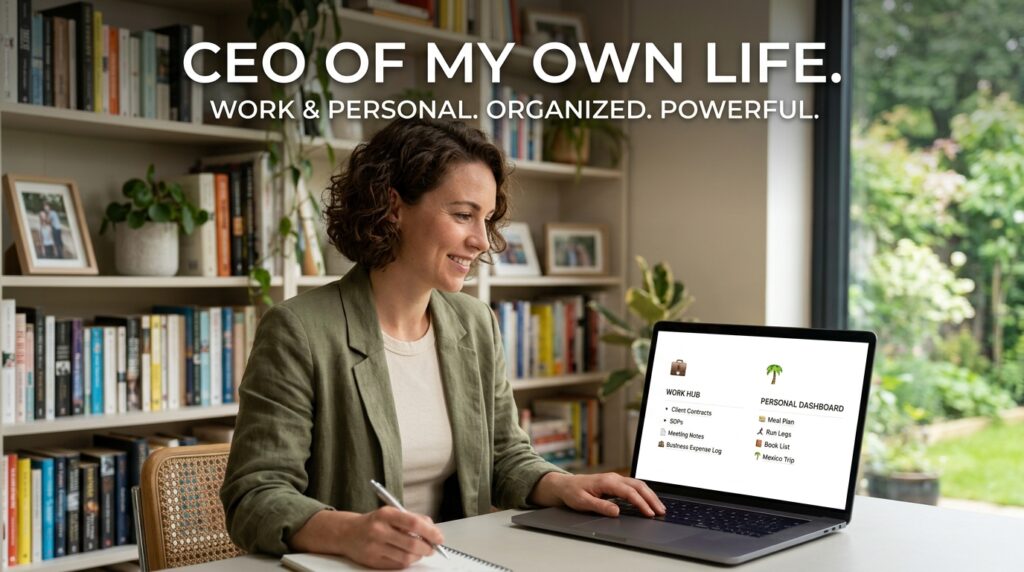
Notion is a deeply customizable workspace that allows you to build databases, wikis, and interconnected pages. I spent a weekend building a comprehensive “Life Dashboard.”
On this single Notion page, my entire existence is mapped out.
On the left side of the screen, I have my “Work Operating System.” It contains my active client contracts, my standard operating procedures, my meeting notes, and my business expense logs.
On the right side of the screen, I have my “Personal Headquarters.” It contains the meal plan for the week, my running logs, a list of books I want to read, and a detailed itinerary for an upcoming trip to Mexico.
Having these two worlds live side-by-side in the same application is incredibly empowering. Managing vast amounts of data in one place is an absolute necessity for modern survival, a philosophy I explored deeply when reviewing 10 Note-Taking Apps That Actually Help You Stay Organized. If I am on a boring conference call, I can quietly click over to my personal dashboard and update my grocery list without ever leaving the app. It makes me feel like the CEO of my own life.
4. Enforcing Boundaries with Focus Modes
You might be thinking: If everything is in one place, won’t you just think about work all the time? How do you ever shut off?
This is the biggest risk of consolidation. If your work tasks and your personal tasks live in the exact same app on the exact same phone, the temptation to check a work project on a Sunday morning is incredibly high.
To prevent this, I rely heavily on the native Focus Modes built into iOS (and the equivalent Digital Wellbeing profiles on Android).
I don’t separate my life using different apps; I separate my life using software boundaries.
I programmed a specific profile called “Personal Time.” Every day at 6:00 PM, my phone automatically shifts into this mode.
When “Personal Time” activates, my phone transforms. My email app, Slack, and LinkedIn are completely hidden from my home screen. Notifications from my boss or my clients are silently intercepted and sent to a hidden vault. If they call me, it goes straight to voicemail (unless they call twice in an emergency).
The apps are still on my phone, but the operating system builds a temporary wall around them. Finding the software that allows for this level of environmental control is critical, which is exactly why I rely on Apps That Help Me Balance Work and Personal Life Better. I can open Todoist on a Saturday to look at my weekend chores, completely insulated from the anxiety of seeing my corporate deadlines.
5. Consolidating Communication (Unified Inboxes)
The final piece of the puzzle is communication.
Managing multiple email addresses is a massive drain on your time and mental clarity. Logging out of your personal Gmail to log into your corporate Outlook, only to realize you missed a message from your landlord, is incredibly frustrating.
I stopped opening different email apps and started using a unified email client.
Apps like Spark or Spike are phenomenal for this. I connected my professional email, my freelance email, and my personal email all into the Spark app.
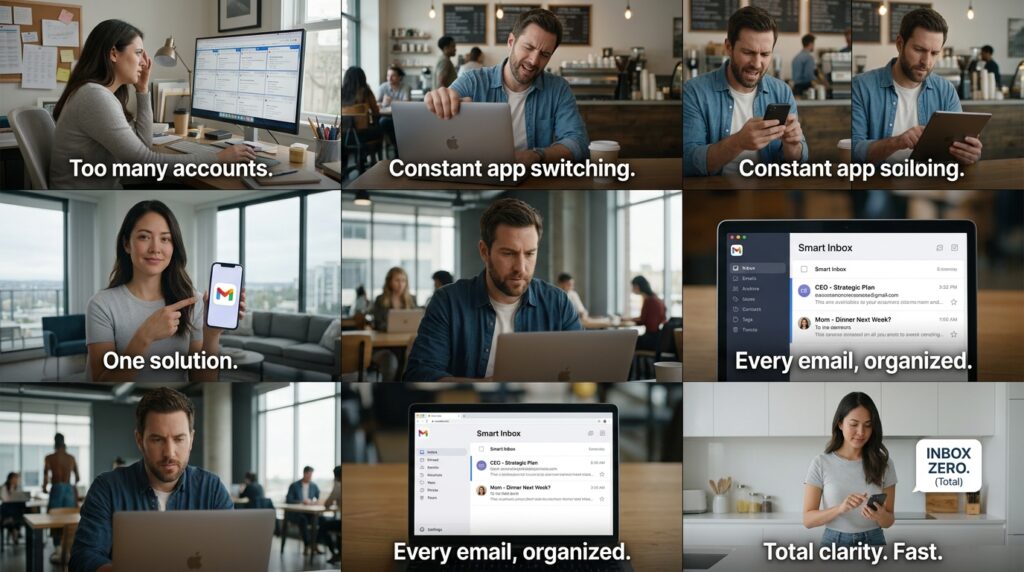
The app gathers every single message into one universal “Smart Inbox.” It automatically categorizes them, pulling real emails from humans to the top, and pushing newsletters and automated notifications to the bottom.
When I sit down to process my communication, I don’t have to check three different locations. I just open my Smart Inbox and blast through it. A message from my CEO sits right above an email from my mother. I process them both with the exact same efficiency, archive them, and reach Inbox Zero for my entire life in about twenty minutes.
Final Thoughts: Embracing the Blend
The modern world is messy, chaotic, and incredibly fast-paced.
Trying to rigidly enforce a 1950s-style separation between your professional identity and your personal identity is a losing battle. Remote work, smartphones, and global connectivity have permanently blurred the lines.
When you fight that reality by building separate systems, you create unnecessary friction. You duplicate your efforts, you lose track of important details, and you ultimately increase your own stress levels.
You only have one life. Your tools should reflect that.
Take a brave step this weekend. Open your personal calendar and sync it with your work calendar. Move your grocery list into the same app you use to track your marketing deliverables. Put your personal journal in the same digital workspace as your meeting notes.
When you finally stop treating your personal life like a distraction from your work, and stop treating your work like an interruption to your personal life, the anxiety evaporates. You stop playing tug-of-war with your own time. By bringing everything together into a single, beautifully organized digital command center, you finally regain the clarity needed to actually enjoy the life you are working so hard to build.
