
For the first few years of my professional life, my mornings were a masterclass in self-sabotage.
My alarm would go off at 7:00 AM. I would groan, roll over, and blindly grab my smartphone from the nightstand. Before my feet had even touched the bedroom floor, I was already checking my email. I would see a passive-aggressive message from a client, feel my heart rate spike, and immediately switch to Instagram to numb the stress.
Forty-five minutes later, I would finally drag myself out of bed. I was already exhausted, already behind schedule, and already functioning in a state of pure, adrenaline-fueled reaction. I spent my entire day putting out fires that other people had started, rather than actively building the life I wanted.
I blamed my phone. I told myself that the technology was toxic, that the apps were designed to ruin my attention span, and that true productivity required me to throw my smartphone into a river and move to a cabin.
But eventually, the reality of the modern world set in: I need my phone to survive. I need it for work, for communication, and for logistics. Throwing it away wasn’t a real solution.
I realized that my smartphone wasn’t the enemy; my lack of boundaries was. The device was just a piece of glass and metal. It had no moral compass. It would either run my life, or I would program it to help me run my life.
I decided to completely overhaul my digital environment. I stopped downloading apps to distract myself and started treating my phone like a remote control for my daily habits. After months of trial, error, and tweaking, I finally built a system that works.
If you feel like you are constantly chasing your own tail and losing hours of your day to digital friction, here is exactly how I built a highly productive, stress-free daily routine using my smartphone.
Phase 1: The “Digital Sunset” and the Brain Dump
The most important thing I learned about a productive morning routine is that it actually begins the night before.
If you go to bed with a head full of chaotic anxieties—worrying about the electric bill, the email you forgot to send, and the groceries you need to buy—you are going to sleep terribly. You will wake up feeling burdened.
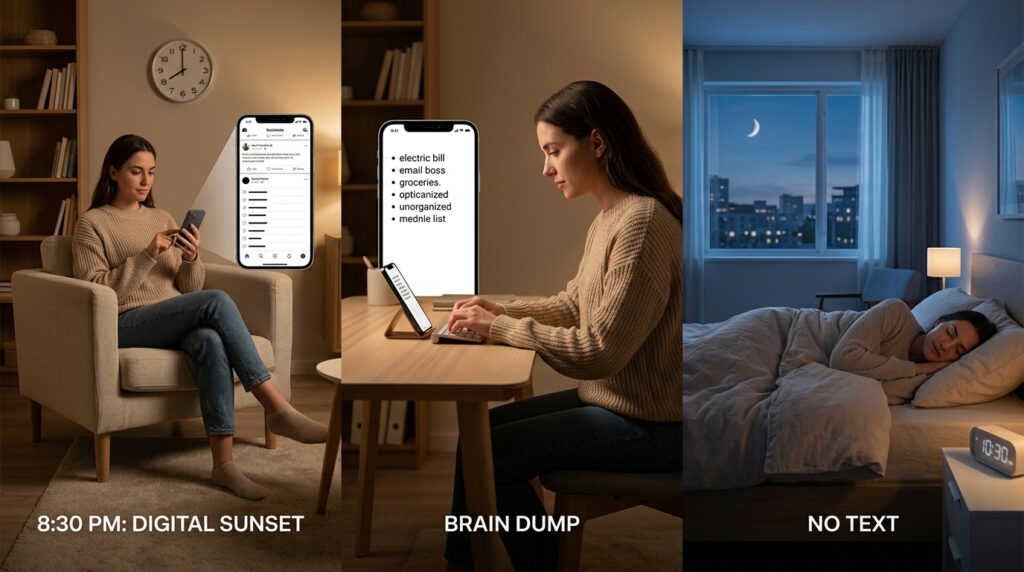
I instituted a hard rule called the “Digital Sunset.” At 8:30 PM, my phone automatically enters a customized Focus Mode. All social media apps are blocked, work emails are muted, and the screen turns entirely black and white.
In this quiet, muted environment, I open a minimalist task manager. I spend exactly five minutes doing a “Brain Dump.” I take every single open loop in my head and type it into the app. I don’t organize it, I don’t color-code it, I just get it out of my biological memory and into a secure digital vault.
Offloading this mental weight completely cured my midnight insomnia. I sleep peacefully because I trust the software to remember my obligations for me. Discovering the power of a trusted digital inbox was a massive paradigm shift, a transformation I detailed heavily in How a Simple To-Do App Made My Life Less Stressful. The app holds the stress so my brain doesn’t have to.
Phase 2: Hacking the Wake-Up Sequence
The native alarm clock on your smartphone is fundamentally flawed. It is far too easy to hit the “Snooze” button. When you are half-asleep, your prefrontal cortex—the part of your brain responsible for discipline and logic—is effectively turned off. You will always choose five more minutes of sleep over getting up to chase your goals.
I had to remove the option to fail.
I downloaded a smart alarm app called Alarmy (though there are several alternatives like Sleep as Android). I configured a highly specific, aggressive wake-up sequence.
When my alarm goes off at 6:00 AM, there is no snooze button. Swiping the screen does nothing. Pressing the volume buttons does nothing. The only way to make the loud, obnoxious ringing stop is for me to physically get out of bed, walk into my bathroom, and use the app’s camera to scan the barcode on my bottle of mouthwash.
It is incredibly annoying for exactly thirty seconds. But by the time I am standing in the bright bathroom lights, holding my mouthwash, I am awake. The hardest part of the day—the physical act of leaving the mattress—is over.
Once the alarm is deactivated, the app automatically launches my daily habit tracker. Overhauling this specific fifteen-minute window completely changed the trajectory of my days, an experiment I broke down step-by-step in How I Built a Better Morning Routine Using My Phone. You have to outsmart your own laziness.
Phase 3: The Golden Hours (Deep Work and Time Tracking)
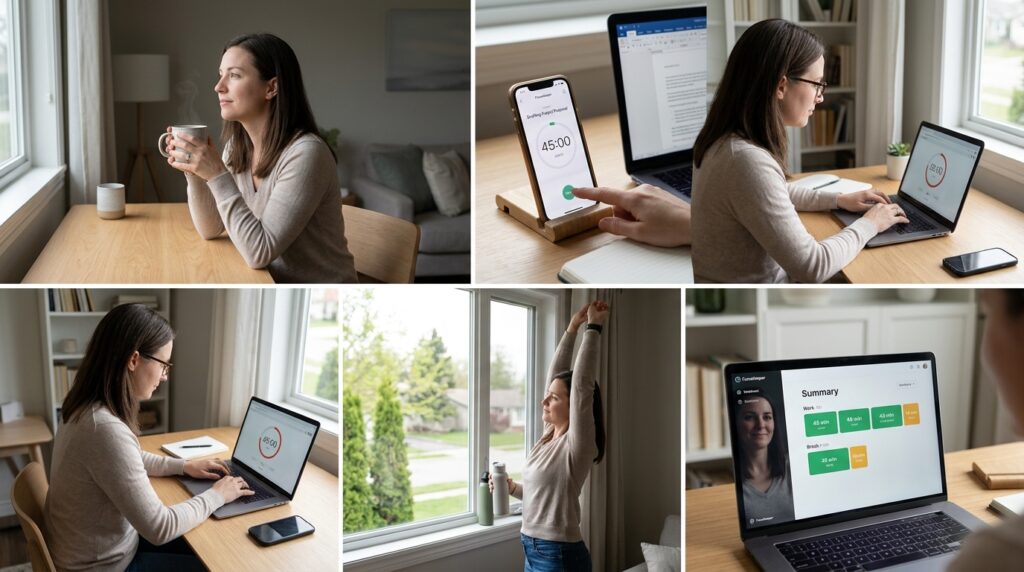
By 7:00 AM, I am sitting at my desk with a cup of coffee. This is my “Golden Window.” My house is quiet, no one is emailing me yet, and my cognitive energy is at its absolute peak.
This is when I tackle my hardest, most complex task of the day. But even in a quiet house, the temptation to “just quickly check the news” is incredibly strong.
To protect my focus, I rely on a Pomodoro time-tracking app.
I look at the hardest task on my list—let’s say it’s drafting a massive project proposal. I open my time tracker, label the session “Project Proposal,” and set the timer for 45 minutes.
The moment I hit “Start,” a psychological switch flips. I am on the clock. Because I am tracking the exact minute-by-minute progression of the task, I feel a deep sense of accountability. If I pick up my phone to look at Instagram, I am actively ruining my own data.
I work in furious, unbroken 45-minute sprints, followed by 10-minute breaks. During the break, the app literally chimes and tells me to stand up, stretch my legs, and look out a window to rest my eyes.
Using software to visually quantify my effort completely destroyed my procrastination habit. This level of granular focus is exactly what I advocate for when I discuss Apps That Help Me Track Time and Work Smarter. When you treat your attention like a measurable resource, you stop giving it away for free.
Phase 4: The Midday Administrative Block
Around 1:00 PM, after lunch, my biological energy naturally dips. My brain is too tired to write brilliant strategy documents or solve complex creative problems.
This is the perfect time for administration.
In the past, I would let administrative tasks (like replying to emails, paying bills, and answering Slack messages) bleed into my entire day. I would answer an email at 9:00 AM, another at 11:00 AM, and another at 3:00 PM. This constant context-switching destroyed my focus.
Now, I use my daily routine to batch these tasks. I open my email client and my messaging apps only during this specific midday block.
I use a clipboard manager app on my phone to store highly repetitive responses. If a client asks for my standard pricing sheet, I don’t type it out. I open my clipboard manager, tap the “Pricing Template,” and paste it directly into the email. I can clear thirty emails in twenty minutes using text shortcuts and templates.
By aggressively corralling the “busywork” into a tightly controlled afternoon window, I prevent the shallow tasks from infecting the rest of my day.
Phase 5: The Frictionless Friction (Organizing the Home Screen)
A routine is only sustainable if your environment supports it.
If you want to eat healthier, you don’t keep a giant chocolate cake on your kitchen counter. If you want to be more productive on your phone, you cannot keep TikTok, X, and Reddit sitting on your primary home screen.
I completely redesigned the visual architecture of my smartphone to support my daily routine.
My primary home screen is almost entirely blank. It contains a calendar widget showing my next appointment, a widget for my to-do list, and exactly four app icons in the dock: Phone, Messages, Notes, and Maps. That is it.
I took every single distracting app and hid it inside a folder, on the third page of my app drawer. Furthermore, I used the native screen time settings to impose a 30-minute daily limit on all social media applications.
When I naturally feel the urge to scroll, I unlock my phone. I see a blank screen. To find the distraction, I have to swipe twice, open a folder, and tap the icon. This micro-friction—this tiny three-second delay—is usually enough time for my logical brain to intervene and ask, “Are you actually bored, or are you just avoiding your work?”
You must design your digital environment so that the productive choice is frictionless, and the distracting choice is deeply annoying.
Phase 6: The Evening Review and Habit Solidification
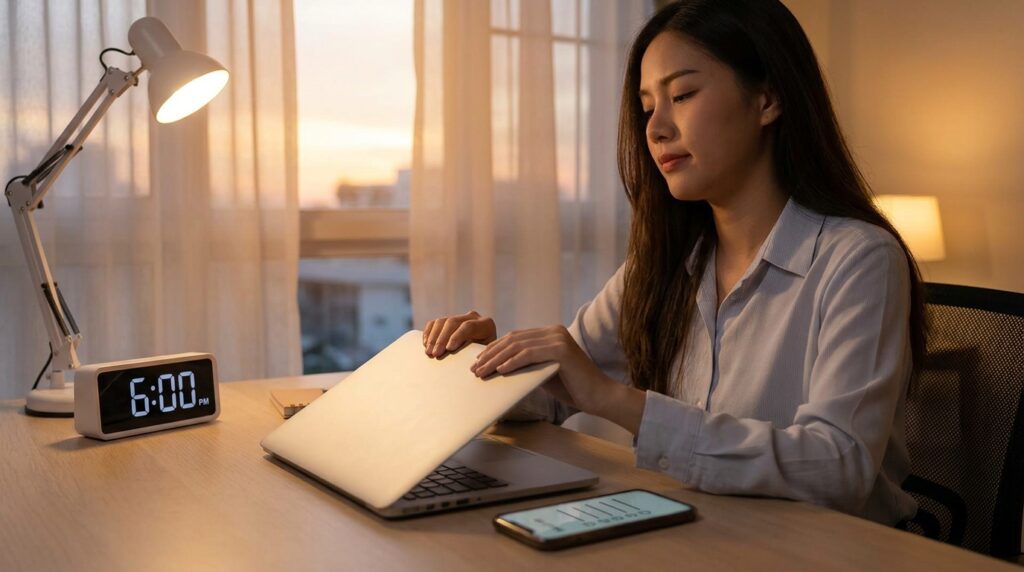
By 6:00 PM, the workday is over.
To successfully transition from “professional mode” to “personal mode,” I rely on a habit-tracking application.
A routine is just a series of repeated habits. But human memory is terribly flawed; we consistently overestimate how disciplined we actually are. You might feel like you worked out “a lot” this month, but the data might show you only went to the gym four times.
I open my habit tracker and I check off my daily non-negotiables. Did I read for twenty minutes? Check. Did I drink two liters of water? Check. Did I close all my work tabs? Check.
There is an immense, primal satisfaction in tapping a circle on a glass screen and watching it fill with a bright, satisfying color. The app tracks my “streaks.” If I have read a book for fourteen days in a row, the psychological pressure to not break that visual chain on the fifteenth day is incredibly powerful.
The software utilizes the exact same psychological hooks that video games use to keep you addicted, but it points that addiction toward positive, life-affirming behaviors.
Final Thoughts: You Are the Architect
We spend an average of four to five hours a day staring at our mobile devices. Over the course of a lifetime, that equates to more than a decade of waking hours spent looking at a glass rectangle.
If you do not have a system for how you interact with that device, the device will dictate how you interact with your life. You will spend a decade passively consuming content, reacting to notifications, and feeling a persistent, low-grade anxiety that you are falling behind.
Building a productive daily routine using apps is not about downloading a magic piece of software that will suddenly make you disciplined. It is about architectural design.
It is about recognizing your own human flaws—your tendency to snooze the alarm, your weakness for midday distractions, your inability to remember a dozen different tasks—and intentionally building digital scaffolding to support those weaknesses.
Take one hour this weekend to strip your phone down to the studs. Delete the apps that make you feel terrible. Install a smart alarm that forces you out of bed. Build a time-blocking system that holds you accountable. Turn your phone into a remote control for your ambitions, and watch how quickly your days transform from chaotic reactions into purposeful, focused momentum.
