
I remember standing in the middle of a crowded airport terminal a few years ago, waiting for a delayed flight, when I had a sudden moment of terrifying clarity.
I looked up from my screen and glanced around the gate. There were maybe eighty people waiting for the same plane. Every single one of them—from toddlers to business executives to grandparents—was staring down at a glowing glass rectangle. Their necks were craned, their faces were illuminated by an unnatural blue light, and their thumbs were swiping in a synchronized, hypnotic rhythm.
Then I looked down at my own hands. I was doing the exact same thing.
I wasn’t answering important emails or reading a groundbreaking novel. I was looking at photos of a stranger’s breakfast on Instagram. I realized in that moment that my smartphone, the most advanced piece of consumer technology ever created, had successfully reduced me to a mindless consumer.
I was carrying a supercomputer in my pocket—a device with more processing power than the computers that guided the Apollo missions to the moon—and I was using it to look at memes and argue with strangers on the internet.
When I got home from that trip, I decided I had had enough. I was tired of feeling like my phone was the master and I was the servant. I was tired of the constant interruptions, the battery anxiety, and the underlying sense that I was wasting my life one swipe at a time.
I decided to completely rewire the relationship. I stopped treating my device like a digital slot machine and started treating it like a high-performance engine. If you are exhausted by the constant distractions and want to reclaim your time, here is exactly how I turn my phone into a productivity powerhouse.
1. The Ruthless Digital Purge
You cannot build a cathedral on top of a landfill. Before I could turn my phone into a productivity machine, I had to completely gut the existing architecture.
We all suffer from digital hoarding. We keep apps we haven’t opened in three years “just in case” we need them. We keep addictive games because we think we need them to unwind. We keep five different social media platforms because we are terrified of missing out on a cultural moment.
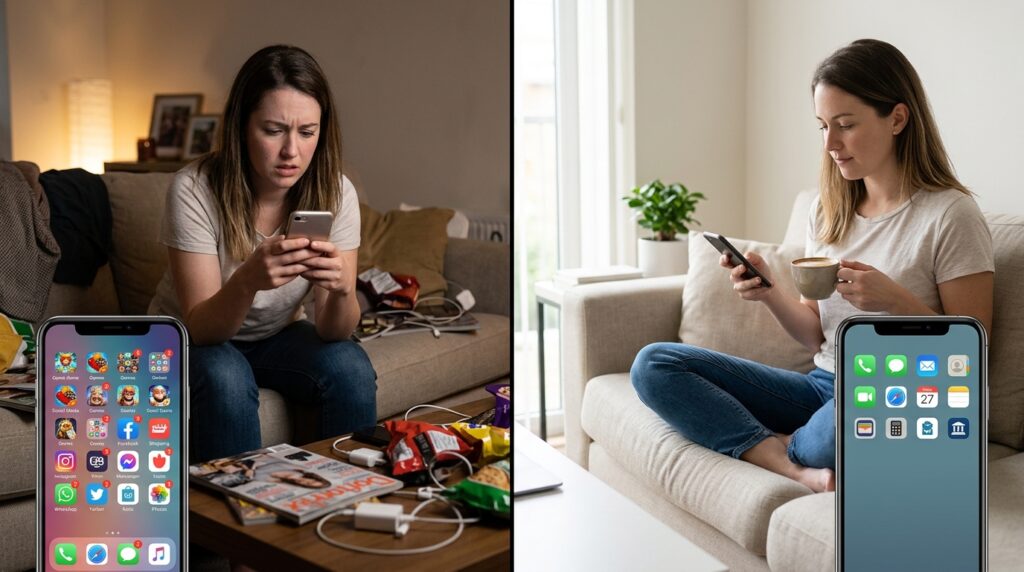
I sat down on my couch, poured a cup of coffee, and became a digital minimalist.
I deleted every single game from my phone. I deleted every social media app. I deleted the news aggregators that were constantly sending me panic-inducing push notifications. I deleted the shopping apps that encouraged impulse purchases.
If an app did not actively help me communicate with my actual loved ones, manage my finances, or perform my job, it was uninstalled.
It felt incredibly uncomfortable for the first 48 hours. I would unlock my phone out of muscle memory, swipe to where Instagram used to be, and find nothing. But after that initial withdrawal, a profound sense of peace washed over me. I had successfully removed the digital junk food, paving the way for a system built purely on intentionality.
2. Redesigning the Home Screen for Action
Once the garbage was gone, I had to redesign the physical interface of the phone.
The default layout of an iPhone or an Android device is designed by marketing executives to make you tap things. Colorful grids of glossy icons scream for your attention.
I wiped my home screen completely blank.
I removed every single app icon from the primary screen. Instead, I replaced them with large, interactive, data-rich widgets.
At the very top of my screen, I have a massive calendar widget that shows me my exact schedule for the day. Below that, I have a task manager widget that displays my top three priorities.
When I unlock my phone now, I am not presented with a menu of distractions. I am presented with a dashboard of my responsibilities. The phone instantly tells me what I am supposed to be doing. If I actually need to open an app, I have to swipe down and physically type the name of the app into the search bar. This tiny bit of friction forces me to be intentional about every single digital interaction.
3. Creating a “Frictionless Capture” System
The human brain is a terrible place to store information. If you have a brilliant idea for a project while walking your dog, and you try to just “remember it” until you get home, you will almost certainly forget it.
To make my phone a productivity powerhouse, I needed it to act as my “Second Brain.”
I positioned a single button on my home screen dock: a quick-capture shortcut for my note-taking app.
Now, when a thought crosses my mind—whether it’s a grocery item, a brilliant marketing angle, or a reminder to call my mother—I tap that one button. A blank text box instantly pops up. I type the thought, hit enter, and the box disappears.
I don’t organize the note. I don’t put it in a specific folder. I just get it out of my biological memory and into my digital storage. Finding the right tools to facilitate this seamless transfer of ideas was a massive breakthrough, a journey I detailed extensively when exploring the 7 Apps That Turn My Phone Into a Productivity Machine. When your phone becomes a frictionless net for your thoughts, your brain is finally free to focus on deep, creative work.
4. Weaponizing “Focus Modes”
Perhaps the most powerful, underutilized feature on modern smartphones is the ability to create contextual profiles, often called Focus Modes or Routines.
I realized that the phone I need at 10:00 AM on a Tuesday at the office is vastly different from the phone I need at 8:00 PM on a Saturday at a dinner party.
I built specific, aggressive profiles for different parts of my life.
-
The “Deep Work” Profile: When I am writing or analyzing data, I trigger this mode. My phone goes completely silent. It blocks all incoming calls except from my immediate family. It hides my email icon. The only apps that are allowed to function are my calendar, my calculator, and my Pomodoro timer.
-
The “Weekend” Profile: When Friday at 6:00 PM rolls around, my phone automatically switches modes. It hides all of my work-related apps (like Slack, Zoom, and Outlook) completely from view. It turns on my podcast apps and my maps.
By tying my phone’s functionality to my physical context, I stopped fighting the device. The phone dynamically adapts to support whatever I am doing in that exact moment, rather than constantly trying to pull my attention in fifty different directions.

5. Automating the Mundane
A true powerhouse doesn’t just store data; it performs labor.
I was spending far too much time doing repetitive digital chores. I was manually turning on my phone’s “Do Not Disturb” mode every night. I was manually opening my gym app every time I walked into the health club. I was manually texting my partner when I left the office to say I was on my way home.
I decided to hand these chores over to the machines.
Using native shortcut apps (like Apple Shortcuts or Tasker for Android), I built a web of automated triggers.
Now, when my phone’s GPS detects that I have left the physical address of my office, it automatically sends a text message to my partner saying, “Heading home!” When I tap my phone against a small NFC sticker on my nightstand, the phone automatically sets my morning alarms, turns off the house lights, and starts playing white noise.
Learning how to program these invisible triggers was a massive turning point, a process I mapped out step-by-step in How to Automate Repetitive Tasks on Your Phone. Your phone should act as an invisible executive assistant, handling the administrative burden of your life so you don’t have to.
6. Voice Dictation as a Superpower
For a long time, I stubbornly refused to use voice-to-text features. I felt silly talking to my phone in public, and the early iterations of the technology were incredibly inaccurate, leading to frustrating typos.
But modern AI-driven dictation is nothing short of miraculous.
I realized that my thumbs can only type about forty words a minute on a tiny glass screen, but I can speak well over a hundred words a minute.
I started dictating everything. When I am walking to a coffee shop, I put in my wireless earbuds and dictate long, complex emails to my team. I dictate my journal entries. I dictate brainstorming sessions for new projects. The software captures my pacing, automatically inserts punctuation, and format my thoughts beautifully.
By shifting from typing to speaking, I turned my “dead time” (commuting, walking, waiting in lines) into highly productive work sessions. I no longer have to be chained to a physical keyboard to produce massive amounts of written output.
7. Protecting the Morning and Evening Bookends
The most critical factor in turning your phone into a productivity powerhouse is controlling how you interact with it at the very beginning and the very end of your day.
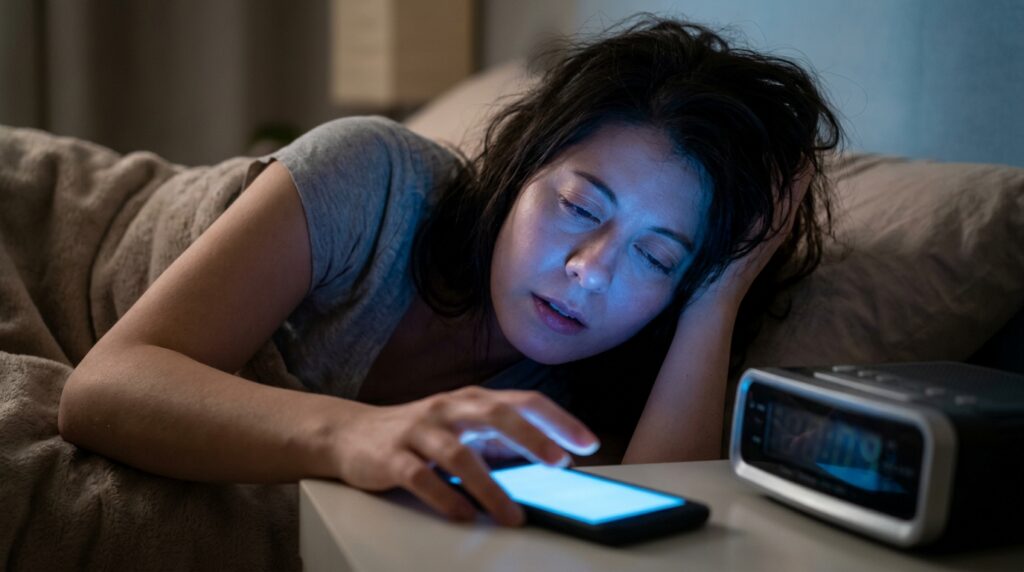
If the first thing you do when you open your eyes is look at your phone, you are immediately surrendering your morning to other people’s agendas. You are starting your day in a state of reaction.
I bought a cheap, physical digital clock for my nightstand, and I banished my smartphone from my bedroom entirely.
It charges overnight in the kitchen.
When I wake up, I am forced to get out of bed, walk into the kitchen, and drink a glass of water before I even touch a screen. I do not check my email until I have showered, dressed, and outlined my goals for the day. Securing this sacred, tech-free window of time completely altered my daily trajectory, an evolution I detailed in How I Built a Better Morning Routine Using My Phone.
Similarly, at 8:30 PM, my phone enters a strict “Wind Down” mode. The screen turns black and white (grayscale), removing all the stimulating colors that keep the brain awake. I plug it into the kitchen charger and walk away.
By aggressively guarding the bookends of my day, I ensure that the phone remains a tool that I pick up intentionally, rather than an addiction that I simply cannot put down.
Final Thoughts: Taking Back the Steering Wheel
Your smartphone is an inherently neutral piece of technology.
It does not inherently want to distract you, nor does it inherently want to make you productive. It is a mirror that simply reflects the boundaries you have—or haven’t—put in place.
If you leave the default settings on, allow every app to send you notifications, and keep a vibrant grid of digital candy on your home screen, your phone will act as an incredibly effective slot machine, stealing your time and fracturing your focus.
But if you are willing to spend a single Saturday afternoon doing the hard work—deleting the junk, designing a minimalist interface, setting up contextual focus modes, and building automated routines—the glass rectangle in your pocket transforms.
It stops being a source of anxiety and overwhelm. It becomes the ultimate lever for your personal and professional ambitions. You stop surviving your digital environment, and you finally start commanding it.
