
I remember the exact moment I realized Instagram had turned into a toxic digital landlord.
I was sitting on my couch on a Tuesday night, entirely trapped in the doomscroll. I had originally opened the app just to reply to a quick direct message from my sister. Forty-five minutes later, I found myself in a trance, watching a video of a stranger power-washing a driveway in Ohio, followed by a deeply unrealistic “Day in the Life” vlog from a twenty-two-year-old millionaire.
I locked my phone screen, feeling drained, inadequate, and completely overstimulated.
The app had become a slot machine in my pocket. I was mindlessly pulling the lever, hoping for a hit of dopamine, but mostly just receiving a feed full of aggressive advertisements, distant acquaintances bragging about their European vacations, and an endless stream of loud, chaotic Reels.
I almost deleted my account right then and there.
But deleting Instagram completely felt like cutting off a vital artery of communication. It is how I see pictures of my newborn nieces, how I discover incredible new restaurants hidden in the alleys of Rio de Janeiro, and how I keep up with artists and musicians I genuinely admire.
The problem wasn’t the platform itself; the problem was that I was passively accepting its default settings. I was letting the algorithm drive the car while I sat in the passenger seat, complaining about the destination.
I decided to dig deep into the settings menus and experiment with the app’s hidden architecture. What I found completely blew my mind. There is a whole suite of features designed to give you your power back, but the developers don’t exactly advertise them on the home screen.
If you are tired of the comparison trap, the notification fatigue, and the endless scrolling, you do not have to quit the platform. You just have to learn how to hack the software. Here are the hidden Instagram tricks that completely changed how I use the app, turning it from a source of stress into a curated, peaceful digital space.
1. The Ultimate Relationship Saver: The “Mute” Button
We all have those people in our feed. Maybe it’s a coworker who posts ten incredibly loud Stories a day about their morning gym routine. Maybe it’s a distant relative whose political rants drive your blood pressure through the roof every time you open the app.
You don’t want to see their content, but you absolutely cannot unfollow them. Unfollowing them would cause a massive, awkward real-life confrontation at the next family holiday or office party.
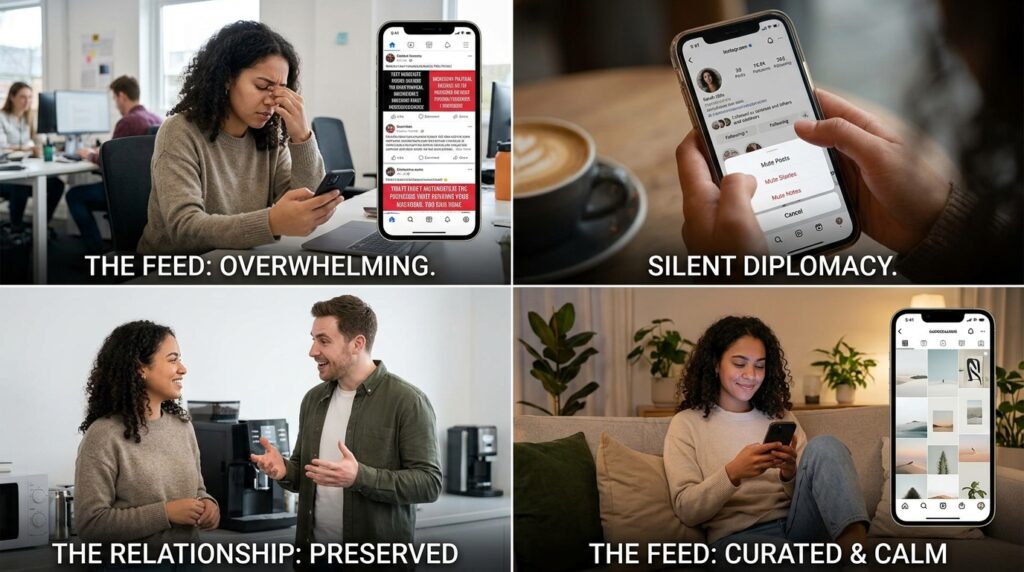
Enter the “Mute” feature. It is, without exaggeration, the greatest diplomatic tool ever invented by a tech company.
If you go to a person’s profile, tap the “Following” button, and select “Mute,” you can silently banish their Posts, Stories, and Notes from your feed entirely. The absolute beauty of this feature is that Instagram never notifies them. As far as they know, you are still a loyal, supportive follower. They still see your name on their follower list, but their content is completely invisible to you.
I spent an entire afternoon ruthlessly muting about 40% of the accounts I followed. I didn’t lose any friends, but my feed instantly transformed into a quiet, curated gallery of things I actually wanted to see. Managing your digital environment is a core pillar of mental health, a concept I explored deeply in my guide on How I Reduce Distractions Using Mobile Apps. Muting is the digital equivalent of quietly closing the door to a very noisy room.
2. Reclaiming Your Sanity: Hiding the “Like” Counts
For years, the beating heart of Instagram was the “Like” counter. It acted as a public scoreboard of your social worth.
I noticed a disturbing trend in my own behavior: whenever I posted a photo, I wasn’t doing it to share a memory anymore; I was doing it to watch the number go up. If a post didn’t break a certain threshold within the first hour, I would feel a sickening wave of embarrassment and legitimately consider archiving it. The metric had completely hijacked my joy.
A while back, Instagram introduced a feature that allows you to hide the like counts, but they buried it deep in the settings.
If you go to Settings > Like and share counts > Hide like and share counts, you can fundamentally alter the psychology of the app.
When you toggle this on, you no longer see “Liked by 4,392 people” while scrolling through your feed. You just see “Liked by [Username] and others.” Suddenly, you are forced to look at the actual photo, rather than instantly judging the photo based on its popularity.
More importantly, you can choose to hide the like counts on your own posts right before you hit publish (located under Advanced Settings). When I finally did this, the anxiety of posting vanished entirely. I started posting weird, artsy photos, blurry memories, and things that just made me smile, completely immune to the judgment of the public scoreboard.
3. The Late-Night Empathy Hack: The “@silent” Message
Have you ever been lying in bed at 1:00 AM, suddenly remembered a brilliant idea, or stumbled across a hilarious Reel that you desperately want to send to your best friend?
Historically, you had to make a choice. You either send it and risk waking them up with a loud notification chime, or you tell yourself you will send it tomorrow morning (which means you will inevitably forget).
Instagram silently rolled out an incredibly thoughtful feature for exactly this scenario.
When you open a DM to send a message or share a post, simply type @silent at the very beginning of the text box, hit the spacebar, and type your message.
When you hit send, the message will go through, but it will not trigger a push notification, a vibration, or a sound on the recipient’s phone. The message will simply be waiting for them peacefully in their inbox the next time they consciously decide to open the app. It is the ultimate digital courtesy, allowing you to share your late-night thoughts without violating someone else’s sleep boundaries.
4. Treating IG Like Pinterest: The Power of “Collections”
If you use Instagram purely to look at your friends’ selfies, you are missing out on the greatest visual search engine on the planet.
I use Instagram to plan my travel itineraries, find dinner recipes, and source interior design inspiration. However, I used to just tap the little “Bookmark” ribbon on posts and throw them all into one massive, chaotic “Saved” folder. When I actually needed to find a specific pasta recipe three months later, it was buried under hundreds of travel videos and workout routines.
I completely changed my workflow by forcing myself to use “Collections.”
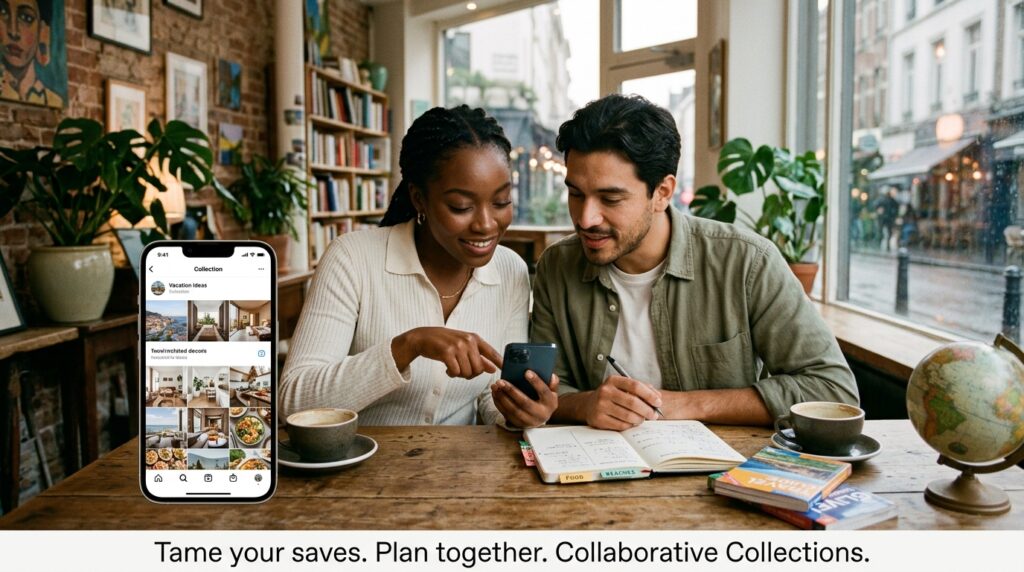
Now, when I hold down the save button on a post, a menu pops up allowing me to categorize it. I have highly specific master folders: “Dinner Recipes,” “Living Room Decor,” “Tattoo Ideas,” and “Rio Weekend Spots.”
I even create collaborative collections with my partner. When we were planning a weekend getaway, we shared a “Vacation Ideas” folder. If either of us saw a great restaurant or a hidden beach on our individual feeds, we saved it to the shared folder. It completely streamlines the planning process. If you want to dive deeper into streamlining your online life, I discussed this mindset heavily in Tips for Managing Multiple Social Media Apps Efficiently. Stop treating Instagram like a disposable magazine, and start using it as an organized digital filing cabinet.
5. Becoming a Creator: The AI Sticker Cutout Tool
Instagram Stories used to feel very rigid. You took a photo, maybe slapped a generic GIF on top of it, typed a caption, and hit post.
Recently, Instagram integrated a wildly powerful AI cutout feature that completely changes the creative potential of Stories. It essentially allows you to build custom digital collages on the fly without needing a degree in graphic design.
If you go to your camera roll and take a photo of your dog, a cup of coffee, or a friend making a funny face, you can now turn that specific subject into a reusable Instagram sticker. When you are creating a Story, tap the sticker icon at the top of the screen and select “Cutouts.”
The app will open your camera roll. You select the photo, and the AI will automatically strip away the background, perfectly isolating the subject. You can save this cutout and paste it over any video or photo in your Stories.
I started making custom reaction stickers of my friends’ faces and using them to reply to their Stories. It adds a level of hyper-personalized, chaotic humor to the app that generic emojis just can’t match. Understanding how to manipulate visuals directly on your phone is a huge advantage, an evolution I detailed thoroughly when breaking down How to Edit Photos Like a Pro on Your Phone. The AI tools built natively into social apps are getting so good that you rarely need third-party editing software anymore.
6. Taking the Wheel: The “Not Interested” Algorithm Hack
We love to complain that the algorithm is broken. “Why is my Explore page full of extreme ironing videos?” we ask.
The harsh truth is, the algorithm isn’t broken; it is just blindly serving you what you linger on. If you slow your scroll for three seconds to watch a weird, enraging video, the app assumes you want more of it. It doesn’t know you are watching out of disgust; it just sees engagement.
You have to actively train the algorithm. You have to treat it like a puppy that doesn’t know any better.
When a Reel pops up on my feed that I do not want to see—whether it is rage-bait political content, annoying influencer drama, or something that just stresses me out—I do not just scroll past it.
I tap the three dots in the corner of the post and aggressively hit “Not Interested.”
If you do this consistently for about three days, the results are staggering. The algorithm is highly responsive to negative feedback. By actively punishing the app when it serves you garbage, you force it to recalibrate. My Explore page went from a chaotic mess of viral trends to a highly curated, peaceful gallery of architecture, jazz music, and cooking tutorials. You ultimately get the algorithm you tolerate.
7. Intimacy at Scale: The “Close Friends” Expansion
The “Close Friends” feature on Stories was brilliant when it launched years ago. It allowed you to share silly, unpolished, or highly personal moments with a tiny circle of trusted people, completely hiding it from your boss or that guy you went to high school with ten years ago.
But recently, Instagram expanded this feature to the main grid.
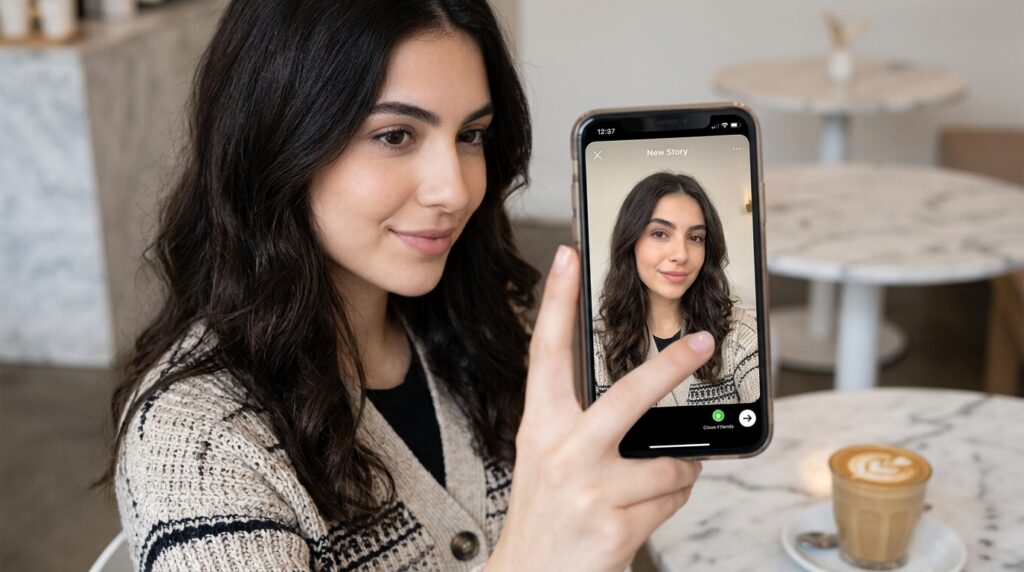
You can now publish actual feed posts and Reels exclusively to your Close Friends list. When you are on the final screen before posting, under “Audience,” you can select “Close Friends.” The post will appear on their main feed with a little green star icon, and it will live on your profile grid, but only visible to that specific group.
This single feature brought authenticity back to the app for me. I can post a photo dump of a messy, hilarious weekend without worrying about my “professional image” or ruining the aesthetic of my public grid. It creates a private, intimate social network hiding in plain sight inside the massive, public one.
Final Thoughts: Stop Being the Product
If you open Instagram and mindlessly scroll through the default feed, you are the product. You are simply eyeballs being sold to advertisers, fed a diet of whatever the algorithm thinks will keep you addicted for the next five minutes.
But you don’t have to operate that way.
The software is incredibly pliable. By taking thirty minutes to go into your settings, muting the noise, hiding the vanity metrics, organizing your saved folders, and actively shaping the algorithm, you completely flip the power dynamic.
You stop working for the app, and the app starts working for you. It becomes a powerful tool for genuine connection, a visual mood board for your future plans, and a quiet, curated space that actually adds value to your day. The next time you open Instagram, don’t just scroll. Take control. Start muting, start organizing, and reclaim your digital peace.
