
For the better part of my twenties, I was a productivity app tourist.
Whenever I felt overwhelmed by my workload, my immediate reaction was not to actually do the work. Instead, I would open the app store. I would download a brand new, highly-rated task manager. I would spend three hours meticulously setting up folders, color-coding my projects, and typing out beautiful, comprehensive lists.
For a brief, shining moment, I would feel like I had my entire life under control.
But by Thursday, the novelty would wear off. The notifications from the new app would start feeling like a nagging boss. I would start ignoring the alerts, the beautifully organized lists would become outdated, and I would eventually delete the app out of sheer guilt. Two months later, the cycle would repeat with a different piece of software.
It took me years to realize a very harsh truth: a piece of software cannot make you disciplined. An app is just a digital bucket; if the water you are pouring into it is chaotic and dirty, the bucket doesn’t magically purify it.
However, during my years of relentless app-hopping, I started to notice patterns. The best productivity apps on the market—the ones built by serious developers and behavioral psychologists—all share the same underlying frameworks. They are built on proven cognitive strategies.
I finally stopped looking for a magical app to save me, and instead started extracting the actual philosophies the apps were trying to teach me. Once I internalized the strategies, my entire workflow transformed.
If you are tired of bouncing from one task manager to the next without making any real progress, here are the core strategies I learned from productivity apps that actually work.
1. The “Inbox Zero” Philosophy (Frictionless Capture)
The most fundamental lesson I learned came from the rigid structure of apps like Todoist and OmniFocus. When you open these apps, the very first screen you see isn’t a complex project timeline or a calendar. It is a completely blank screen labeled simply: “Inbox.”
This is based on the “Getting Things Done” (GTD) methodology, which posits that your brain is an incredibly powerful tool for processing information, but a terrible tool for storing information.
If you are walking the dog and suddenly remember you need to renew your passport, trying to hold that thought in your active memory will drain your cognitive bandwidth for the rest of the walk.
The software taught me the strategy of Frictionless Capture.
Whenever a thought, an errand, or a work task crosses my mind, I do not try to remember it. I immediately dump it into a digital inbox. I don’t organize it, I don’t add a due date, and I don’t put it in a specific folder. I just get it out of my head as fast as humanly possible.
Once the thought is safely captured, my brain relaxes. It trusts the system. Every evening, I take five minutes to empty that inbox and properly sort the tasks. Building this relentless capture habit was the exact turning point I discussed when writing How I Created a Productivity System That Actually Sticks. You have to externalize your memory if you want to find mental peace.

2. The Power of “Contextual” Organization
In the past, I organized my to-do lists by project. I had a list for “Home,” a list for “Work,” and a list for “Side Hustle.”
This seems logical, but it is actually a terrible way to work. If I am sitting at my desk at 2:00 PM with low energy, looking at my “Work” list isn’t helpful, because half of the items on that list require deep focus, and the other half require me to make phone calls.
Advanced productivity apps taught me to organize by Context.
Context means organizing your tasks by the environment, tools, or energy level required to complete them. I started using tags. I have a tag for @Computer, a tag for @Errands, and a tag for @LowEnergy.
Now, if I have twenty minutes to kill before a meeting and my brain feels fried, I don’t look at my massive project lists. I simply click the @LowEnergy tag. The system immediately filters my thousands of tasks and presents me with five simple things I can do right now: empty the trash, reply to a simple email, or pay a utility bill.
By filtering my workload through the lens of my current physical and mental context, I completely eliminated the paralysis of choice.
3. The “One Big Thing” (Daily Highlighting)
If you have a daily to-do list with thirty items on it, you are going to fail.
When presented with a massive list of chores, the human brain will naturally gravitate toward the easiest, least impactful items. You will spend your morning reorganizing your desk and replying to spam emails, giving yourself a false sense of momentum, while the massive, terrifying project proposal sits completely untouched.
Apps like Sunsama and TickTick forcefully fight against this human flaw by introducing the concept of the “Daily Highlight” or “One Big Thing.”
When you set up your day in these apps, the software literally prompts you to single out one specific task. It asks: If you get absolutely nothing else done today, what is the one task that will make this day a success?
I adopted this strategy religiously. Every morning, before I open my email, I write down my One Big Thing on a physical sticky note and stick it to the bottom of my monitor.
It might be “Draft the introduction to the quarterly report.” Until that One Big Thing is finished, I do not allow myself to do any administrative busywork. Forcing myself to define success before the day even begins was the structural backbone I mapped out in How I Built a Productive Daily Routine Using Apps. It ensures that I am actually moving the needle on my career, rather than just spinning my wheels.
4. Harnessing Artificial Urgency (Time-Boxing)
There is a famous adage called Parkinson’s Law: Work expands so as to fill the time available for its completion.
If you give yourself an entire week to write a four-page essay, it will take you a week. You will agonize over every sentence, take frequent breaks, and drag the process out. If you give yourself exactly three hours to write that exact same essay, you will write it in three hours.
I learned how to weaponize this psychological quirk from Pomodoro timer apps like Forest and Toggl.
These apps taught me the strategy of Time-Boxing. I no longer sit down at my computer with the vague goal of “working on the presentation.” That is an invitation to procrastinate.
Instead, I set a brutal, unforgiving timer for 45 minutes. I make a psychological contract with myself: for the next 45 minutes, I am not allowed to check my phone, open a new browser tab, or go to the bathroom. I am only allowed to work on the presentation.
The ticking clock creates a sense of artificial urgency. It turns a boring work project into a high-stakes game. You enter a state of hyper-focus because the finish line is clearly defined. Once the timer rings, I force myself to step away for ten minutes.

5. Don’t Break the Chain (Visual Momentum)
We are visual creatures. We thrive on momentum, and we hate losing streaks.
Habit tracking apps (like Streaks or Habitica) are masterclasses in leveraging this human quirk. They are built entirely on the “Seinfeld Strategy.” Comedian Jerry Seinfeld used to hang a massive yearly calendar on his wall. Every day he wrote a new joke, he used a red marker to draw a giant X over that date. After a few days, a visual chain emerged. His only rule was: Don’t break the chain.
When you digitize this strategy, the results are staggering.
If I open an app and see that I have successfully meditated for 18 days in a row, the app highlights that streak in bright, celebratory colors. On the 19th day, even if I am exhausted and sick, the psychological pain of watching that counter reset to zero is worse than the effort required to sit on the floor and meditate for five minutes.
I learned to gamify my most difficult chores. Implementing this strategy was the core thesis I discussed when analyzing The Productivity App That Changed How I Work Every Day. You stop relying on willpower, and start relying on your own stubborn refusal to ruin a perfect visual streak.
6. The “Two-Minute Rule”
This is a strategy heavily pushed by almost every major productivity framework, and it completely changed how I manage my inbox.
When you capture a task in your app, you have to decide what to do with it. If you add a task that says “Text Sarah the address for the restaurant,” and you schedule it for tomorrow, you are wasting administrative energy. You are spending more time organizing the task than it would take to actually complete it.
The strategy is simple: If a task takes less than two minutes to complete, do not put it in your app. Do not schedule it. Do not categorize it. Just do it immediately.
If an email comes in and requires a one-sentence reply, I answer it instantly and archive it. If I notice the trash is full, I don’t write “take out trash” on my to-do list; I just grab the bag and walk outside.
By aggressively executing the microscopic tasks the exact second they appear, you prevent your to-do list from becoming clogged with dozens of annoying, tiny chores. It keeps your digital environment clean and reserves your software exclusively for the heavy lifting.
7. The Sacred Weekly Review (System Maintenance)
The final, and most crucial, strategy I learned from advanced productivity software is the necessity of maintenance.
You can build the most beautiful, organized, color-coded task management system in the world on a Sunday. But by Thursday afternoon, after a week of chaotic emails, new assignments, and shifted priorities, that system will be a mess. Tasks will be overdue, folders will be unorganized, and you will stop trusting the app.
A productivity system is like a physical garden. It requires constant pruning.
Apps like OmniFocus physically force you to perform a “Weekly Review.” They will not let you proceed until you have manually looked at every single active project and confirmed its status.
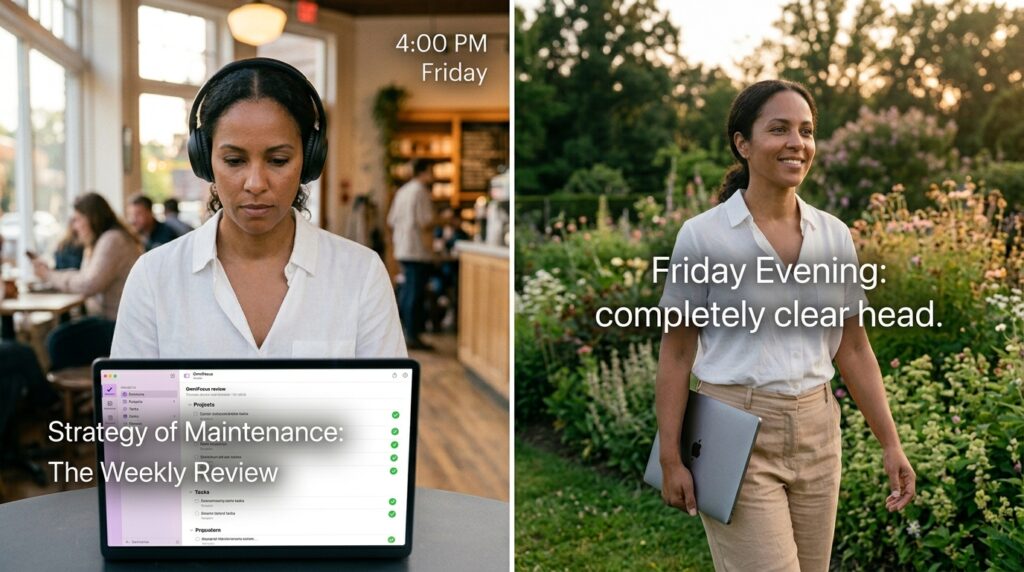
I adopted this as a non-negotiable ritual. Every Friday afternoon at 4:00 PM, I stop doing “real” work. I put on a playlist, and I spend thirty minutes reviewing my entire life. I clear out my email inbox, I reschedule overdue tasks, I cross off completed projects, and I map out my “One Big Thing” for the upcoming Monday.
Because I perform this maintenance every single week, my system never rots. I get to close my laptop on Friday evening with a completely clear head, knowing exactly where my life stands.
Final Thoughts: The Engine, Not the Paint Job
We spend so much time arguing about which productivity app is the best. We argue about whether Notion is better than Evernote, or if Todoist is better than Apple Reminders.
We are arguing about the paint job on a car, completely ignoring the engine underneath the hood.
The software doesn’t matter. You could manage a million-dollar company using a stack of cheap index cards and a ballpoint pen if your underlying strategies are sound.
The apps are incredibly useful, but only because they act as digital guardrails, forcing us into positive behavioral patterns. They teach us to capture our thoughts instantly, box our time, identify our daily highlight, and review our progress regularly.
Take a moment today to stop searching the app store for a miracle cure. Pick a tool you already have—even if it is just a blank text document—and apply one of these concrete strategies. When you focus on the methodology instead of the medium, you finally take control of your time, and the overwhelm disappears for good.
