
There is a very specific type of exhaustion that only occurs at 2:00 AM when you have forty-seven browser tabs open, trying to cross-reference flight times with hotel check-ins and train schedules.
That was exactly where I found myself a few months ago. I was sitting at my kitchen table here in Rio de Janeiro, illuminated only by the harsh glow of my laptop screen. My partner and I had decided to take a two-week, multi-city trip through Europe. It was supposed to be the vacation of a lifetime.
Instead, the planning phase was rapidly turning into a part-time job that I hated.
My desktop was a complete disaster zone. I had a massive, color-coded spreadsheet that I had proudly built from scratch. I had a separate document just for confirmation numbers. I had Google Maps open in another window, trying to manually calculate if we had enough time to get from the train station in Florence to our Airbnb before the host went to sleep.
I was terrifyingly close to just canceling the whole thing and staying home. The mental load of organizing international travel had completely eclipsed the joy of actually going on the trip.
The Spreadsheet Trap
For years, I was a die-hard spreadsheet traveler. I wore my complex Excel grids like a badge of honor.
Whenever I planned a vacation, I would manually type in every single detail. Date, time, location, airline, flight number, booking reference, hotel address, check-in time, check-out time. It took hours of meticulous data entry.
The problem with a manual spreadsheet is that it is incredibly fragile.
If an airline changed our departure time by just forty-five minutes (which they always do), I had to go into the spreadsheet, update the flight time, manually recalculate our arrival time, update the rental car pickup time, and then email the hotel to tell them we would be late. One tiny change created a massive, annoying ripple effect across the entire document.
Furthermore, a spreadsheet doesn’t understand geography. I would proudly schedule a museum visit at 10:00 AM and a highly-rated lunch spot at 12:30 PM, only to realize later that they were on opposite sides of the city and required a forty-minute subway ride.

The Breaking Point: The Non-Refundable Mistake
My absolute breaking point happened during this exact late-night planning session.
My eyes were blurry, and I was toggling between three different booking platforms trying to secure a boutique hotel in Rome. I found a great deal, entered my credit card information, and hit “Confirm.”
A wave of relief washed over me. I opened my master spreadsheet to log the reservation.
That is when my stomach completely dropped.
In my sleep-deprived state, I had looked at the wrong column on my spreadsheet. I had booked the hotel for the second week of October instead of the first week. And because it was a discounted rate, it was completely non-refundable.
I had just thrown away hundreds of dollars because my manual system had failed me. I closed my laptop, put my head on the table, and almost cried. I realized that if I was going to survive this vacation, I needed to fire myself as the travel agent and hire a piece of software to do the heavy lifting.
The Magic of the Email Importer
The next morning, feeling defeated and significantly poorer, I started researching dedicated travel planning applications. I had tested several basic itinerary managers in the past, but I needed something robust. (For the sake of this article, I am talking about apps that function like Wanderlog or TripIt, which act as centralized travel hubs).
I downloaded the app and created a new trip titled “Europe 2026.”
The very first feature I tested was the email importer, and it honestly felt like watching a magic trick.
Instead of manually typing all my remaining reservations into a grid, the app simply asked me to sync my Gmail account, or alternatively, just forward my booking confirmation emails to a specific address.
I opened my inbox, found the confirmation email for our flights to Madrid, and forwarded it to the app.
Less than ten seconds later, my phone buzzed. I opened the app, and there it was. The software had perfectly extracted the airline, the flight number, the departure terminal, the arrival time, and the six-digit confirmation code. It automatically created a beautiful, easy-to-read “Day One” itinerary card.
I spent the next five minutes forwarding every single hotel, train, and museum ticket confirmation I had in my inbox. In five minutes, the app built an itinerary that would have taken me three hours to manually type out. I was instantly hooked.
Visualizing the Chaos: The Interactive Map
Having all my confirmation codes in one place was great, but the feature that fundamentally changed how I plan travel was the integrated mapping system.
If you are trying to piece together a complex journey, I cannot emphasize enough how important it is to see your plans geographically. I actually wrote a deep dive on this concept in my guide on (How to Plan a Trip From Start to Finish Uing Apps), because visualizing your route is the only way to avoid exhaustion.
In my old spreadsheet, a list of four restaurants and two museums was just a block of text.
In this travel app, every single time I added a location, it automatically dropped a numbered pin onto an interactive, color-coded map.
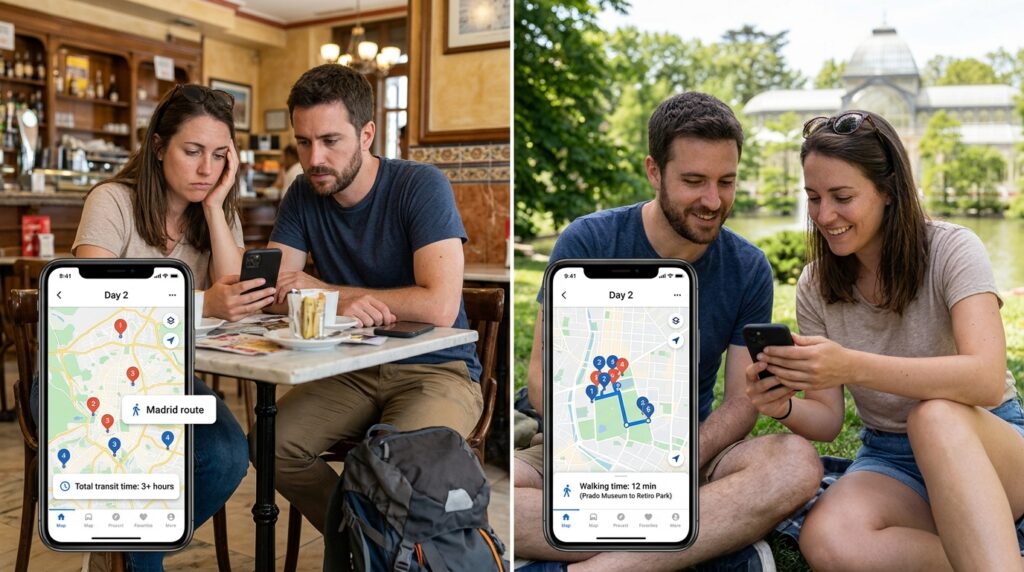
Suddenly, I could see my entire day visually. I looked at the map for our second day in Madrid and immediately realized I had made a terrible mistake. I had planned a morning activity in the north of the city, a lunch in the far south, and an afternoon activity back up north. We would have spent three hours just sitting in taxis.
Because the app is interactive, I didn’t have to rewrite anything. I just dragged and dropped the lunch reservation on my itinerary list to a different day, and swapped it with a cafe that was geographically right next to our morning activity. The pins on the map instantly rearranged themselves.
The app even calculated the walking distance and transit times between my stops. It told me, “Hey, it takes 25 minutes to walk from the Prado Museum to Retiro Park.” This allowed me to build incredibly realistic, stress-free days where we weren’t constantly sprinting to make our next reservation.
Solving the “What Do You Want to Do?” Fight
If you have ever traveled with a partner or a group of friends, you know the absolute worst part of the trip is the daily negotiation of what to do next.
“I don’t know, what do you want to eat?” “I don’t care, whatever you want.” “Okay, how about sushi?” “No, I don’t really want sushi.”
It is exhausting. To avoid this, my partner and I utilized the app’s real-time collaboration feature.
Just like a shared Google Doc, I sent an invite link to my partner. We both had the app open on our phones.
Whenever one of us was scrolling through social media or reading a travel blog and saw a cool bakery or an interesting historical site, we didn’t just text the link to each other (where it would inevitably get lost). We simply hit the “Add to Trip” button and dumped it into a generic list in the app called “Ideas.”
By the time our departure date arrived, we had a massive, shared library of pre-approved restaurants, parks, and museums. When we had a free afternoon in a new city, we didn’t argue. We just opened the map, looked at which of our “Ideas” pins were closest to our current location, and walked there. It completely eliminated the decision fatigue that ruins so many vacations.
The Built-in Expense Tracker
Let’s talk about the financial side of travel, because nothing ruins a friendship or a relationship faster than arguing over who owes who for a plate of tapas.
In the past, I tried to keep all the receipts in my wallet and do a massive, stressful accounting session at the end of the trip. It was terrible. I spent a lot of time figuring out (How I Optimized My Travel Apps to Save Time and Money), and I realized that tracking expenses in real-time is the only way to stay sane.
The travel app I used had a built-in budget and expense tracker specifically designed for group travel.
When we sat down at a cafe, I paid the bill with my card. While we were waiting for the espresso, I opened the app, tapped “Add Expense,” typed in “$15 for coffee,” and selected “Split evenly.”
The app did all the math in the background. It kept a running tally of exactly how much we were spending against our total budget, and exactly who owed what. At the end of the two weeks, we just looked at the final settlement screen, my partner transferred me their half of the balance, and we were done. No receipts, no calculators, no resentment.
The Ultimate Lifesaver: Offline Mode
All of these features are amazing when you are sitting in a coffee shop with high-speed Wi-Fi. But the true test of a travel app is what happens when you are standing in a foreign train station, you don’t speak the language, and your cellular data suddenly stops working.
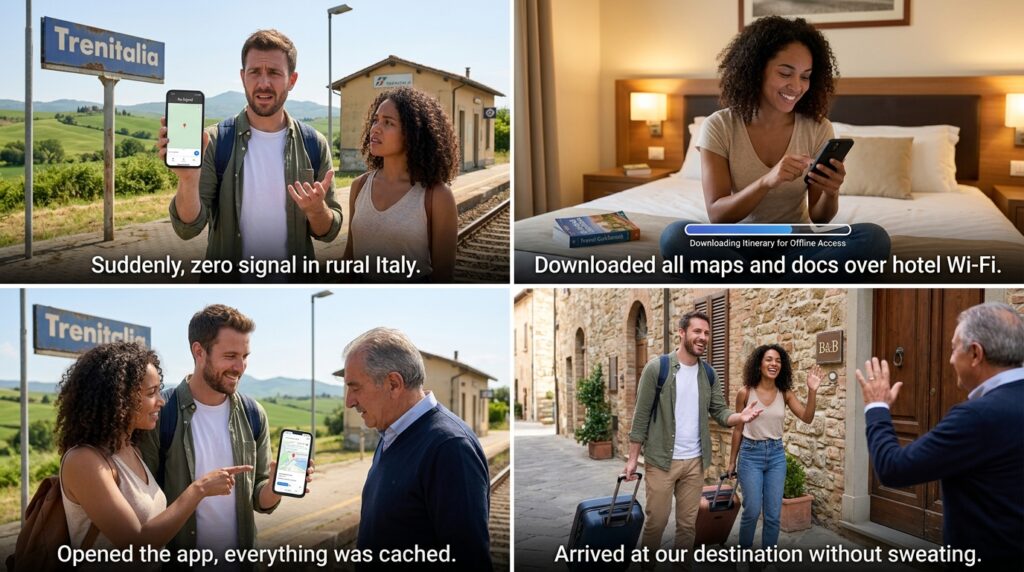
This exact scenario happened to us in the rural countryside of Italy.
We got off a regional train, and my phone immediately lost all signal. In the spreadsheet days, this would have been a crisis. My spreadsheet lived in the cloud. If I couldn’t connect to the internet, I couldn’t see the address of our bed and breakfast or the code to unlock the front door.
But because I am incredibly paranoid about connectivity, I always rely on a core set of tools, which I heavily detailed in my list of (8 Travel Apps I Always Use on Trips). A non-negotiable requirement for any travel tool is offline caching.
Before we left our hotel that morning, the travel app had automatically downloaded our entire itinerary, all of our attached PDF tickets, the confirmation numbers, and the maps directly to the local storage on my phone.
Even with zero bars of cell service, I opened the app. Everything was there. I pulled up the address, showed it to a local taxi driver, and we arrived at our destination without a single drop of sweat. That offline capability alone is worth its weight in gold.
Real-Time Alerts and Peace of Mind
There was one final feature that solidified my absolute loyalty to this digital system.
On the day we were supposed to fly back to Brazil, we were sitting in a restaurant enjoying our final lunch. I hadn’t checked the airline’s website because we still had four hours until our flight.
Suddenly, a push notification from the travel app popped up on my screen: “Alert: Your flight to GIG has been delayed by two hours. Gate changed to Terminal 3.”
The app was actively monitoring our flight status in the background. Because we got that alert instantly, we didn’t rush to the airport only to sit on the floor for three hours. We ordered another round of drinks, stayed at the restaurant, and enjoyed an extra two hours of our vacation.
It felt like having a highly competent, invisible personal assistant traveling with us the entire time.
Final Thoughts on Modern Travel Planning
Looking back at that two-week trip, it was the most relaxed I have ever felt on a vacation.
The logistics didn’t dominate the experience. We weren’t constantly staring at our phones trying to figure out where to go next. We weren’t stressed about missing a reservation. All the heavy lifting had been done in advance, in a fraction of the time it used to take me.
When we arrived at the airport on day one, I didn’t have a frantic folder full of printed papers. I just had my phone. Everything we needed to survive and thrive for the next fourteen days was neatly organized, geographically mapped, and available offline in one single application.
If you are currently staring at a massive, color-coded spreadsheet, feeling your blood pressure rise as you try to calculate international train connections, please give yourself a break.
The era of manual travel planning is over. Download a smart travel planner. Forward your emails. Let the algorithm optimize your route. You are supposed to be planning a vacation, not a military operation. Give the administrative work to the software, and save your mental energy for actually enjoying the destination.
