
Let me set the scene for what I now refer to as the “Great Florentine Disaster.”
It was a Tuesday morning in Florence, Italy. My partner and I stepped out of our rented apartment, and the sky was an absolute, flawless, brilliant shade of Mediterranean blue. The air was warm, the sun was shining, and we had a full day of walking planned.
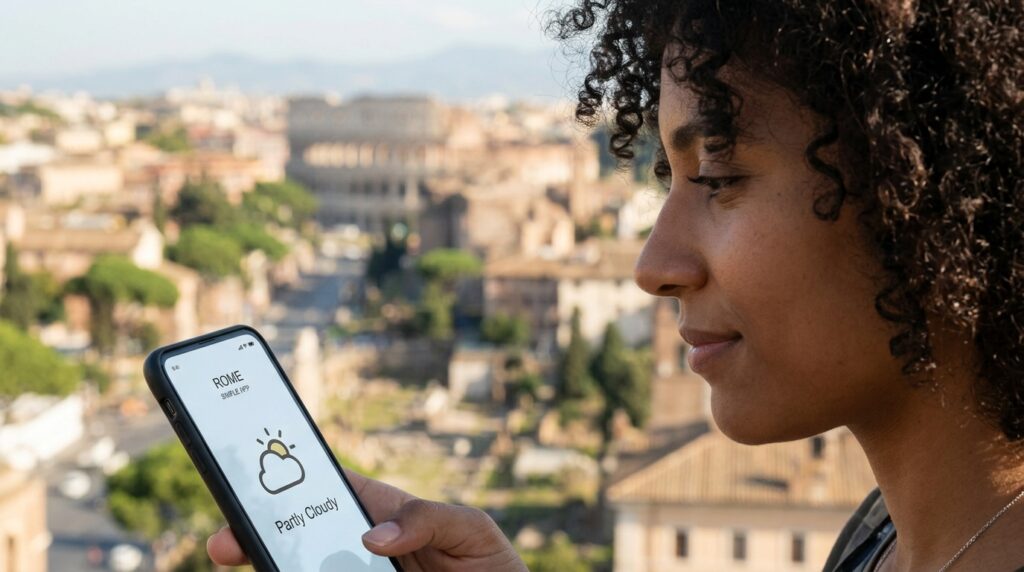
Before locking the door, I did what everyone does. I glanced at the default, pre-installed weather app on my smartphone. It showed a cheerful little icon of a sun with a single, non-threatening white cloud behind it. The high was 75 degrees.
“Perfect,” I thought. I left my heavy jacket and my umbrella hanging on the back of the door.
Three hours later, we were standing in the middle of the Piazza della Signoria. Suddenly, the temperature plummeted by fifteen degrees in about two minutes. The sky didn’t just get cloudy; it turned a bruised, terrifying shade of purple. Before we could even seek shelter in a nearby café, the heavens opened up in a torrential, biblical downpour, accompanied by marble-sized hail.
We sprinted for an awning, but the damage was already done. We were soaked to the bone, my leather camera strap was ruined, and we spent the rest of the afternoon shivering in our apartment while our only pairs of walking shoes dried on a radiator.
When I looked at my native weather app during the storm, it still showed the cheerful little sun and cloud icon.
That was the exact moment I realized that relying on a basic, default weather application while traveling isn’t just an inconvenience; it is a massive liability. I needed a tool that treated meteorology like a tactical science, not a vague suggestion.
The Illusion of the “Partly Cloudy” Icon
To understand why my vacation was ruined that day, you have to understand how standard smartphone weather apps function.
They are designed for simplicity, not accuracy. When a standard app tells you the weather for “Rome” or “London,” it is taking a massive geographic area—sometimes hundreds of square miles—and averaging the data out. If there is a 30% chance of rain in the northern suburbs, but zero chance in the southern suburbs, the app simply splits the difference and slaps a “partly cloudy” icon on your screen for the entire 24-hour period.
When you are sitting in an office building, this doesn’t matter.
But when you are traveling, you are highly exposed. You are walking for eight hours a day. You are carrying expensive electronics. You are often far away from your hotel with nowhere to easily change clothes. I’ve discussed how crucial predictability is for minimizing vacation stress in my piece on How a Travel App Helped Me Plan My Last Trip in Hours, but the tightest, most beautiful itinerary in the world is completely useless if you get trapped by an unexpected storm cell.
I needed hyper-local data. I started researching premium, radar-based weather applications, and what I found completely changed how I navigate the world.
The Minute-by-Minute Miracle
The first premium feature that absolutely blew my mind was the minute-by-minute precipitation forecast.
A few months after the Italy trip, we were in London. If you have ever been to London, you know that the rain there doesn’t care about your plans. We were finishing lunch at a pub, and outside, the rain was coming down in sheets. We had tickets for a museum exhibition across town, and we needed to walk to the Tube station.
Normally, we would have had two terrible options:
-
Make a run for it and arrive at the museum completely soaked.
-
Wait indefinitely inside the pub, potentially missing our timed entry slot.
Instead, I opened my newly downloaded premium weather app. It didn’t just tell me it was raining. It used GPS to pinpoint my exact street corner, analyzed the real-time radar data, and presented a beautiful, easy-to-read graph.
The text on the screen read: “Heavy rain stopping in 14 minutes.”
We ordered another round of tap water, sat back down, and watched the clock. Exactly fourteen minutes later, the torrential downpour slowed to a light drizzle, and then completely stopped. We walked out of the pub, completely dry, and made it to the station before the next wave of rain hit.
It felt like I had a superpower. It felt like I was cheating time. This level of extreme digital preparedness is exactly why this specific software holds a permanent, non-negotiable spot on my home screen, a requirement I elaborated on in my list of 8 Travel Apps I Always Use on Trips. When you can see the future in fifteen-minute increments, you never get caught in the rain again.
Navigating Microclimates on the Road
The true test of a weather app happens when you leave the major cities and head into nature.
Last year, we rented a car to drive through the Scottish Highlands. The Highlands are notoriously beautiful, but they are also famous for possessing incredibly aggressive microclimates. You can be driving through a sunlit valley, turn a corner, and suddenly find yourself in a blinding, horizontal sleet storm.
We had planned a massive, four-hour hike up a famous ridge. When we woke up at our bed and breakfast, the sky overhead was gray, but it wasn’t raining. In my younger days, I would have just started driving toward the mountain.
Instead, I opened the interactive radar map on my app.
A good weather app doesn’t just show you precipitation; it allows you to toggle through dozens of atmospheric layers. I checked the cloud cover map, the wind speed map, and the visibility tracker.
While our current location was fine, the map clearly showed that the specific mountain ridge we were driving toward was currently engulfed in a massive fog bank with 40-mile-per-hour wind gusts. If we had gone, we wouldn’t have seen a single view, and we likely would have been in physical danger.
Because we had that data before we left, we simply pivoted. I looked at the map, found a coastal area an hour in the opposite direction that was completely clear of the weather system, and we drove there instead. We ended up having a spectacular, sunny hike along the cliffs. The app saved us from wasting an entire day of our vacation being miserable and cold.
The Push Notifications That Act as a Bodyguard
Another terrifying aspect of travel, particularly in tropical or mountainous regions, is how quickly severe weather can materialize out of thin air.
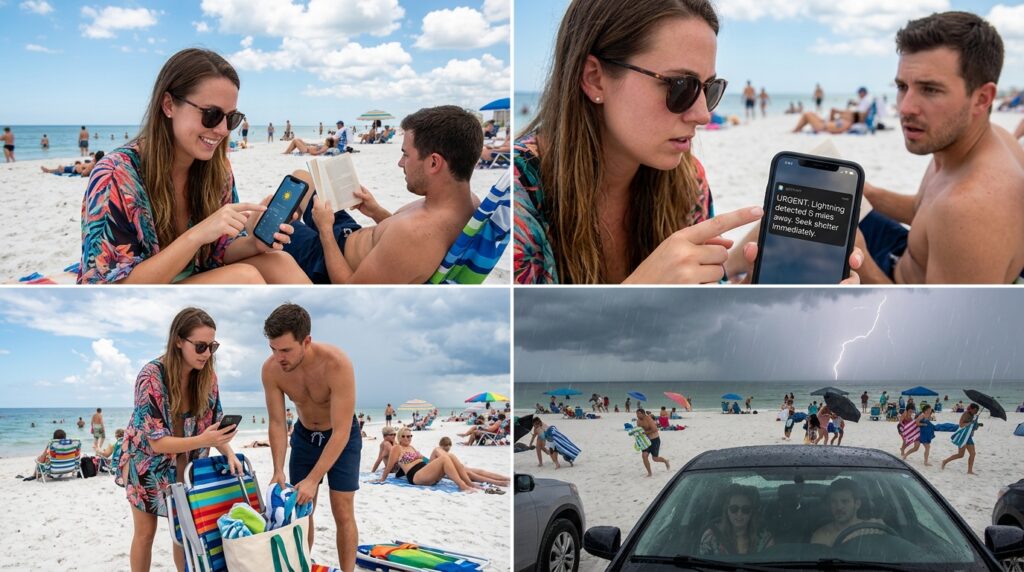
During a summer trip to the American South, we were relaxing on a crowded beach. The sky was mostly blue, with a few large, fluffy clouds building in the distance. Nothing looked particularly threatening to my untrained eye.
Suddenly, my phone buzzed with an urgent push notification from my weather app.
“Lightning detected 6 miles away. Seek shelter immediately.”
I looked around. Nobody else on the beach was moving. Everyone was still swimming and reading their books. I felt a little silly, but the app had earned my trust. We packed up our towels, folded our chairs, and walked back to the car.
By the time we closed the car doors, the wind abruptly shifted. The temperature dropped. And less than three minutes later, a massive crack of thunder shook the ground, followed by a terrifying, violent lightning storm right over the water.
We watched from the safety of our car as hundreds of people scrambled frantically off the beach in the pouring rain, leaving their belongings behind in the panic.
That notification wasn’t just a convenience; it was a legitimate safety feature. The app was constantly monitoring the atmospheric pressure and lightning strike data in the background, acting as an invisible digital bodyguard while my attention was focused elsewhere.
Saving Money Through Meteorological Accuracy
We rarely associate the weather with our budgets, but bad weather is incredibly expensive when you are traveling.
If you get caught in a sudden storm, you end up ducking into a tourist-trap souvenir shop and spending $25 on a flimsy umbrella that breaks the next day. You end up paying surge-pricing for a rideshare because you can’t walk back to your hotel.
More significantly, you lose money on non-refundable experiences.
I am a stickler for avoiding unnecessary financial waste, an obsession I detailed thoroughly in my article on How I Optimized My Travel Apps to Save Time and Money. Having a hyper-accurate weather app became a crucial part of my financial strategy on the road.
If we wanted to book an expensive, all-day boat tour to a remote island, I didn’t just guess. I looked at the app’s marine forecast. I checked the swell height and the sustained wind speeds for that specific day.
If the app showed that the wind was going to be aggressively high, causing choppy, miserable seas, I simply didn’t book the non-refundable tickets. I saved hundreds of dollars by refusing to gamble on the weather. I only paid for outdoor excursions when the data mathematically assured me that the conditions would be favorable.
Understanding the “RealFeel” Factor
Finally, a dedicated weather app solves the age-old packing dilemma: “What does 60 degrees actually feel like?”
Sixty degrees (Fahrenheit) in a dry, sunny desert feels like a perfect spring day. Sixty degrees in a humid, coastal city with a 15-mile-per-hour wind feels like the dead of winter.
Standard apps just give you the raw temperature. But my premium app relies heavily on what is often called the “RealFeel” or “Feels Like” index. It uses an algorithm that combines the actual temperature with the humidity, the dew point, the wind chill, and the intensity of the sun’s UV rays to tell you how your human skin will actually perceive the air.
This completely revolutionized how I pack my daily daypack.
If the app says the high is 65, but the “Feels Like” temperature is 52 due to heavy cloud cover and wind, I know to pack my thermal layer and a scarf. It prevents me from carrying heavy coats I don’t need, and it stops me from freezing in a t-shirt because the raw numbers were deceiving.

Final Thoughts on the Invisible Travel Companion
When people plan vacations, they spend months researching the best restaurants, the coolest museums, and the most comfortable hotels. They obsess over flight times and luggage restrictions.
But they rarely put any thought into the one single variable that dictates absolutely every aspect of their trip: the atmosphere.
You cannot control the weather. But you absolutely can control how you react to it. Relying on the default app that came pre-installed on your phone is like navigating a foreign city using a hand-drawn map on a napkin. It might give you the general idea, but it is going to get you hopelessly lost when the details matter.
If you have a trip coming up, do yourself a massive favor. Go to your app store. Download a highly-rated, radar-backed, minute-by-minute weather application. It might cost you a few dollars a year for the premium features, but the very first time it tells you to wait ten minutes in a coffee shop to avoid a torrential downpour, it will have paid for itself tenfold.
Stop guessing, stop getting soaked, and start letting the data guide your journey.
