
There was a Tuesday afternoon about three years ago that fundamentally broke my spirit.
I was sitting at my desk, completely surrounded by a chaotic snowstorm of neon yellow sticky notes. My email inbox was resting at a terrifying 412 unread messages. My phone was vibrating every three minutes with Slack notifications. I had two different browser windows open, each boasting over twenty tabs.
I was working a grueling ten-hour day, furiously typing, clicking, and jumping from one emergency to the next. Yet, when 6:00 PM finally rolled around and I closed my laptop, I looked back at my day and realized something deeply depressing: I hadn’t actually accomplished anything.
I had spent ten hours reacting. I was playing a never-ending game of digital defense, letting other people’s emergencies dictate my schedule. I was exhausted, stressed, and falling miserably behind on the deep, meaningful work that actually moved the needle in my career.
I realized that my workflow wasn’t just broken; it was nonexistent. I was trying to hold my entire professional life together using sheer willpower and human memory, which is a recipe for absolute disaster.
I decided I needed an intervention. I spent the next several months completely wiping the slate clean and building a digital ecosystem from the ground up. I needed tools that worked for me, not against me.
If you feel like you are constantly drowning in busywork and ending your days with nothing to show for it, you don’t need to work harder. You need better leverage. Here are the specific apps that make my work life so much easier, and how they completely rescued my career.
1. The Frictionless Capture Tool (Todoist)
The biggest lie we tell ourselves every single day is, “I don’t need to write that down, I’ll remember it.”
You won’t remember it.
When you are in the middle of a deep-focus task, and your brain suddenly reminds you that you need to send an invoice to a freelance designer, that thought is toxic. If you try to hold onto it in your active memory, it drains your cognitive bandwidth. If you stop what you are doing to actually send the invoice, you have completely derailed your current focus.
You need a way to instantly capture the thought and get it out of your head without breaking your stride.
For me, that app is Todoist.
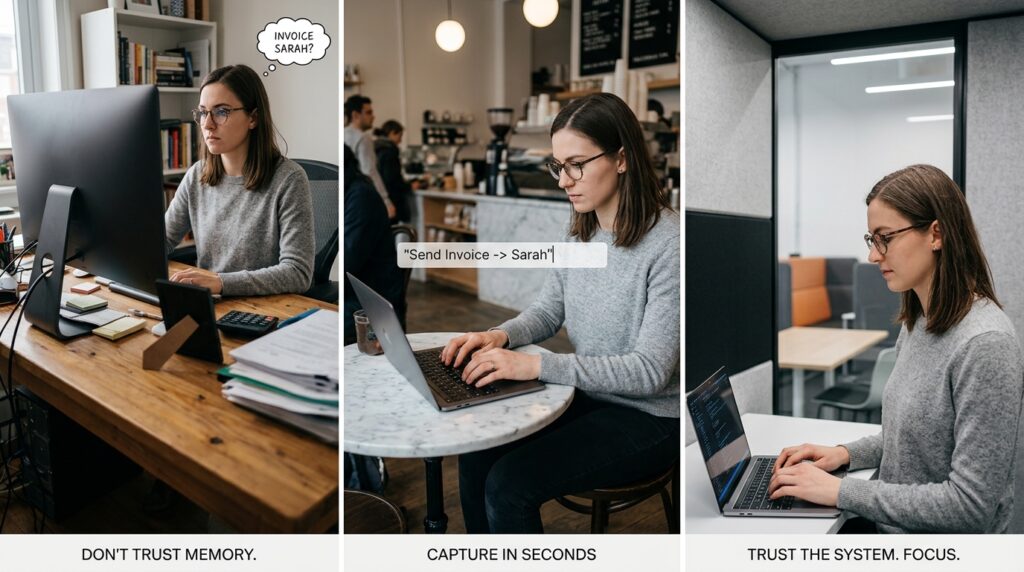
I do not use Todoist as a complex project manager; I use it purely as a frictionless brain dump. I have a global keyboard shortcut set up on my computer, and a widget pinned to the home screen of my phone.
When a random task pops into my head, I hit the shortcut. A tiny text box appears. I type “Send invoice to Sarah,” hit enter, and the box disappears. The entire process takes three seconds. I don’t assign a due date, I don’t color-code it, and I don’t put it in a specific folder.
I just get it out of my head.
Later that evening, when my workday is winding down, I open my Todoist “Inbox” and process all the random thoughts I captured throughout the day, sorting them into their proper places. Creating a reliable capture system was the foundational step of my new workflow, an evolution I heavily explored when writing about 9 Productivity Apps That Changed My Work Life. When your brain trusts the system, it finally stops trying to remind you of things and allows you to actually focus on the work in front of you.
2. The Asynchronous Communication Hub (Loom)
The modern corporate world is addicted to meetings.
We schedule thirty-minute video calls to discuss things that could easily be resolved in a three-sentence email. We interrupt each other’s flow states just to “sync up” or “touch base.” It is incredibly inefficient and drains the life out of your workday.
The app that completely revolutionized how I communicate with my team and my clients is Loom.
Loom is a screen-recording application that simultaneously records your screen, your voice, and your camera in a tiny bubble in the corner.
Instead of scheduling a massive, calendar-clogging meeting to walk a client through a new website design, I simply hit record on Loom. I spend five minutes clicking through the design, explaining my thought process out loud, and pointing out specific features on the screen.
When I hit stop, the app instantly generates a shareable link. I drop that link into an email and send it to the client.
They can watch the video whenever it fits their schedule. They can speed it up to 1.5x speed. They can rewatch a specific part if they didn’t understand it. It completely eliminates the need for scheduling gymnastics and timezone math. Shifting to asynchronous communication gave me back at least five hours a week that used to be wasted on small talk and screen-sharing technical difficulties.
3. The Digital Command Center (Notion)
Once I got my tasks out of my head, I realized I had a massive information storage problem.
I had meeting notes in Apple Notes, standard operating procedures in Google Docs, client branding assets in Dropbox, and inspirational bookmarks scattered across three different web browsers. Finding a specific piece of information was a daily scavenger hunt.
I moved my entire professional existence into Notion.
Notion is not just a note-taking app; it is a completely customizable digital workspace. It operates like a box of digital Legos. You can build simple text documents, but you can also build complex relational databases, Kanban boards, and calendars.
I built a centralized “Command Center” dashboard. When I open Notion in the morning, I see exactly what I need. I have a database of all my active clients. If I click on a client’s name, it opens a dedicated page containing every meeting note we have ever taken, their hex color codes, their contracts, and their specific project timelines.
Everything is interconnected. I never have to search for a file again.
Building out this architecture took a full weekend, but the return on investment is infinite. Managing complex data is the secret to scaling your output, a philosophy I break down completely in How I Stay Organized While Managing Multiple Projects. Notion acts as my “Second Brain,” allowing my actual brain to do the creative thinking instead of the heavy lifting.

4. The Unforgiving Time Tracker (Toggl Track)
If you want to know why you feel like you are working all the time but getting nothing done, you have to look at the data.
We are notoriously terrible at estimating how we spend our time. You might think you only spent “five minutes” checking X (Twitter) after lunch, but the reality is usually closer to forty-five minutes.
To gain complete visibility over my workday, I started using Toggl Track.
Toggl is a brilliantly simple time-tracking app. I keep it running in the background of my browser and on my phone. Whenever I switch tasks, I hit a button. If I am writing an article, I track it under the “Content Creation” tag. If I am replying to emails, I track it under “Admin.”
At the end of my first week using Toggl, the data was horrifying.
I discovered I was spending almost fourteen hours a week just managing my email inbox and responding to Slack messages. Fourteen hours! That was almost two full workdays lost to basic communication.
Armed with this brutal, unforgiving data, I was able to make sweeping changes. I set strict boundaries around my email, limiting myself to checking it only twice a day. Time tracking removes the emotion from your productivity. It shows you exactly where your leaks are so you can patch them.
5. The Digital Bouncer (Freedom)
Even with the best task managers and note-taking apps in the world, the internet is still a terrifyingly distracting place.
When the work gets hard—when you are staring at a complex spreadsheet or trying to write a difficult paragraph—your brain will naturally seek an escape route. It will crave the easy, low-effort dopamine of social media or news websites.
You cannot rely on willpower to fight the algorithms of billion-dollar tech companies. They will win. You have to outsource your discipline to the software.
I use an application called Freedom.
Freedom is a cross-platform blocklist app. When I need to do three hours of deep, uninterrupted writing, I open Freedom and trigger a “Deep Work” session. For those three hours, the app aggressively blocks my access to all social media, news sites, and shopping sites across my laptop, my phone, and my tablet.
Even if my muscle memory takes over and I unconsciously type “reddit.com” into my browser, the screen just displays a stark green wall telling me I am supposed to be working.
Creating this artificial friction is mandatory for modern survival. Building these aggressive boundaries is the core concept I discussed when writing How I Reduce Distractions Using Mobile Apps. By making the distractions physically impossible to access, you force your brain to engage with the hard work in front of you.
6. The “Read It Later” Vault (Instapaper)
One of the biggest workflow killers is the fascinating article.
You will be in the middle of researching something for a client, and you will stumble across a brilliant, 3,000-word essay on a topic you are deeply interested in. If you stop working to read it, you lose thirty minutes and your train of thought. If you just leave the tab open, it adds to your digital clutter, sitting there for three weeks making you feel guilty.
I solved this by utilizing Instapaper.
Instapaper is a minimalist “Read It Later” application. I installed a tiny browser extension on my computer and the app on my phone.
Now, when I find an amazing article in the middle of my workday, I don’t read it. I just click the little Instapaper button. The app instantly strips away all the ads, the pop-ups, and the chaotic formatting, and saves the pure text into a clean, beautiful digital magazine.
I can close the browser tab with zero guilt. Then, on Sunday mornings, while I am drinking my coffee, I open my iPad and read all the brilliant articles I collected throughout the week in a calm, focused environment. It protects my workday while enriching my weekend.

Final Thoughts: Systemizing the Chaos
We often view our work apps as passive tools. We download a calendar, a task manager, and an email client, and we just let them sit on our screens, hoping they will magically make us organized.
But a tool cannot do the work for you. A hammer cannot build a house unless you swing it with intention and a blueprint.
The apps that make my work life easier didn’t save me because they had fancy features or beautiful interfaces. They saved me because I used them to build a rigid, intentional system. I stopped treating my inbox as a to-do list. I stopped relying on my brain to remember tasks. I stopped leaving my focus unprotected against the internet.
Take a hard look at your current workflow today. Identify the single biggest point of friction—whether it is endless meetings, disorganized files, or constant distractions.
Don’t just download another app. Download a solution, build a rule around how you use it, and stick to it. When you finally force your software to act as the scaffolding for your career, the chaos fades, the stress evaporates, and you are finally free to do your best work.
