
There is a very specific, sickening feeling that settles in your stomach when you are sitting in a lecture hall, casually waiting for the professor to begin, only to hear the person next to you whisper, “Are you ready for the midterm today?”
A few years ago, that was me. I froze. The blood drained from my face. I hadn’t studied. I hadn’t even looked at the chapters. I had completely, entirely forgotten that a midterm was scheduled for that Tuesday morning.
Up until that catastrophic moment, my “study schedule” had consisted of a flimsy paper planner that I rarely updated, a messy whiteboard in my bedroom, and a lot of blind optimism. I would write down due dates on random sticky notes, lose the sticky notes, and then try to keep all my deadlines floating in my head.
I survived my first few semesters on sheer adrenaline and last-minute cramming sessions that kept me in the library until 3:00 AM. But as the classes got harder and the reading volume doubled, my brain simply ran out of storage space. That missed midterm was my wake-up call. I realized that my disorganized, analog approach was actively sabotaging my education and destroying my mental health.
I needed a system that was foolproof, and more importantly, I needed a system that was always with me. Since I never left my apartment without my smartphone, I decided to turn it into my absolute academic command center.
If you are currently drowning in syllabi, feeling overwhelmed by impending finals, and relying on highlighters and hope to get you through the semester, it is time for a digital upgrade. Here is the exact blueprint of how I managed my entire study schedule—and salvaged my GPA—using only mobile apps.
Phase 1: The Master Syllabus Purge
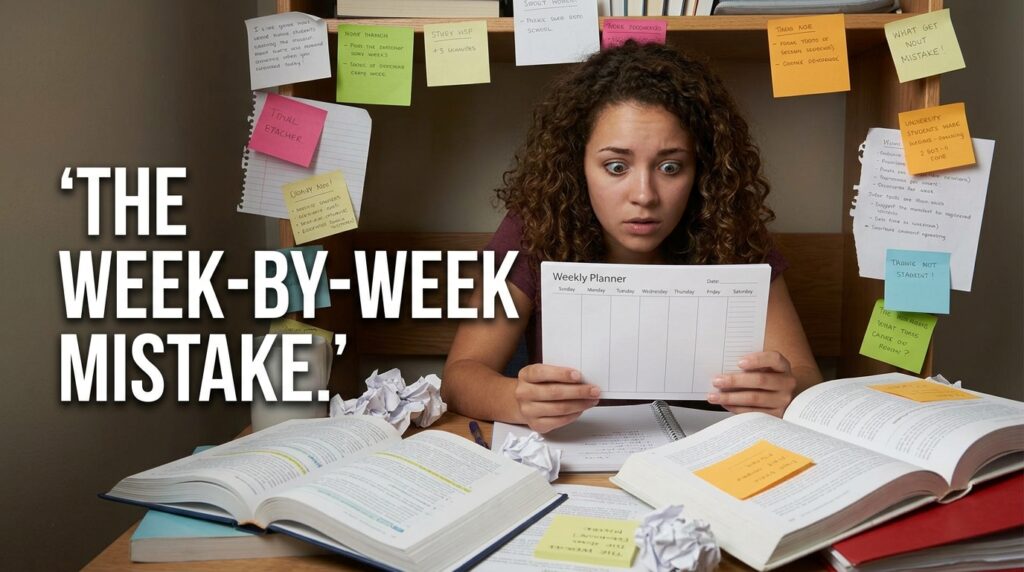
The biggest mistake students make is trying to organize their academic life week by week. When you only look one week ahead, midterms and massive term papers sneak up on you out of nowhere.
To build a functional study schedule, you have to see the entire battlefield from day one.
During the first week of a new semester, professors hand out the syllabus for their class. In the past, I would stuff these papers into a folder and never look at them again. When I revamped my system, I instituted a mandatory ritual: “The Master Purge.”
I sat down at a coffee shop, opened an app called Todoist, and took out every single syllabus.
Todoist is a task manager that became the absolute foundation of my academic life. I created a dedicated “Project” folder for every single class I was taking. For example, “History 101” and “Macroeconomics.”
Then, I went through the syllabi line by line. Every single reading assignment, every quiz, every discussion board post, and every major paper went into Todoist with its exact due date. I didn’t stop until every single academic obligation for the next four months was digitized.
This might sound like overkill, but the psychological relief was instantaneous. I no longer had to wonder what was due next week. I didn’t have to cross-reference four different pieces of paper. I just opened Todoist, clicked on the “Upcoming” view, and my entire semester was neatly laid out in chronological order.
Phase 2: Building the Weekly Framework
Having a list of due dates is crucial, but a list is not a schedule. A to-do list tells you what needs to happen, but it does not tell you when you are actually going to do the work to make it happen.
To solve this, I connected my Todoist app to Google Calendar.
Every Sunday evening, I would sit down for twenty minutes to build my schedule for the upcoming week. This weekly ritual is something I rely on for all aspects of my life, which is why I heavily documented my process in (Tools That Help Me Plan My Week Without Stress).
First, I put my hard boundaries on the calendar. I blocked out my physical class times, my work shifts, and my commuting time. These were the immovable rocks of my week.
Once the immovable rocks were in place, I looked at the white space left over. I then opened Todoist and looked at my assignments for the week.
If I had a history paper due on Friday, I didn’t just tell myself “I’ll write it on Thursday.” I went into Google Calendar and created specific time blocks. “Tuesday, 2:00 PM – 4:00 PM: Research History Paper.” “Wednesday, 1:00 PM – 3:00 PM: Draft History Paper.”
I treated these study blocks with the exact same respect I treated my actual classes. If a friend asked me to grab lunch at 2:00 PM on Tuesday, I would look at my calendar and say, “I can’t, I have an appointment.” The fact that the appointment was with myself in the library didn’t matter.
By giving every assignment a specific physical slot in my day, I completely eliminated the paralyzing feeling of not knowing where to start.
Phase 3: Defeating the “False Studying” Trap
There is a massive difference between sitting at a desk with a textbook open and actually studying.
For years, I practiced “false studying.” I would sit in the library for five hours, feeling incredibly productive. However, during those five hours, I checked my email twenty times, scrolled through social media, texted my friends, and stared blankly at the wall. My actual focused output was maybe forty-five minutes.
When I moved my schedule to my phone, I had to confront the fact that my phone was also my biggest distraction.
To enforce my study blocks, I downloaded an app called Forest.
Forest is a brilliantly gamified Pomodoro timer. The Pomodoro technique involves working in highly focused sprints (usually 25 to 45 minutes) followed by a short break.
When my Google Calendar told me it was time to study Macroeconomics, I would open Forest and plant a “virtual seed.” I would set the timer for 45 minutes.
As the timer ticked down, my seed would grow into a digital tree. But here was the catch: if I exited the Forest app to check Instagram, or if I tried to answer a text message, my virtual tree would instantly die, leaving a withered brown stump on my screen.
It sounds absolutely ridiculous to care about a fake digital plant, but human psychology is incredibly susceptible to gamification. The simple, visual guilt of not wanting to kill my little tree was enough friction to stop my thumb from automatically opening a distracting app. For students trying to balance a heavy workload, creating this kind of digital boundary is a non-negotiable step, which is why I constantly recommend reviewing (Apps That Help Me Focus When Working From My Phone) to find the right barrier for your specific weaknesses.
I would do a 45-minute sprint of intense, unbroken focus, and then reward myself with a 10-minute break to stretch, grab water, and check my messages. I got more actual studying done in two hours with Forest than I used to get done in five hours of “false studying.”

Phase 4: Weaponizing the “Dead Time”
One of the greatest revelations of managing my study schedule on my mobile phone was discovering how much hidden time I actually had in my day.
When you rely on heavy textbooks and physical notebooks, you can only study when you are sitting at a proper desk. But as a student, your day is filled with awkward chunks of “dead time.”
You spend fifteen minutes waiting for a bus. You spend ten minutes standing in line for coffee. You spend twenty minutes sitting in a lecture hall waiting for the professor to arrive.
I realized that if I could harness those scattered minutes, I could drastically reduce the amount of time I needed to spend locked in the library at night.
I digitized my study materials using an app called Anki.
Anki is a digital flashcard app that uses a spaced repetition algorithm. It is arguably the most powerful memorization tool on the planet. Instead of carrying around a stack of index cards, I had thousands of flashcards stored securely in my pocket.
Whenever I found myself standing in a line or sitting on the subway, I didn’t open a mobile game. I opened Anki.
I would flip through twenty flashcards on cellular biology while waiting for my coffee. I would review Spanish vocabulary on the bus ride home. The app’s algorithm ensured I was only studying the concepts I was about to forget, making every single minute highly efficient.
By weaponizing my dead time, I was easily accumulating an extra hour of high-quality studying every single day without ever having to sit at a desk. If you want to survive the overwhelming volume of modern coursework, optimizing your mobile device for on-the-go learning is essential, a philosophy I break down further in (7 Apps Every Student Needs to Survive College).
Phase 5: The Daily Audit
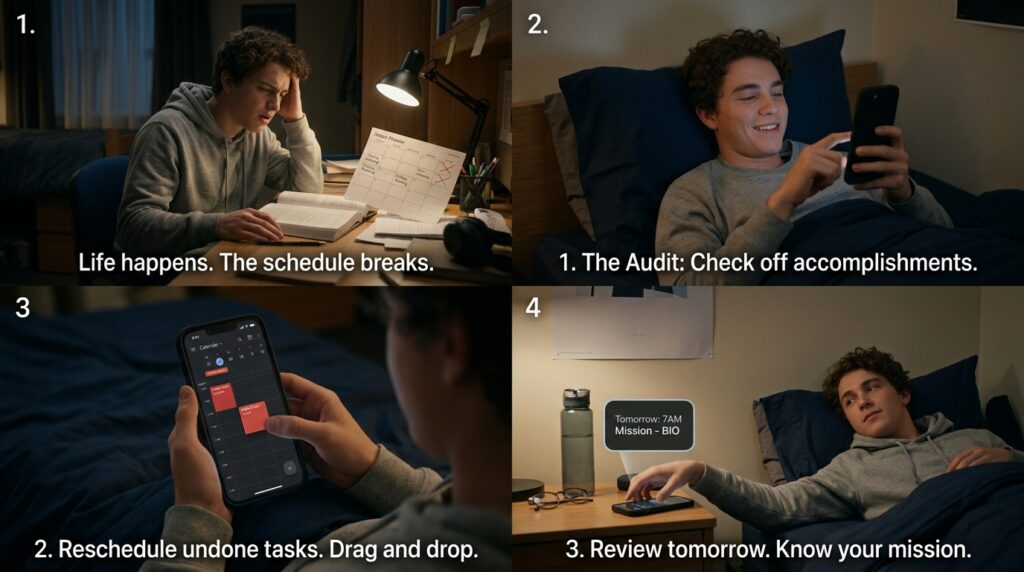
The final piece of my mobile study system was the daily audit. A schedule is not a static, unchangeable document. Life happens. Sometimes a reading assignment takes twice as long as you expected, or you get sick and sleep through a study block.
If you don’t adjust your system, it breaks.
Every evening, right before I went to bed, I would perform a three-minute digital audit on my phone.
I would open Todoist and check off everything I had accomplished that day. It provided a massive hit of dopamine to see the list shrink.
Then, I would look at the tasks that didn’t get done. Instead of feeling guilty, I would simply reschedule them. I would open my Google Calendar, find a blank spot later in the week, and drag that specific study block to its new home.
Finally, I would look at tomorrow’s schedule. I would mentally review my classes and my study blocks so that when I woke up, I knew exactly what my mission was for the day. This simple, three-minute evening routine completely eliminated the anxiety of waking up and feeling behind.
Final Thoughts on Academic Sanity
We have normalized an incredibly toxic culture around studying. We wear our sleep deprivation like a badge of honor. We brag about pulling all-nighters, living on energy drinks, and feeling constantly overwhelmed, as if suffering is a mandatory requirement for getting a degree.
It is not. Suffering is usually just a symptom of poor organization.
Your brain is a brilliant organ, but it was not designed to keep track of forty different academic deadlines while simultaneously managing your social life and your work schedule. When you try to force it to do that, it misfires. You forget midterms. You miss assignments. You burn out.
Your smartphone is the perfect external hard drive for your academic life.
By centralizing all your deadlines in a task manager, forcing those tasks onto a visual calendar, protecting your focus with a gamified timer, and utilizing your dead time for active recall, you completely change the dynamic.
You stop reacting to your classes and start managing them.
You do not need to download twenty different complicated apps to achieve this. You just need a few basic tools and the discipline to trust the system. Take an hour this weekend. Dump your syllabi into a task app, block out your study times, and put the power back in your own hands. You might be shocked to discover that when you actually manage your time efficiently, you can get stellar grades and still have your weekends completely free.
