
For years, my weekends were completely ruined by a psychological phenomenon I playfully called the “Sunday Scaries.” But in reality, there was nothing playful about it.
Every Sunday, right around 4:00 PM, a heavy, suffocating knot would form in my stomach. The weekend was technically still happening, but my brain had already abandoned the present moment. I would sit on the couch, staring blankly at the television, paralyzed by the looming reality of Monday morning. My mind would frantically swirl with a chaotic, disorganized list of everything I had to accomplish in the coming five days: client presentations, unread emails, dentist appointments, grocery shopping, and a terrifyingly vague sense that I was forgetting something critically important.
I was ending my weekends in a state of sheer exhaustion, not because I was working, but because I was worrying.
The problem was that I didn’t actually have a plan. I had a massive, unstructured list of demands in my head, and I was relying on sheer adrenaline to get through the week. Every Monday morning felt like jumping onto a treadmill that was already moving at top speed.
I knew I couldn’t sustain that level of stress. I needed to build a protective barrier between my personal life and my professional obligations, and that barrier had to be constructed out of rigorous, intentional planning. However, traditional paper planners never worked for me—I’d use them for three days and then lose them under a pile of mail. I needed my system to live on the device that was always in my pocket.
After months of trial and error, I finally found the perfect digital workflow. By outsourcing the heavy lifting of remembering and scheduling to specific software, I completely eliminated the Sunday Scaries. If you are tired of starting your week feeling already behind, here are the tools that help me plan my week without stress, and the exact routine I use to make them work.
1. The “Mind Sweep” Using Todoist
The fundamental root of planning anxiety is the fear of forgetting.
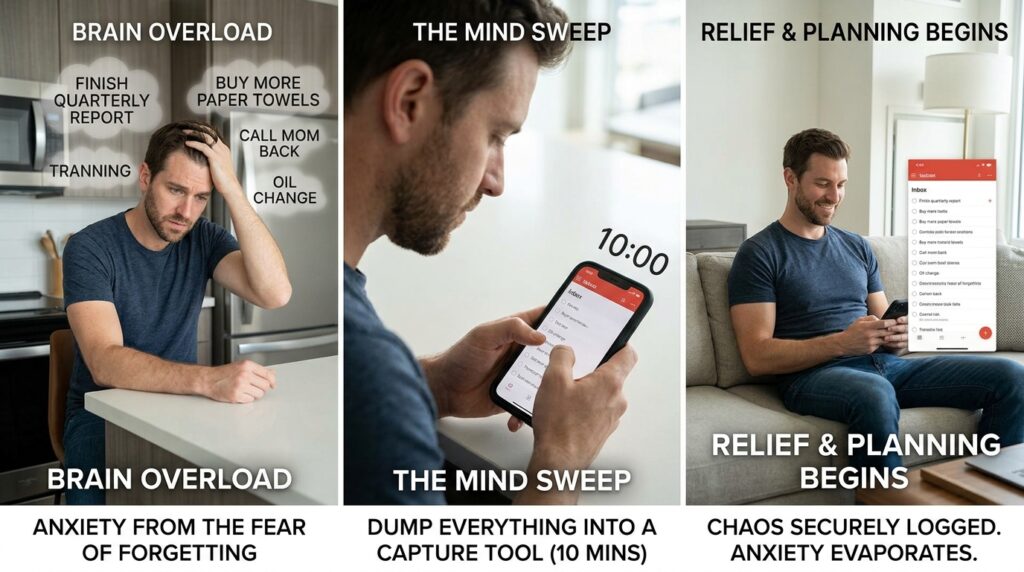
When your brain is holding onto twenty different tasks—from “finish the quarterly report” to “buy more paper towels”—it cannot actually focus on executing any of them. Your brain is a processor, not a hard drive. It is designed to solve problems, not store infinite amounts of data.
Before I can plan my week, I have to empty my brain completely. This is where my capture tool comes in. For me, that tool is Todoist.
I do not open my calendar first. I open the Todoist app on my phone, create a blank digital page, and perform what I call a “Mind Sweep.” I spend ten minutes typing out absolutely everything that is taking up mental space. I don’t categorize the tasks. I don’t assign due dates. I just dump them into the app’s “Inbox.”
I type out the big things: Draft the marketing proposal. I type out the tiny things: Call Mom back. I type out the annoying things: Schedule the car for an oil change.
By the end of the ten minutes, I usually have a list of about forty items. Looking at that list used to terrify me, but now it brings me profound relief. The chaos is no longer swirling in my head; it is trapped behind glass, securely logged in a database. Building this habit was the foundational step of my entire workflow, an evolution I detailed thoroughly in How I Created a Productivity System That Actually Sticks. Once the thoughts are captured, the anxiety instantly evaporates, and the actual planning can begin.
2. Time Realism Through Google Calendar
The biggest mistake people make when planning their week is attempting to work straight from a to-do list.
A to-do list is a wish list. It does not account for the physical laws of time and space. You can write down twenty massive tasks for a Tuesday, completely ignoring the fact that you already have six hours of meetings scheduled. When you inevitably fail to finish those twenty tasks, you feel defeated.
To plan without stress, you have to force your to-do list to confront the reality of your calendar.
I open Google Calendar next to my Todoist list. My calendar is my absolute source of truth. I first look at the “hard landscape” of my week—the things that cannot be moved. I look at my Zoom calls, my doctor’s appointments, and my commuting time.
Then, I look at the white space that is left over.
If I have a massive task on my Todoist list—like writing that marketing proposal—I do not just leave it on the list. I drag it into Google Calendar and block out two physical hours on Wednesday morning. I treat that task block with the exact same respect as a meeting with my boss. If someone tries to schedule a call during that time, my calendar shows me as “Busy.”
This process, known as time-blocking, forces you to be brutally honest with yourself. When you physically map your tasks onto a timeline, you quickly realize that you cannot do everything. You have to prioritize. You have to push some tasks to next week. Accepting this limitation is incredibly liberating. It prevents you from overcommitting, which is the primary cause of mid-week burnout.
3. The Daily Orchestrator: Sunsama
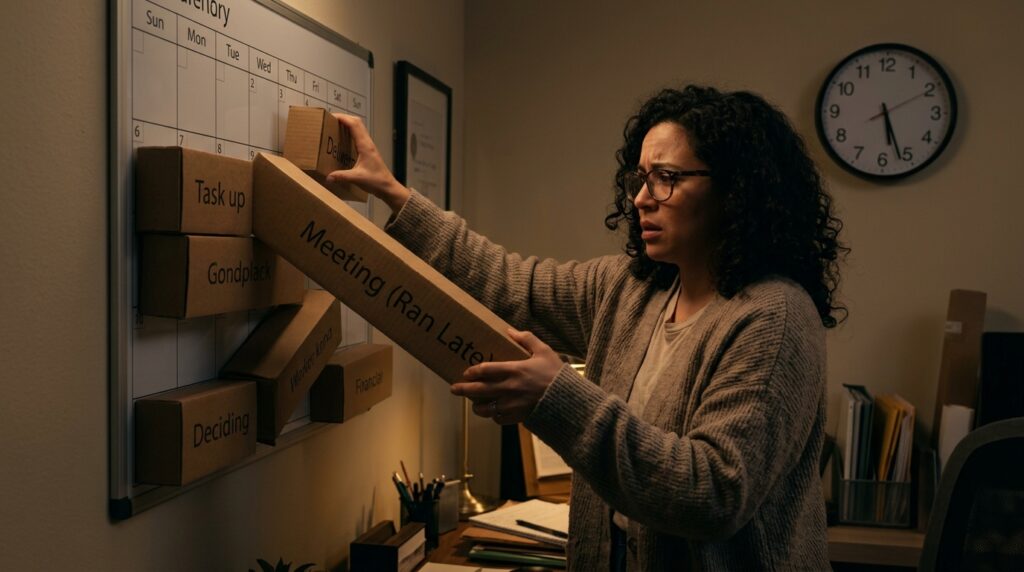
While Google Calendar and Todoist are fantastic foundational tools, they still required a lot of manual shifting if my day didn’t go exactly as planned. If a meeting ran late on Tuesday, I had to manually drag five different task blocks around to fix my schedule.
Then I discovered Sunsama, and it completely revolutionized how I interact with my workday.
Sunsama is a digital daily planner designed specifically to prevent burnout. It acts as an umbrella over all my other apps. It connects directly to my Google Calendar, my email, and my Todoist account, pulling all of my data into one unified, beautiful dashboard.
What makes Sunsama incredible is its guided daily planning ritual.
Every morning, the app walks me through a calm, step-by-step process. First, it asks me to pull in the tasks I want to accomplish today. Then, it forces me to assign a time estimate to every single task.
If I try to schedule twelve hours of work for an eight-hour workday, the app physically stops me. A warning pops up on the screen, gently informing me that my workload is unrealistic and that I am risking burnout. It forces me to drag the less important tasks to tomorrow’s column.
Once my list is realistic, it asks me to drag those tasks directly onto my daily calendar. The app seamlessly bridges the gap between my intention and my reality. Finding an app that actively fights against my own tendency to overwork was a massive breakthrough, an experience I shared when writing about The Apps That Make My Work Life So Much Easier. It acts like a digital project manager, ensuring I end the day feeling accomplished rather than exhausted.
4. Protecting the Personal Life With Paprika and Streaks
Planning a stress-free week isn’t just about managing your professional output. If you only plan your work, your work will consume your entire life. You have to ruthlessly plan your personal maintenance, or it will fall through the cracks.
One of the biggest sources of evening stress in my house used to be the dreaded 6:00 PM question: “What are we doing for dinner?” We would be too tired to think, too tired to cook, and we would end up spending too much money ordering takeout.
To solve this, I added the Paprika Recipe Manager to my weekly planning session.
During my planning block, I open Paprika, look at my saved recipes, and quickly drag four meals onto the app’s internal calendar. The app instantly generates a consolidated grocery list based on those recipes. I order the groceries online right then and there. The entire process takes ten minutes, but it completely eliminates the daily dinner anxiety for the rest of the week.
Similarly, I use an app called Streaks to schedule my personal habits. I schedule my three gym days, my reading time, and my Spanish practice. If these personal goals are not explicitly locked into my weekly plan, the chaotic emergencies of my career will easily push them aside. Planning your downtime is just as critical as planning your uptime.
5. The Magic of the Friday Afternoon Review
The final, and perhaps most important, tool in my arsenal isn’t an app at all; it is a behavioral shift.
For years, I did my weekly planning on Sunday night. I thought I was being responsible, preparing for the week ahead. But in reality, opening my work apps on a Sunday completely ruined the final hours of my weekend. It dragged the stress of the office into my living room.
I decided to move my entire planning ritual to Friday afternoon.
Now, at 3:30 PM on Friday, I stop doing “active” work. I put on a good playlist, open my digital tools, and begin the process. I do my Mind Sweep in Todoist to capture all the loose ends from the week. I look at my Google Calendar for the upcoming week and block out my deep work sessions. I open Paprika and plan my meals.
By 4:30 PM, the entire upcoming week is perfectly orchestrated. My digital house is clean.
Because the plan is locked in on Friday, I am able to completely detach from my professional life on Saturday and Sunday. When the “Sunday Scaries” try to creep in at 4:00 PM, my brain simply dismisses them. I know that I don’t need to worry about what is happening on Monday, because Friday-Me already solved the problem. Shifting this timeline was the ultimate hack for reclaiming my personal time, a strategy I consider the backbone of the system I outlined in How I Organized My Entire Day Using Just Two Apps.

Final Thoughts: Planning as an Act of Self-Care
We often view planning as a rigid, restrictive chore. We think that locking ourselves into a schedule will destroy our spontaneity and make us feel like robots.
But the reality is exactly the opposite.
When you live without a plan, you are not actually free. You are a hostage to your own forgetfulness. You are constantly reacting to the loudest, most urgent demands in your environment. You live in a perpetual state of low-grade anxiety, terrified that a plate is about to drop.
True freedom is knowing exactly what you are supposed to be doing, and—more importantly—knowing exactly what you are not supposed to be doing.
Using digital tools to plan your week is an act of profound self-care. It is a gift you give to your future self.
Take one hour this Friday afternoon to sit down with your phone. Dump your anxieties into a digital inbox. Force your tasks to face the reality of your calendar. Schedule your deep work, but also schedule your rest, your meals, and your personal goals.
When you finally stop relying on your human memory to hold your complex life together and start trusting the software to do the heavy lifting, the stress evaporates. You get to wake up on Monday morning, open your app, and simply execute the brilliant plan you already built.
